

Download progeCAD 2027 – Versatile CAD Software for Mechanical Design
Download progeCAD, a versatile CAD software developed by progeSOFT, designed for both 2D and 3D design. It caters to professionals in the Architecture, Engineering, Construction (AEC), and Manufacturing sectors, offering extensive functionality that emulates AutoCAD’s capabilities. With native DWG file support, progeCAD ensures high compatibility, making it a robust choice for intricate design projects.
Overview of progeCAD
Company Background
progeSOFT is the developer behind progeCAD, a comprehensive CAD software solution. The company focuses on creating powerful yet accessible tools for design professionals, leveraging industry standards to ensure broad compatibility and user adoption. progeCAD is built upon the IntelliCAD engine, enabling it to offer a familiar user experience for those accustomed to other CAD platforms.
Key Applications
progeCAD is utilized across several critical industries. Its primary applications are within Architecture, Engineering, and Construction (AEC), where it supports detailed blueprint creation and project visualization. Additionally, the software is a key tool in the Manufacturing sector for mechanical design, product development, and technical drawing.
Core Features of progeCAD
Dynamic User Interface and Usability
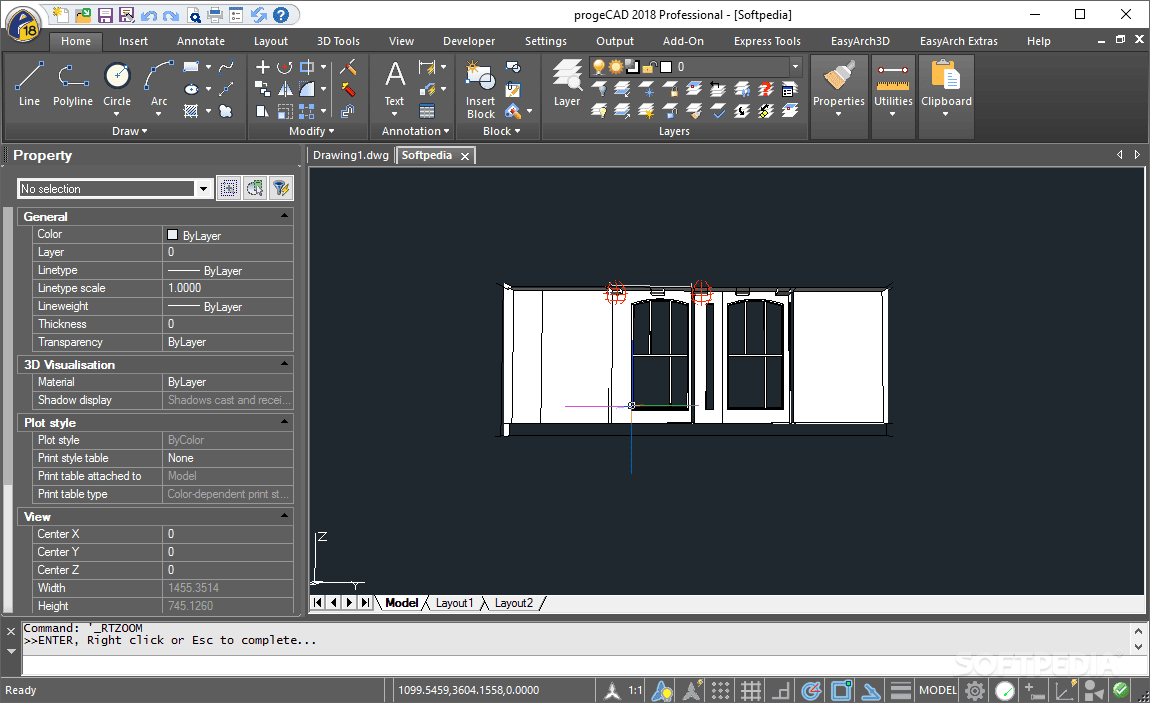
The software features a dynamic user interface designed for efficiency and ease of use. Dynamic Input commands allow users to specify coordinates and parameters directly at the cursor, streamlining the drawing process. This approach reduces the need to constantly switch focus to the command line, enhancing workflow speed.
Advanced Design Tools
progeCAD incorporates a range of sophisticated design tools essential for complex projects. Features such as EasyArch 3D simplify the creation of architectural elements, while the support for parametric blocks allows for intelligent, editable components. These tools are crucial for precision in both 2D drafting and 3D modeling.
Cloud Integration
Enhancing collaboration and accessibility, progeCAD 2026 includes cloud integration capabilities through progeCAD Cloud. This feature allows users to store, manage, and share design files via cloud services, facilitating teamwork among geographically dispersed project members and ensuring access to the latest design versions.
Compatibility with AutoCAD
A significant advantage of progeCAD is its direct compatibility with AutoCAD. The software works natively with DWG files, meaning users can open, edit, and save drawings without data loss or conversion issues. This robust compatibility ensures seamless integration into existing workflows that rely on AutoCAD data.
Real-world Applications and Use Cases
In real-world scenarios, progeCAD serves as a primary tool for creating detailed architectural plans for residential and commercial buildings. Mechanical engineers utilize its 3D modeling capabilities to design machine parts, assemblies, and prototypes, ensuring precision and accuracy in manufacturing specifications. Furthermore, construction firms use progeCAD for site planning, infrastructure design, and project documentation, benefiting from its DWG compatibility and efficient drafting tools.
Comparison with Other CAD Software
Compared to IntelliCAD, progeCAD often provides a more refined feature set and specific tools tailored for AEC and mechanical design, alongside enhanced cloud integration. While AutoCAD remains a top-tier industry standard, progeCAD presents a compelling alternative by offering similar core functionalities, including extensive DWG support and advanced drafting tools, at a more competitive price point. Its focus on user-friendly interfaces and collaboration features further differentiates it in the CAD software market.
User Support and Resources
progeCAD is supported by a range of resources designed to assist users. This includes detailed documentation, online tutorials, and access to a community forum where users can share insights and solutions. Official support channels are available from progeSOFT to address technical queries, ensuring users can effectively leverage the software’s capabilities for their projects.
Frequently Asked Questions
What are the primary features of progeCAD?
progeCAD offers a suite of features including cloud storage integration via progeCAD Cloud, dynamic input commands for efficient drafting, and advanced 2D and 3D design tools like EasyArch 3D and parametric blocks. Its strong compatibility with AutoCAD ensures seamless work with DWG files, making it a preferred choice for many engineers and designers.
How does progeCAD compare to AutoCAD?
progeCAD is designed to be highly compatible with AutoCAD, allowing users to work with DWG files seamlessly without conversion issues. While it offers many similar core functionalities and advanced drafting capabilities, progeCAD is often considered a more cost-effective solution for CAD applications, providing robust tools suitable for various professional needs.
Can progeCAD be used for both 2D and 3D design?
Yes, progeCAD supports extensive functionalities for both 2D drafting and 3D modeling. Its comprehensive toolset makes it suitable for a wide range of applications across different CAD disciplines, from creating precise architectural blueprints to developing complex mechanical parts.






Reviews
There are no reviews yet.