

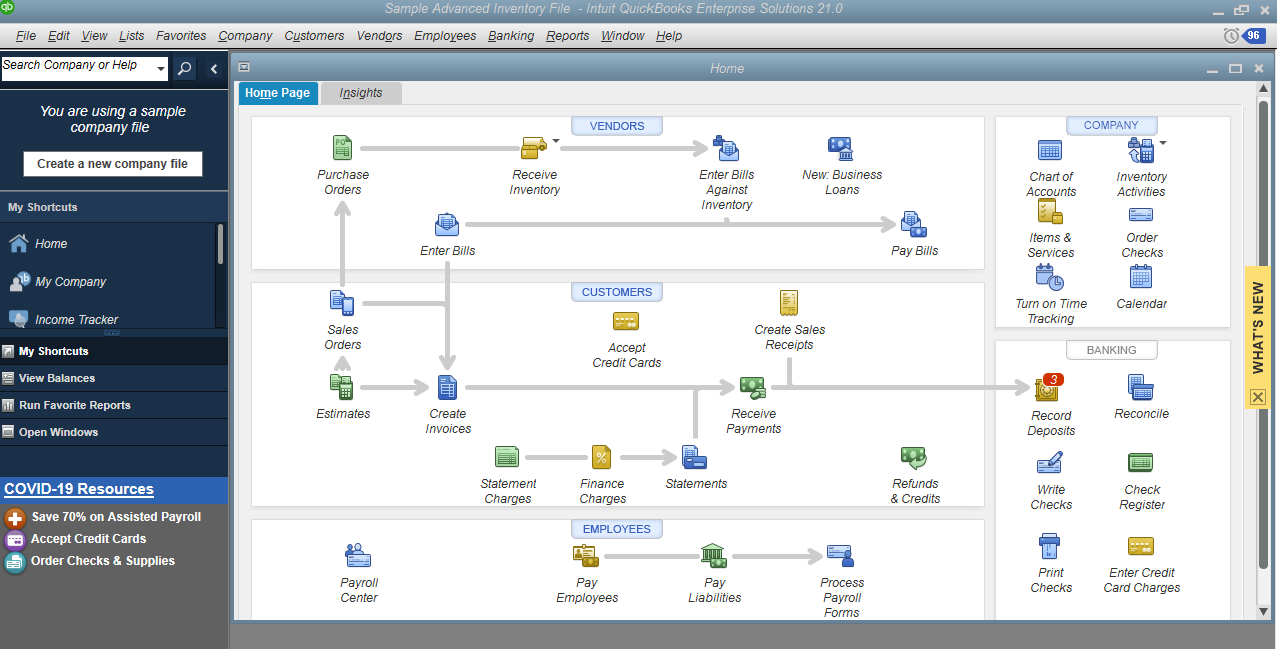
Download Intuit QuickBooks Enterprise Solutions 2024 R15 – Comprehensive Accounting for Your Business
Intuit QuickBooks Enterprise Solutions 2024 R15 is a sophisticated accounting software package developed by Intuit Inc., designed specifically for the complex needs of small to medium-sized businesses. It provides robust tools for managing business finances, encompassing essential functions such as comprehensive financial management, integrated payroll processing, and advanced inventory tracking. With its industry-leading market share and extensive capabilities, QuickBooks Enterprise Solutions serves as a vital accounting and business management software for a wide range of professional users aiming to optimize their financial operations.
Overview and Applications
QuickBooks Enterprise Solutions offers an advanced suite of tools tailored to support growing businesses. Its primary purpose is to streamline financial management, provide deep insights through customizable reports, and adapt to specific industry requirements. This powerful accounting software is utilized across various sectors, empowering businesses to manage day-to-day transactions, track financial health, and plan for future growth.
Key Features and Functionalities
Accounting and Financial Management
At its core, QuickBooks Enterprise Solutions excels in managing a business’s financial landscape through robust double-entry accounting principles. It simplifies the tracking of income and expenses, manages accounts payable and receivable, and facilitates precise financial reporting.
- Facilitates accurate tracking of all financial transactions.
- Manages customer invoices, vendor bills, and payment processing.
- Enables generation of detailed financial statements like profit and loss, balance sheets, and cash flow reports.
- Supports multi-currency transactions for businesses operating internationally.
Payroll Processing Capabilities
The integrated payroll system within QuickBooks Enterprise Solutions automates many of the complex tasks associated with paying employees, helping businesses ensure accuracy and compliance.
- Allows for efficient employee payment processing, including direct deposit and check printing.
- Automates calculations for federal, state, and local payroll taxes.
- Generates essential payroll reports for tax filings and record-keeping.
- Ensures adherence to current payroll regulations and compliance standards.
Inventory Management Options
For businesses handling physical products, the inventory management features in QuickBooks Enterprise Solutions offer sophisticated tools to maintain optimal stock levels and track inventory value accurately.
- Provides real-time tracking of stock levels across multiple locations.
- Automates the tracking of inventory costs using methods such as FIFO (First-In, First-Out).
- Helps in managing purchase orders and vendor communications.
- Supports barcode scanning for efficient inventory reconciliation.
Industry-Specific Customization and Use Cases
A key differentiator for QuickBooks Enterprise Solutions is its capability to be customized for specific industries, offering tailored workflows and reporting relevant to sectors like retail, manufacturing, and professional services.
- Retail: Features can be configured for managing sales, tracking product inventory, and analyzing point-of-sale data.
- Manufacturing: Customization includes managing production workflows, tracking costs of goods sold, and optimizing material requirements.
- Professional Services: Tools are available for project-based billing, time tracking, and managing client accounts receivable.
- Wholesale: Enhancements support managing complex sales orders, optimizing inventory, and tracking customer history.
Integration with Other Business Tools
QuickBooks Enterprise Solutions is designed to work in conjunction with other essential business applications, creating a more integrated and efficient operational ecosystem.
- Seamlessly connects with CRM systems to provide a unified view of customer interactions and financial data.
- Integrates with e-commerce platforms to synchronize online sales and inventory levels.
- Allows data sharing with specialized payroll or time-tracking services if needed.
- Supports connections with business intelligence tools for advanced data analysis.
Comparison with Other Accounting Solutions
QuickBooks Enterprise Solutions stands out in the accounting software market due to its scalability and deep feature set, particularly its industry-specific editions. While other accounting software may cater well to basic bookkeeping for very small businesses, Enterprise Solutions is engineered to handle greater transaction volumes and more complex workflows required by growing medium-sized companies.
- Offers more advanced reporting and customization options compared to standard QuickBooks versions or entry-level accounting packages.
- Provides multi-user access with role-based permissions, enhancing control and security for larger teams.
- Dedicated industry versions mean tailored chart of accounts, reporting, and workflows not typically found in more generalized accounting software.
Frequently Asked Questions
What are the main functionalities of QuickBooks Enterprise Solutions?
QuickBooks Enterprise Solutions offers comprehensive features for accounting, payroll processing, inventory management, and customizable reporting, designed to cater to medium-sized businesses with advanced operational needs.
How does QuickBooks Enterprise help with payroll management?
The software includes integrated payroll functionalities that simplify employee payment processes, automate tax calculations, and ensure compliance with payroll regulations for businesses.
Can QuickBooks Enterprise integrate with other business management tools?
Yes, QuickBooks Enterprise Solutions can integrate with various business applications, enhancing productivity by centralizing financial management and streamlining workflows for more efficient operations.






Reviews
There are no reviews yet.