

Download PTC MathCAD 15.0 M050 – Advanced Engineering Calculation Software
PTC MathCAD 15.0 M050 is an advanced engineering calculation software developed by PTC Inc. designed to meet the rigorous demands of engineers and scientists. This software is pivotal for tasks involving mathematical computations, validation, documentation, and the re-use of engineering calculations across various disciplines. It is particularly suited for professionals in Mechanical, Civil, Electrical, and Chemical Engineering fields who require a robust platform for complex problem-solving.
Introduction to PTC MathCAD 15.0
PTC MathCAD 15.0 stands as a powerful tool for professionals accustomed to managing mathematical documentation and performing intricate engineering calculations. Its significance lies in its ability to integrate mathematical expressions, text, and visualizations in a single, user-friendly interface. This approach streamlines the workflow for engineers, allowing them to focus on the integrity of their calculations and the clarity of their documentation, thereby enhancing productivity and reducing errors in complex engineering projects.
Key Features and Functionalities
PTC MathCAD 15.0 offers a comprehensive suite of features designed to support engineers throughout their calculation and documentation processes. Its strength lies in its intuitive design and extensive mathematical capabilities, enabling users to perform, verify, and share complex engineering analyses with confidence.
Mathematical Computation and Analysis
The core of PTC MathCAD 15.0’s utility in engineering resides in its advanced mathematical computation and analysis capabilities. It supports a wide array of mathematical operations, from basic arithmetic and algebra to sophisticated calculus, statistics, and the solving of differential equations, including partial differential equations (PDEs). The software excels at performing dimensionality checking, ensuring the physical consistency of equations. Its live calculation feature means results update automatically as input values are modified, facilitating iterative design processes and thorough analysis. This ensures accuracy and reliability in engineering tasks, making it a cornerstone for technical computations.
Integration with Engineering Tools
PTC MathCAD 15.0 is engineered for interoperability within the broader engineering software ecosystem. It provides robust integration capabilities with other critical engineering tools, significantly enhancing its value proposition. This includes seamless connectivity with Computer-Aided Design (CAD) software such as AutoCAD and PTC’s own Creo, and also extends to other simulation and analysis platforms like Ansys. Such integrations allow for the direct use of Mathcad calculations within design workflows, improved data exchange between analysis and design phases, and the application of validated mathematical models in downstream engineering activities.
User Experience and Interface
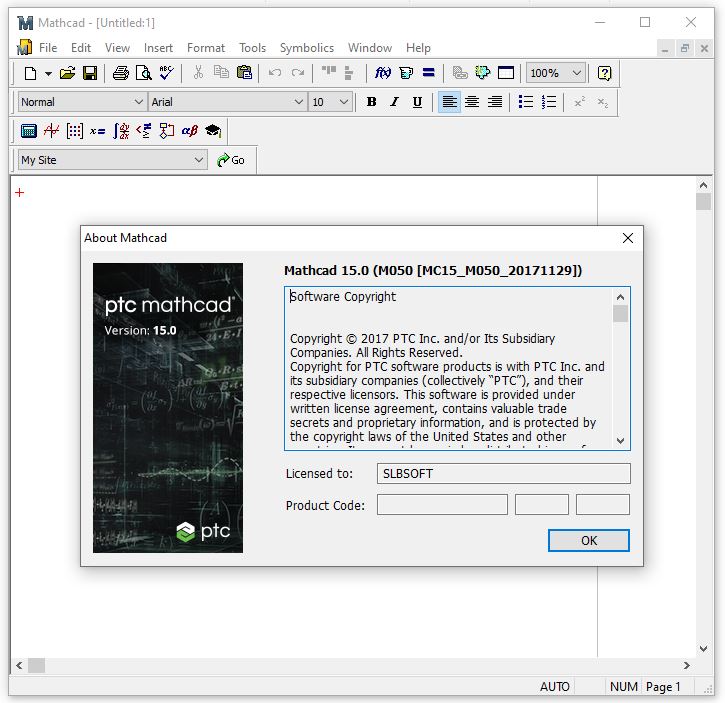
The user experience within PTC MathCAD 15.0 is centered around its distinctive WYSIWYG (What You See Is What You Get) interface. This allows users to input and view mathematical notations naturally, mimicking handwritten equations on a whiteboard. The interactive notebook format combines equations, text explanations, units, and plots in a single document, making it exceptionally easy to follow and understand complex calculations. While specific language options may vary, the primary interface is designed for clarity, supported by comprehensive guides and documentation that assist users in leveraging its full potential for mathematical documentation and engineering analysis.
Real-World Applications
PTC MathCAD 15.0 finds extensive application across numerous engineering domains. In mechanical engineering, it is utilized for stress analysis, thermal calculations, and mechanical system design. Civil engineers employ it for structural analysis, fluid dynamics, and project estimation. Electrical engineers benefit from its capabilities in circuit analysis, signal processing, and power systems calculations. Chemical engineers leverage MathCAD for process design, reaction kinetics, and thermodynamics. The software’s reliability and documentation features make it indispensable for critical projects where accuracy and traceability are paramount.
Comparison with Similar Software
While software like MATLAB and Mathematica are also powerful tools for mathematical computation, PTC MathCAD 15.0 distinguishes itself through its unique interactive notebook system designed specifically for engineering documentation. Unlike MATLAB, which often requires a scripting approach, Mathcad’s WYSIWYG interface makes it more intuitive for users who prioritize the presentation and clarity of their mathematical work. Its direct integration with PTC’s product suite and other specialized engineering software further enhances its utility in professional engineering workflows, offering a distinct advantage for tasks requiring combined design, calculation, and documentation.
Conclusion and Next Steps
PTC MathCAD 15.0 M050 offers engineers and scientists a powerful, integrated environment for performing complex calculations, documenting procedures, and validating results. Its intuitive interface, extensive mathematical functions, and robust integration capabilities make it a valuable asset for any engineering professional. For those seeking a reliable solution for engineering calculation and mathematical documentation, exploring PTC MathCAD 15.0 is a recommended step toward enhancing project accuracy and efficiency.
Frequently Asked Questions
What types of calculations can I perform with PTC MathCAD 15.0?
PTC MathCAD 15.0 allows users to perform various calculations, including algebraic computations, calculus, statistics, and differential equations. It also supports real-time update of results as inputs change, which is beneficial for iterative analysis and design adjustments.
How does PTC MathCAD integrate with other engineering software?
PTC MathCAD 15.0 integrates seamlessly with various CAD and engineering software, including AutoCAD and PTC Creo. This integration allows for enhanced data management and the application of mathematical models in design tasks, facilitating a more cohesive engineering workflow.
Is PTC MathCAD 15.0 suitable for educational use?
Yes, PTC MathCAD 15.0 is widely used in educational settings for teaching mathematical concepts and engineering principles due to its interactive capabilities and user-friendly interface that simplifies the learning curve for students.




Reviews
There are no reviews yet.