

Download IES ShapeBuilder v15.0 – Efficient Section Property Calculator for Engineers
IES ShapeBuilder v15.0, developed by IES (Integrated Engineering Software), is a specialized civil engineering software engineered for precise section property calculations. This application is a critical tool for structural engineers, mechanical engineers, and professionals in the aerospace, manufacturing, and construction industries who require robust analytical capabilities for complex cross-sectional shapes.
Overview of IES ShapeBuilder
Introduction to the Software
IES ShapeBuilder is a premier application designed for calculating section properties across a wide array of cross-sectional shapes. It supports engineers in performing detailed structural analyses, including the determination of shear properties and torsion constants, and provides insights into stress distribution. Its advanced features and user-friendly interface make it a popular choice among professionals managing complex engineering projects.
Key Features and Capabilities
Section Property Calculations
The software offers comprehensive capabilities for calculating essential section properties crucial for structural analysis. These calculations are fundamental for understanding how components will behave under various loads.
- Calculation of shear properties, including the shear center and shear stress distribution.
- Determination of torsion properties, such as the torsion constant and resulting torsional shear stress.
- Analysis of stress distribution across complex cross-sections to identify critical areas.
- Support for standard and custom-defined cross-sectional geometries.
Custom Shapes and Design Flexibility
IES ShapeBuilder excels in its ability to handle custom-designed cross-sections, providing engineers with significant flexibility in their design process. The interactive graphical editor allows for intuitive shape creation and modification.
- Creation of user-defined built-up shapes by combining standard or custom geometric elements.
- An interactive graphical editor for easy visualization, modification, and refinement of cross-sectional designs.
- Tools for precise graphical editing, enabling detailed adjustments for specific project requirements.
- Modification of existing shapes to quickly assess the impact of design changes on section properties.
Advanced Analytical Tools
Composite Shape Analysis
Engineers can leverage IES ShapeBuilder to analyze structures composed of multiple materials, which is common in advanced engineering applications. This feature is vital for optimizing performance and ensuring material integrity.
- Analysis of composite shapes where multiple materials with different properties are combined within a single cross-section.
- Consideration of varying material properties to accurately determine the overall section behavior.
- Detailed calculation of mechanical properties for layered or mixed-material components.
Stress Distribution Analysis
The software provides in-depth stress analysis, allowing engineers to visualize and quantify stress concentrations within their designs. This capability is instrumental in preventing structural failures.
- Comprehensive stress analysis tools to identify areas of high stress within the cross-section.
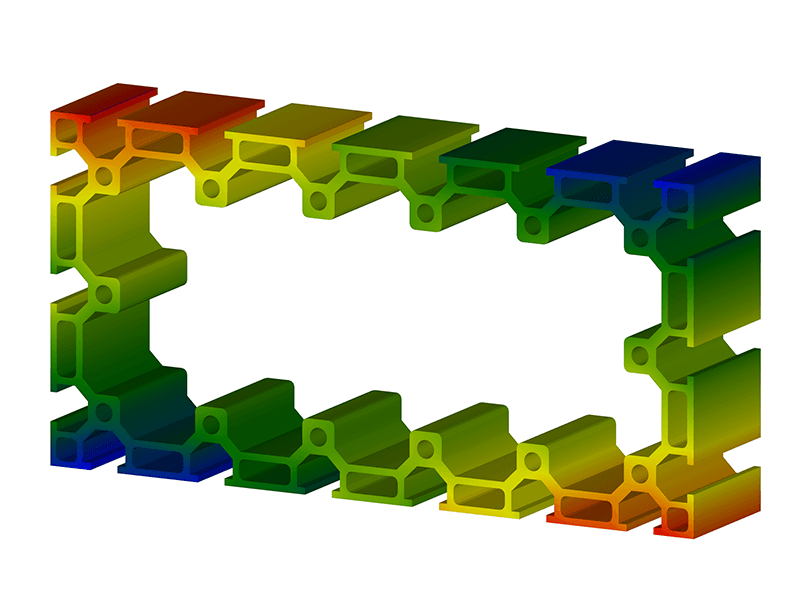
- Graphical representation of stress distribution, enabling clear visualization of critical load-bearing regions.
- Integration of finite element analysis (FEA) principles for accurate stress and strain calculations.
- Tools to help engineers ensure designs meet safety factors and performance criteria.
Integration with Other Software
IES ShapeBuilder is designed to work seamlessly within a broader engineering workflow, enhancing productivity and data management. Its integration capabilities streamline the process from initial design to final analysis.
The software integrates effectively with VisualAnalysis, another product from IES (Integrated Engineering Software). This synergy allows users to import calculated section properties directly into structural analysis models, expediting the simulation and design validation process for complex building structures and other civil engineering projects.
User Feedback and Industry Applications
IES ShapeBuilder is valued across various engineering sectors for its speed, accuracy, and ease of use. Professionals report significant improvements in their design and analysis workflows.
Key industry applications and use cases include:
- Structural analysis in civil engineering for bridges, buildings, and infrastructure projects.
- Mechanical engineering applications requiring precise component property calculations for machinery and equipment.
- Aerospace design considerations, where lightweight yet robust materials and shapes are critical.
- Manufacturing scenarios involving the design and analysis of custom parts and extrusions.
- Construction projects that demand accurate material property data for structural integrity.
Conclusion
IES ShapeBuilder v15.0 stands as an indispensable tool for engineers engaged in disciplines requiring detailed section property analysis. Its combination of advanced calculation features, flexibility in handling custom and composite shapes, and seamless integration with other engineering software packages like VisualAnalysis, solidifies its role in modern structural engineering, mechanical design, and related fields.
Frequently Asked Questions
What is IES ShapeBuilder used for?
IES ShapeBuilder is a powerful tool designed for calculating section properties of various cross-sections in structural engineering. It is widely used for determining shear and torsion properties, enabling engineers to analyze stress distributions effectively. Its capabilities extend to custom shape creation and composite material analysis, supporting a diverse range of engineering applications.
Can IES ShapeBuilder handle composite shapes?
Yes, IES ShapeBuilder has the capability to analyze composite shapes made up of multiple materials, allowing for advanced calculations that consider various material properties and their interactions. This feature is crucial for engineering designs that utilize layered materials or combinations of different substances to achieve specific performance characteristics.
How does IES ShapeBuilder improve workflow for engineers?
IES ShapeBuilder enhances workflow through its interactive graphical editor, custom shape creation features, and ability to automate calculations and reporting, making it easier for engineers to manage complex projects efficiently. By providing quick and accurate section property data, it reduces the time spent on manual calculations and allows engineers to focus on design optimization and analysis.






Reviews
There are no reviews yet.