

Download Unity Technologies Pixyz Studio 2026.4.0 – Leading 3D Data Preparation Tool
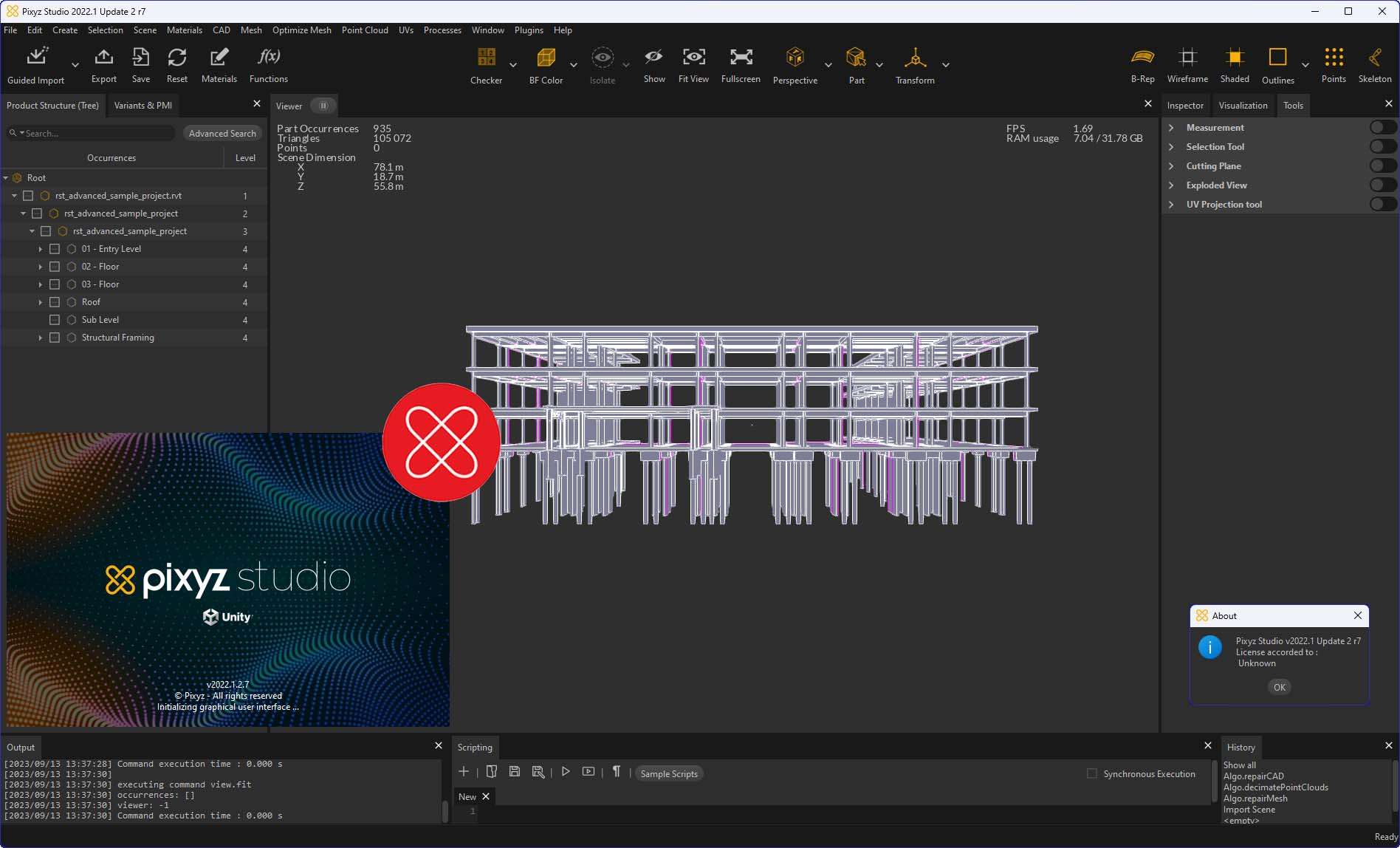
Unity Technologies Pixyz Studio is a specialized 3D data preparation software developed by Unity Technologies, targeting professionals in 3D visualizations, game development, and CAD data management. It is engineered to optimize complex computer-aided design (CAD) data for efficient use in real-time 3D applications.
Introduction to Pixyz Studio
Overview of Key Functionalities
Pixyz Studio provides a comprehensive suite of tools designed to process and prepare 3D models from diverse CAD sources. Its primary function is to convert intricate design data into lightweight, optimized meshes suitable for interactive 3D environments, game engines, and virtual reality applications. Key functionalities include automated mesh optimization, simplification, and cleanup, ensuring that complex geometry can be rendered efficiently without sacrificing visual fidelity.
Industry Applications of Pixyz Studio
Professionals across various sectors leverage Pixyz Studio for its robust data preparation capabilities. In the automotive industry, it is used to optimize complex vehicle designs for interactive configurators and virtual showrooms. Architectural firms utilize it to transform BIM and CAD models into real-time walkthroughs and visualizations. Furthermore, the entertainment industry relies on Pixyz Studio for preparing dense CAD assets for integration into game engines and other real-time rendering pipelines.
Advanced Features and Capabilities
Tessellation Algorithms and Optimization
At the core of Pixyz Studio’s capabilities are its advanced tessellation algorithms. These algorithms are crucial for converting precise NURBS and high-polygon CAD surfaces into efficient polygonal meshes. The software’s optimization tools allow for significant reduction in polygon counts while carefully preserving critical geometric details and design intent. This process is vital for achieving performance gains in real-time applications.
Key aspects of the tessellation and optimization process include:
- Automated mesh simplification with adjustable parameters for detail preservation.
- Intelligent decimation to reduce polygon count without visual degradation.
- Surface deviation controls to maintain accuracy during mesh conversion.
- Tools for repairing mesh issues such as holes, non-manifold geometry, and inverted faces.
Integration with CAD Software
Pixyz Studio is built for seamless integration with a wide array of industry-standard CAD software. It supports direct import of native file formats from leading platforms, ensuring that designers and engineers can bring their complex models into the Pixyz Studio environment without extensive conversion steps. This compatibility accelerates the data preparation workflow.
Supported CAD software includes, but is not limited to:
- CATIA
- Autodesk Inventor
- SolidWorks
- Siemens NX
- PTC Creo
- Rhino
Python API and Customization
For advanced users seeking to automate repetitive tasks or integrate Pixyz Studio into larger production pipelines, the software offers a powerful Python API. This scripting interface allows for the creation of custom tools, batch processing of files, and tailored modifications to the data preparation workflow. The API enables granular control over import, export, and mesh manipulation processes.
Through the Python API, users can:
- Automate the import and export of multiple files.
- Apply complex optimization and tessellation settings programmatically.
- Develop custom scripts for specific data cleanup or modification needs.
- Integrate Pixyz Studio’s functionalities into existing toolchains.
Real-world Use Cases
Numerous companies and professionals utilize Pixyz Studio to overcome challenges associated with complex 3D data. For instance, automotive manufacturers employ it to prepare large assembly models for virtual reality training simulations, enabling mechanics to interact with accurate digital twins of vehicles. In architectural visualization, Pixyz Studio is used to convert building information models (BIM) into optimized assets for real-time engines, facilitating client reviews and design exploration. Game development studios leverage its capabilities to efficiently process and optimize complex CAD assets, ensuring smooth performance within game environments.
Comparative Insights
Compared to general 3D modeling software, Pixyz Studio is specifically designed for the rigorous demands of CAD data preparation and optimization for real-time applications. While other tools may offer some mesh manipulation features, Pixyz Studio excels through its specialized tessellation algorithms and batch processing capabilities tailored for complex industrial designs. Its robust Python API provides a level of automation and customization that is often more sophisticated than that found in more general-purpose 3D software, making it a focused solution for professionals facing large-scale data conversion challenges.
Frequently Asked Questions
What is Pixyz Studio used for?
Pixyz Studio is a 3D data preparation tool designed to optimize CAD models for real-time visualization and rendering. It helps transform complex CAD data into lightweight meshes suitable for interactive environments.
Can Pixyz Studio handle data from various CAD software?
Yes, Pixyz Studio supports data import from leading CAD programs such as Catia, NX, and SolidWorks, facilitating seamless integration into different workflows.
How does the Python API enhance Pixyz Studio?
The Python API in Pixyz Studio allows advanced users to automate complex data preparation tasks by creating custom scripts and plugins, streamlining their workflows significantly.





Reviews
There are no reviews yet.