

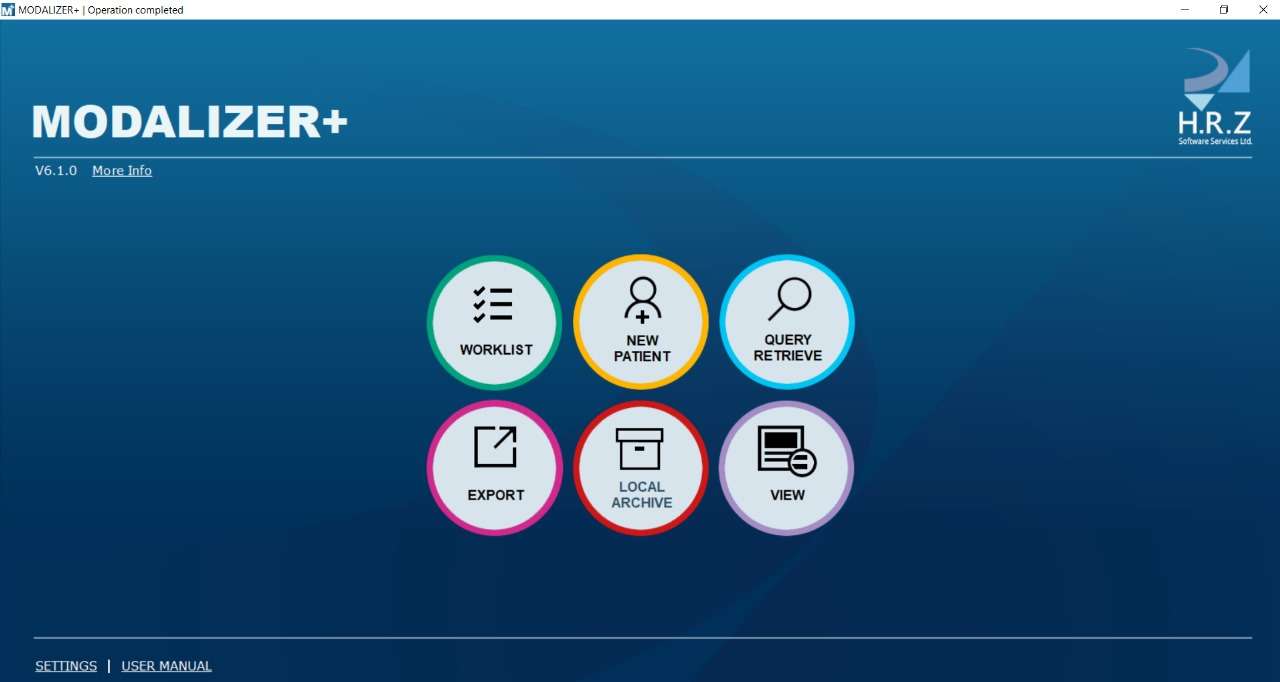
Download Modalizer+ 6.1 – Advanced Medical Imaging and Reporting Tool for Healthcare
Modalizer+ 6.1 is specialized DICOM software developed for healthcare professionals to manage medical images and reporting. It functions as a critical tool within PACS environments, facilitating image capture, display, and procedural documentation. This application is designed for use in diagnostic radiology and other medical imaging fields, ensuring compliance with healthcare IT standards.
Overview of Modalizer+ in Medical Imaging Environments
Modalizer+ 6.1 serves as a comprehensive solution for medical imaging workflows, specifically designed to meet the demands of point-of-care settings. It integrates image capture, viewing, and reporting capabilities, all while adhering to the DICOM standard crucial for interoperability in healthcare. The software aims to enhance efficiency and accuracy for radiologists and other medical professionals who rely on precise image documentation.
Comprehensive Image Capture and Format Compatibility
Modalizer+ 6.1 supports a wide array of image input methods and file formats, offering flexibility for various clinical scenarios. The software can interface with multiple imaging devices, ensuring that images can be acquired from diverse sources within a healthcare facility.
- Supports capture from USB cameras, providing a direct and accessible imaging solution.
- Compatible with standard TWAIN and WIA devices for broader hardware integration.
- Handles a variety of popular image file formats including MPEG, PDF, JPG, PNG, TIFF, and Bitmaps for review and reporting.
Reporting and Workflow Integration for Healthcare Professionals
Streamlining the reporting process is a key function of Modalizer+ 6.1, offering healthcare professionals tools to improve accuracy and speed. The software’s integration capabilities ensure that reports and images flow efficiently within the hospital’s IT infrastructure.
- Features customizable PDF report templates that can be tailored to specific medical departments or procedures.
- Includes auto-completion functionalities to reduce manual data entry and common errors.
- Integrates seamlessly with Picture Archiving and Communication Systems (PACS), ensuring that captured images and generated reports are stored and accessible within the existing PACS infrastructure.
- Supports the automation of workflows by interfacing with modality worklists, aligning image capture with patient schedules and procedures.
Modality Worklist and Procedure Step Management
Modalizer+ 6.1 enhances operational efficiency by intelligently managing patient and procedure data. This feature is crucial for reducing administrative overhead and improving the overall quality assurance of medical imaging services.
The software’s adherence to modality worklist protocols ensures that patient and procedure information is accurately associated with captured images. By minimizing manual data entry, it significantly reduces the potential for errors, thereby upholding stringent QA standards critical in medical diagnostics.
Medical Image Display and Archive Management
Beyond acquisition, Modalizer+ 6.1 offers robust tools for viewing and managing medical images. Its capabilities extend to creating shareable DICOM media, facilitating collaboration and archiving outside the primary PACS.
- Provides a multi-modality image viewer for clear display and assessment of various medical image types.
- Manages a local archive database for efficient storage and retrieval of images.
- Enables DICOM media creation, including the option to burn images and viewers onto CD/DVD/USB for external distribution or archival purposes.
Customization and Automation Features to Enhance Operational Efficiency
Modalizer+ 6.1 is designed with a focus on adaptability, allowing healthcare facilities to configure its functions to match their unique workflows and hardware setups.
- Offers customizable DICOM instance structures, enabling specific data configurations for various imaging modalities.
- Provides configurable capture keys that can be mapped to keyboard shortcuts or external hardware triggers, such as foot pedals or specialized buttons, for hands-free operation during procedures.
Use Cases and Industry Applications of Modalizer+
Modalizer+ 6.1 finds its application in diverse healthcare settings, particularly where immediate image capture and reporting at the point of care are essential. Its versatility makes it suitable for both specialized departments and broad clinical applications.
- Widely used in radiology departments for capturing diagnostic images and generating preliminary reports.
- Valuable in various clinics and private practices for point-of-care imaging procedures and immediate documentation.
- Supports surgical or procedural suites where visual documentation is critical for operative records and patient follow-up.
- Applicable in mobile imaging units or remote healthcare facilities that require efficient image capture and reporting solutions with limited infrastructure.
Frequently Asked Questions
How does Modalizer+ integrate with existing PACS systems?
Modalizer+ integrates with PACS by supporting DICOM standards including modality worklists and procedure steps. This enables seamless storage, retrieval, and display of medical images and related reports within the PACS environment, ensuring interoperability with existing radiology information systems.
What image formats and input devices are compatible with Modalizer+?
Modalizer+ supports a variety of image formats such as MPEG, PDF, JPG, PNG, TIFF, and Bitmaps. It can capture images from USB cameras and TWAIN/WIA compatible devices, enabling flexible imaging options and compatibility with commonly available hardware at the point of care.
Can Modalizer+ customize reporting templates for different medical departments?
Yes, Modalizer+ provides fully customizable PDF report templates with auto-complete features to speed up documentation and ensure accuracy tailored to specific departmental requirements, enhancing efficiency and standardization across various clinical settings.







Reviews
There are no reviews yet.