

Download Dolphin Imaging 12.0 – Advanced Dental Imaging and Treatment Planning Software
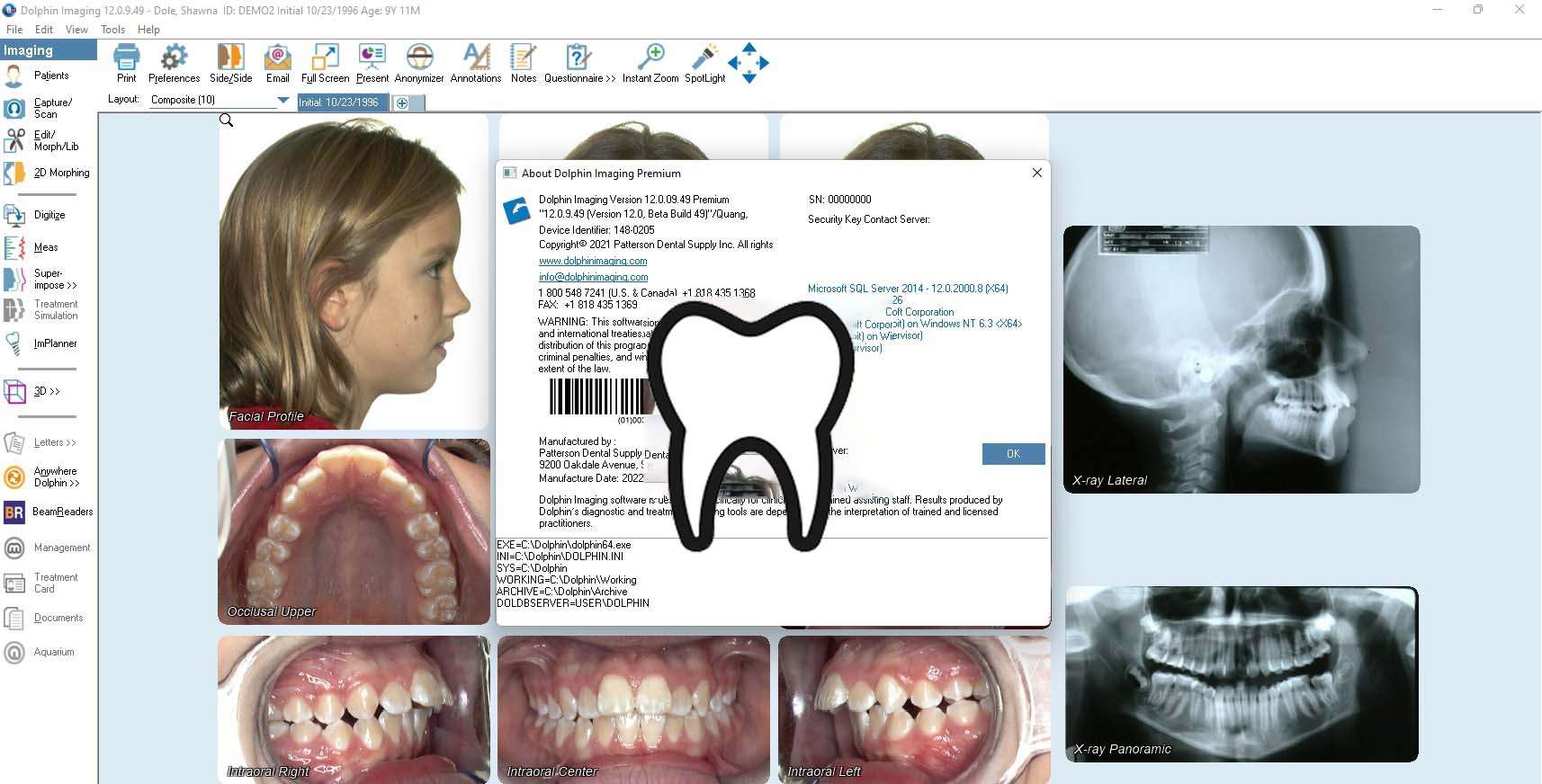
Dolphin Imaging 12.0, developed by Dolphin Management Technologies, is an advanced dental imaging software designed for dental clinics, orthodontics, oral surgery, and implantology. This comprehensive tool facilitates the management, enhancement, and presentation of a wide range of dental images, including patient photographs, X-rays, and CBCT scans, supporting critical treatment planning and patient communication workflows.
Overview of Dolphin Imaging in Dentistry
Dolphin Imaging 12.0 provides a specialized platform for dental professionals to meticulously manage digital medical imaging data. It integrates various imaging modalities, enabling dentists and orthodontists to perform detailed diagnostics, plan complex procedures, and communicate treatment strategies effectively with patients and referring clinicians.
Comprehensive Dental Imaging Tools and Capabilities
Image Capture, Organization, and Enhancement
This software enables the seamless acquisition and organization of diverse dental imaging data. It supports integration with various acquisition devices commonly found in modern dental practices.
- Capture of intraoral and extraoral photographs.
- Import and organization of digital X-rays and radiographs.
- Direct integration with CBCT (Cone Beam Computed Tomography) devices for volumetric data.
- Automated features for image sorting and initial alignment.
Photo Editing and Radiograph Enhancement Features
Dolphin Imaging 12.0 offers a suite of tools to refine image quality, improve diagnostic clarity, and prepare images for presentation.
- Adjustments for brightness, contrast, and gamma correction to optimize image visibility.
- Hue, saturation, and color balance controls for accurate representation.
- Red-eye reduction for photographic images.
- Specialized enhancement filters for radiographs, including tools for improving bone graft and sinus graft visualization.
- Cropping and alignment tools to standardize image presentation.
Specialized Orthodontic and Implantology Features
Arch Length Discrepancy and Jaw Position Analysis
The software provides advanced analytical tools crucial for orthodontic diagnosis and treatment planning, enabling precise measurements and simulations.
- Arch length discrepancy worksheet for analyzing space availability in the dental arch.
- CO-CR (centric occlusion to centric relation) conversion simulations to evaluate jaw relationships.
- Anatomical repositioning tools for simulating jaw movements and positions.
- Radiographic enhancement designed to support detailed analysis of dental structures.
Implant Planning and Reporting
Dolphin Imaging 12.0 facilitates comprehensive implant treatment planning by offering alternative scenarios and detailed reporting.
- Capability to generate multiple implant treatment plan alternatives for comparative analysis.
- Access to an implant library for device selection and placement simulation.
- Creation of specialized marketing and implant-specific reports to detail treatment proposals.
- Integration with Dolphin 3D allows for detailed volumetric analysis and planning using CBCT data.
Streamlining Patient Communication and Reporting
Efficient communication is a cornerstone of modern dental practice, and Dolphin Imaging 12.0 provides robust tools to facilitate this process.
- Professionally templated reports for various clinical scenarios, including diagnostic findings and treatment progress.
- Generation of multi-party correspondence, such as letters to patients, referring doctors, and insurance providers, simultaneously.
Integrated Treatment Plan Presentation
The software leverages enhanced imaging to create clear, visual presentations of diagnoses and proposed treatment plans, fostering patient understanding and acceptance.
Integration with Dolphin 3D and Workflow Efficiency
Dolphin Imaging 12.0 integrates seamlessly with Dolphin 3D software, enabling a comprehensive approach to managing both 2D and 3D imaging data. This integration streamlines dental office workflows by centralizing imaging management, enhancing diagnostic capabilities with volumetric analysis, and supporting efficient decision-making from capture to treatment completion.
Real-World Applications and Case Examples
In orthodontic practices, Dolphin Imaging 12.0 is used for detailed analysis of arch length discrepancies and treatment simulation, enhancing diagnostic accuracy. For implantology, it supports precise pre-surgical planning using 2D and 3D data, allowing for visualization of implant placement and prosthetic outcomes. Oral surgeons utilize its advanced radiographic enhancement features for better visualization of complex anatomical structures. Across these specializations, the software aids in patient education by providing clear, visual evidence of diagnosis and treatment necessity, ultimately improving patient engagement and clinical outcomes.
Frequently Asked Questions
What types of dental images can Dolphin Imaging 12.0 manage and enhance?
Dolphin Imaging 12.0 supports management and enhancement of intraoral and extraoral photos, digital X-rays, and 2D radiographs derived from 3D CBCT scans. The software offers tools for cropping, alignment, brightness and contrast adjustment, and specialized radiograph enhancements.
How does Dolphin Imaging support treatment planning for orthodontics and implants?
The software includes tools like the arch length discrepancy worksheet, CO-CR conversion for jaw position simulation, and multiple implant treatment plan alternatives. These features assist clinicians in accurate diagnosis and offer visual reports to communicate plans effectively.
Can Dolphin Imaging 12.0 generate reports and communicate with multiple parties?
Yes, Dolphin Imaging provides professionally written templates for treatment progress, diagnostic results, and patient communication. It can simultaneously create letters for patients, parents, doctors, referrals, and insurance companies, streamlining office workflow.






Reviews
There are no reviews yet.