

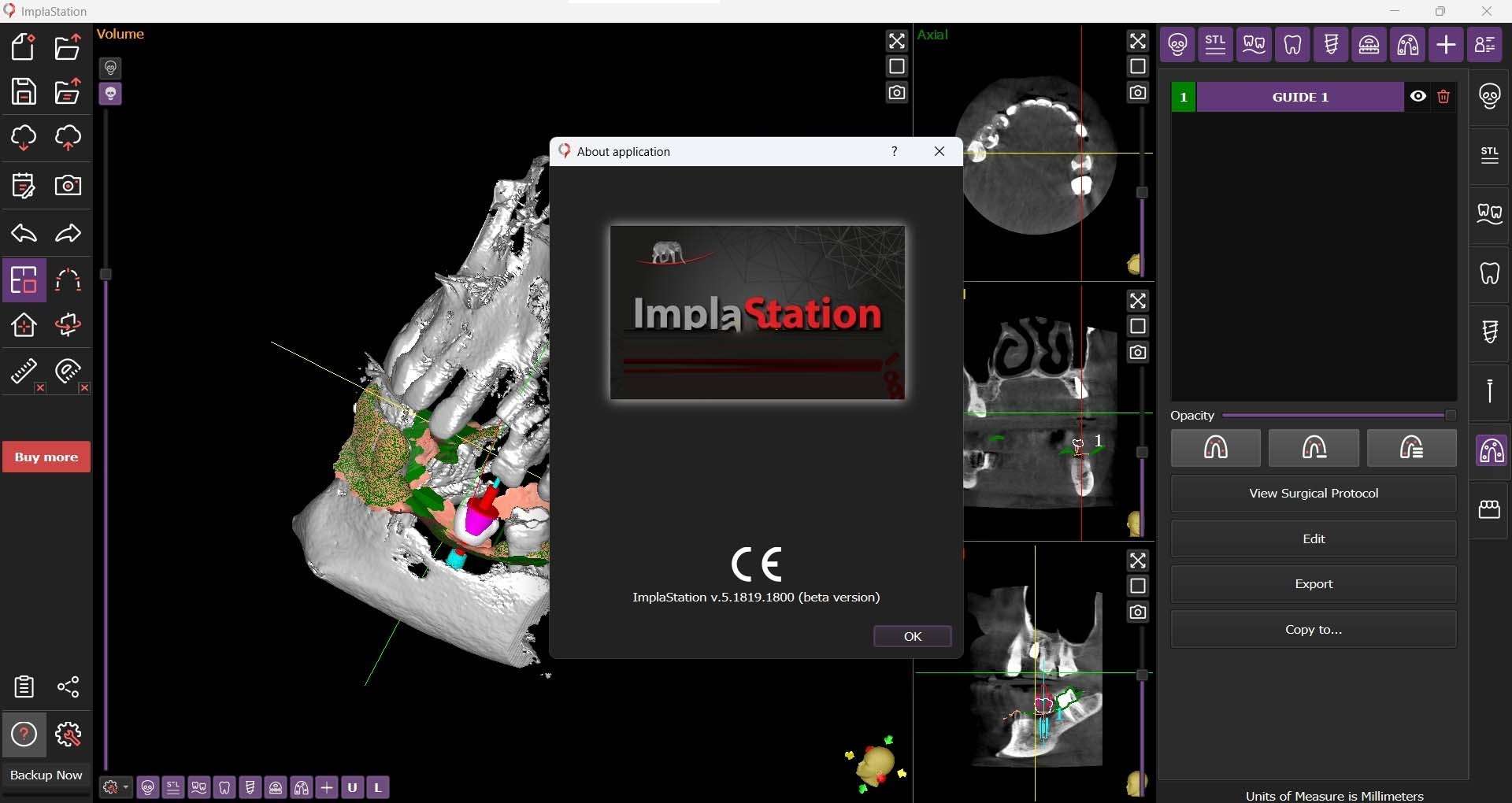
Download ImplaStation 5.5 – Advanced Dental Surgical Guide Planning Software
ImplaStation is specialized software designed for dental implantology, focusing on the precise planning and creation of surgical guides. This application is vital for dental implant planning software, enabling oral surgeons and prosthodontists to enhance the accuracy and safety of implant placement procedures. By leveraging advanced imaging processing and 3D modeling, ImplaStation facilitates a more predictable surgical workflow for dental clinics and oral surgery practices.
Overview of ImplaStation and Its Role in Dental Implantology
ImplaStation plays a crucial role in modern dentistry by providing specialized tools for dental surgical guide planning. Surgical guides are essential patient-specific devices that direct implant drills to the correct position, depth, and angle during surgery, significantly reducing procedural risks and improving outcomes. ImplaStation streamlines this process from initial imaging data to the final digital design for guide fabrication, offering dentists and surgeons enhanced control and predictability.
Comprehensive DICOM File Processing for Accurate 3D Modeling
Handling Various DICOM Formats
The software supports the import and processing of various medical imaging files, including standard DICOM and DICOMDIR formats. This broad compatibility ensures that ImplaStation can effectively utilize data acquired from most dental CT scanners, forming the foundation for accurate 3D reconstructions.
Conversion and Segmentation Techniques
ImplaStation converts imported DICOM data into precise 3D models, predominantly in the STL format necessary for surgical guide design. It employs advanced segmentation techniques, allowing for both manual and semi-automatic reconstruction of anatomical structures. This enables users to isolate critical bone and tissue regions required for meticulous treatment planning.
Advanced DICOM Image Editing Features
Beyond basic conversion, ImplaStation offers robust tools for refining the 3D model. Users can crop unnecessary data, cut sections of the anatomy, and utilize cutting planes to precisely define surgical zones. The integrated double scanning technology further enhances model accuracy by merging data from multiple scan sessions, leading to highly detailed and reliable 3D representations.
Precise Implant and Drilling Planning Tools
Drilling Planning Manager and V-Factor Control
The Drilling Planning Manager within ImplaStation provides comprehensive control over implant and drill parameters. Users can meticulously manage drilling depth, angle, and sequence, with advanced visual controls. A notable feature is the V-factor control, which elegantly compensates for differences between drill tip geometry and implant apex, a critical function for achieving precise bicortical fixation.
Tool Kit Integration and Automated Drilling Protocols
To streamline workflows, ImplaStation allows users to integrate custom toolkits, which include specific implant systems and drilling instruments. This feature supports the automation of drilling protocols, creating standardized sequences for implant placement. Automated protocols help reduce planning time and ensure consistency in surgical execution.
Customizable Implant Element Libraries and Rotational Positioning
Creating and Managing Custom Elements
ImplaStation features customizable element libraries, enabling users to add and manage a wide array of implant components, abutments, and surgical sleeves. Users can define custom shapes and refill libraries, ensuring that the software supports virtually any implant system employed in practice. This adaptability is key for personalized treatment planning.
Rotational Positioning for Implants and Sleeves
Accurate rotational positioning is critical for successful implant placement, especially in complex anatomical sites or with inclined platforms. ImplaStation offers fine-tuned control over the rotation steps for both implants and sleeves. This capability ensures optimal placement, avoiding anatomical structures and achieving desired prosthetic outcomes.
STL File Manipulation and CAD Export Capabilities
Surface Splitting, Cutting, and Healing
For advanced design refinement, ImplaStation provides powerful tools for editing STL models. Users can split complex surfaces, cut away unwanted areas, and repair imperfections or flaws in the reconstructed mesh. These editing capabilities ensure the final design is accurate and suitable for fabrication.
Exporting Projects for CAD Integration
ImplaStation facilitates interoperability with other professional software by enabling the export of virtual elements, including implants and custom parts, in STL format. Crucially, these exports retain their precise relative coordinates, allowing for seamless integration into CAD software. This feature supports the subsequent design and fabrication of patient-specific abutments, crowns, and other restorative components.
Real-World Applications and Workflow Integration
In dental clinics and surgical practices, ImplaStation transforms the implant planning process. By providing accurate 3D visualization and precise virtual placement, it allows for pre-surgical simulation, minimizing surprises during the operation. This meticulous dental implant planning software leads to improved surgical outcomes, reduced chair time, and enhanced patient trust. Labs can utilize the STL export for precise manufacturing of patient-specific surgical guides, creating a seamless bridge between digital planning and physical execution.
Frequently Asked Questions
How does ImplaStation use double scanning technology in dental surgical guide design?
ImplaStation’s double scanning technology allows users to combine multiple DICOM scans to create highly accurate 3D surfaces. This technique improves the precision of surgical guides by merging data from separate scans, typically of bone and soft tissue, enhancing planning accuracy.
Can ImplaStation export dental implant plans to other CAD software?
Yes, ImplaStation supports exporting virtual elements such as implants and custom parts in STL format along with their relative coordinates. This facilitates seamless integration with CAD software for fabrication of patient-specific abutments and temporary structures.
What is the V-factor in drilling planning, and how is it managed in ImplaStation?
The V-factor compensates for the difference between the drill’s aggressive V-shaped tip and the implant’s safer tip shape by controlling the drill apex shift relative to the implant apex. ImplaStation offers simple visual control of this parameter, especially useful in bicortical fixation procedures.




Reviews
There are no reviews yet.