
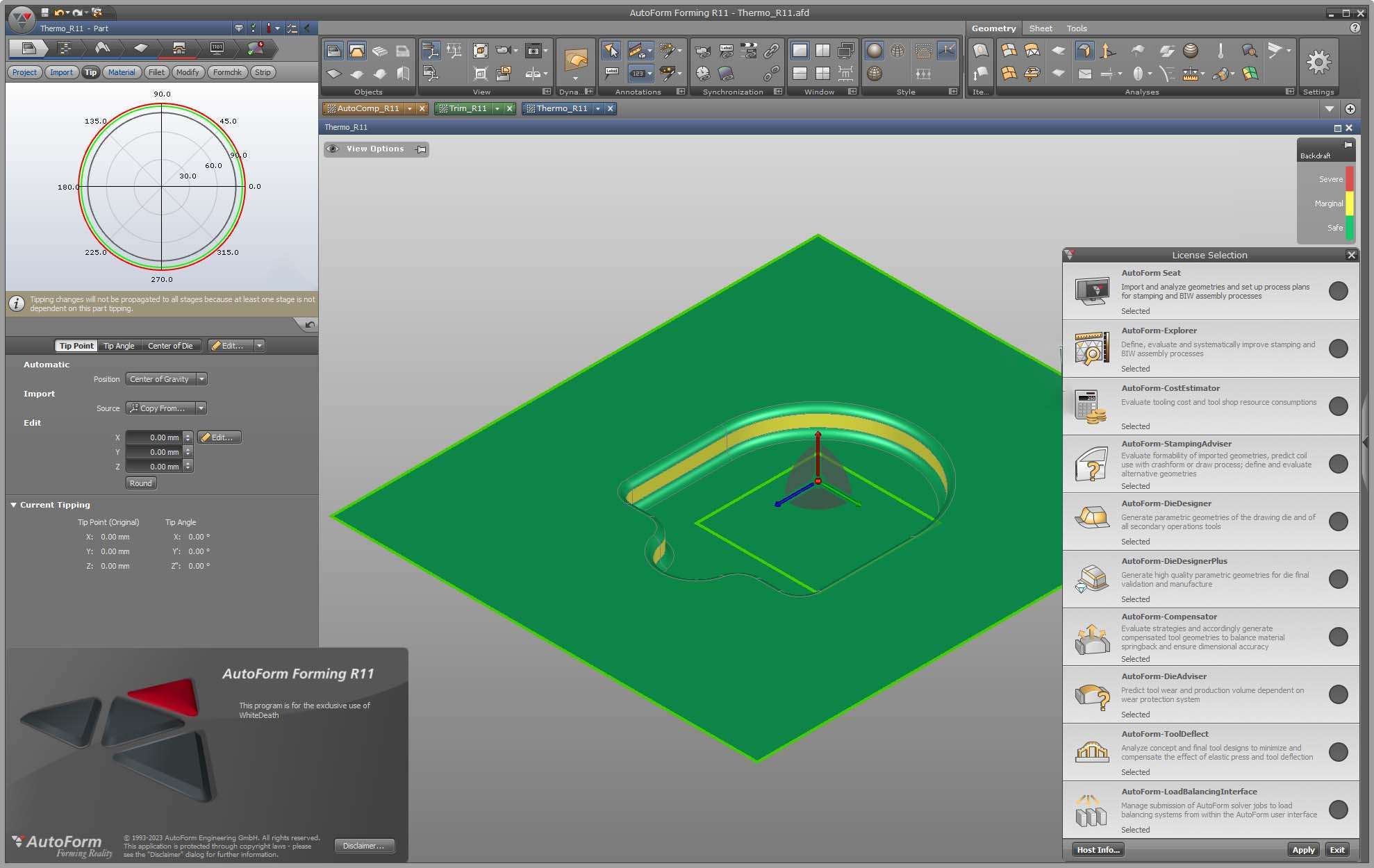
Download AutoForm Forming R13 – Advanced Sheet Metal Forming Simulation Software
AutoForm Forming R13 is a specialized sheet metal forming simulation software developed by AutoForm Engineering GmbH. Designed for engineers and manufacturers, particularly within the automotive industry, it provides advanced tools for predicting and optimizing the outcomes of metal forming processes. This software enables users to validate designs, plan efficient manufacturing sequences, and enhance production robustness by simulating critical forming phenomena and their impacts on tool and part quality.
Overview of AutoForm Forming in Sheet Metal Manufacturing
AutoForm Forming R13 is a core component of AutoForm Engineering GmbH’s suite of solutions dedicated to the sheet metal and metal parts manufacturing sector. Its primary function is to enable engineers to conduct virtual tryouts of stamping and forming processes before physical tooling construction. This simulation-driven approach is crucial in industries like automotive manufacturing, where precision, cost-efficiency, and rapid development cycles are paramount. By accurately modeling the complex physics involved, AutoForm Forming R13 helps prevent costly errors and reduces the need for extensive physical testing, thereby streamlining the entire product development and manufacturing workflow.
Simulation and Process Optimization Capabilities
The software offers a robust set of simulation tools designed to address the most challenging aspects of sheet metal forming, ensuring that parts meet stringent quality and dimensional requirements.
Modeling of Springback and Measurement Scenarios
Springback, the tendency of a material to deform elastically after being stressed beyond its yield point, is a critical factor in sheet metal forming. AutoForm Forming R13 provides sophisticated capabilities to simulate and analyze these effects. Engineers can model various springback scenarios, evaluate their impact on part geometry, and employ advanced compensation strategies. This allows for the precise adjustment of tool designs and forming parameters to counteract springback and achieve the desired final part shape with high accuracy, minimizing deviations and ensuring consistent production quality.
Temperature Effects During Cold Forming
Even in cold forming processes, temperature increases can occur due to material deformation and friction. AutoForm Forming R13 incorporates advanced methodologies to calculate these temperature rises accurately in both the material and the tooling. Understanding these thermal effects is vital for predicting changes in material properties, lubrication conditions, and tool behavior, which can otherwise lead to deviations from planned outcomes. By simulating these temperature impacts, users can enhance the stability and predictability of their forming processes.
Multi-Part Process Simulation and Blank Management
Complex manufacturing often involves sequential stamping operations or the use of multiple blanks on a single press. AutoForm Forming R13 facilitates the simulation of such multi-stage forming processes, allowing for the analysis of interactions between different parts or blanks. This capability is essential for optimizing press usage, managing material flow, and understanding the cumulative effects of progressive operations on the final part quality. The software’s blank management features further support the optimization of material utilization and the prediction of potential forming issues related to blank nesting and handling.
Innovations in Tool Deflection Compensation and Over-Crowning
Elastic tool deflection is a pervasive challenge in sheet metal stamping, leading to inaccuracies in part geometry. AutoForm Forming R13 addresses this issue through advanced calculation methods and compensation techniques, significantly improving manufacturing output.
The software accurately computes the elastic deformation of stamping tools under load, which often results in parts that do not match the intended design. By leveraging these calculations, AutoForm Forming R13 enables users to implement over-crowning strategies. Over-crowning involves intentionally shaping the tooling to counteract the expected deflection, thereby ensuring the die surfaces achieve the correct geometry during the stamping event. This advanced compensation minimizes tryout loops, reduces scrap rates, lowers press downtime, and ultimately leads to more robust and efficient production of high-quality sheet metal parts.
Integration with CAD Systems and Workflow Enhancements
AutoForm Forming R13 is designed to integrate seamlessly into existing engineering environments, promoting a fluid design-to-manufacturing workflow. Its interoperability with major computer-aided design (CAD) and computer-aided engineering (CAE) platforms is a key benefit for manufacturers.
The software supports data exchange with leading CAD systems such as CATIA and Siemens NX. This direct integration allows for the smooth transfer of part geometry, tooling designs, and associated data between CAD and simulation environments. Engineers can import designs directly, conduct their simulations, and export optimized tooling concepts back into their CAD systems with minimal data manipulation. This connectivity enhances collaboration, reduces data redundancy, and accelerates the overall engineering process, ensuring that simulation insights are effectively translated into manufacturable designs.
Application Examples and Industry Use Cases
AutoForm Forming R13 finds extensive application across various sectors, with a particular focus on the demanding requirements of the automotive industry and specialized metal parts manufacturing.
In automotive body-in-white (BIW) production, AutoForm Forming R13 is utilized to simulate the forming of complex panels such as doors, hoods, and fenders. By accurately predicting and compensating for springback and tool deflection, manufacturers can ensure these critical components meet precise dimensional tolerances and aesthetic standards. For example, simulating the progressive forming of a high-strength steel fender allows engineers to optimize intermediate steps, manage material thinning, and avoid tearing, thereby reducing the number of physical tryout iterations required to achieve a robust production process. Similarly, in the manufacturing of specialized metal parts for tooling and mold making, the software helps validate the feasibility of intricate designs and optimize toolpath strategies to enhance tool longevity and part accuracy.
Frequently Asked Questions
How does AutoForm Forming R13 help reduce springback in sheet metal forming?
AutoForm Forming R13 offers advanced springback measurement scenarios allowing engineers to simulate and evaluate multiple outcomes simultaneously. This helps select the best compensation strategy to minimize deformation after forming, ensuring parts retain their intended shape post-stamping.
Can AutoForm Forming R13 simulate temperature effects during cold forming?
Yes, it includes a smart ramp-up methodology to calculate temperature increases in parts and tools during cold forming, enhancing process predictability and robustness by accounting for thermal-induced material property changes.
What are the benefits of tool deflection compensation in AutoForm Forming R13?
By calculating elastic tool deflection and enabling over-crowning, the software reduces tryout loops, rejects, and press downtime, leading to more efficient manufacturing and ensuring consistent part quality that meets dimensional specifications.







Reviews
There are no reviews yet.