

Download Gilisoft Watermark Remover 8.9.0 – Advanced Photo and Video Watermark Removal Software
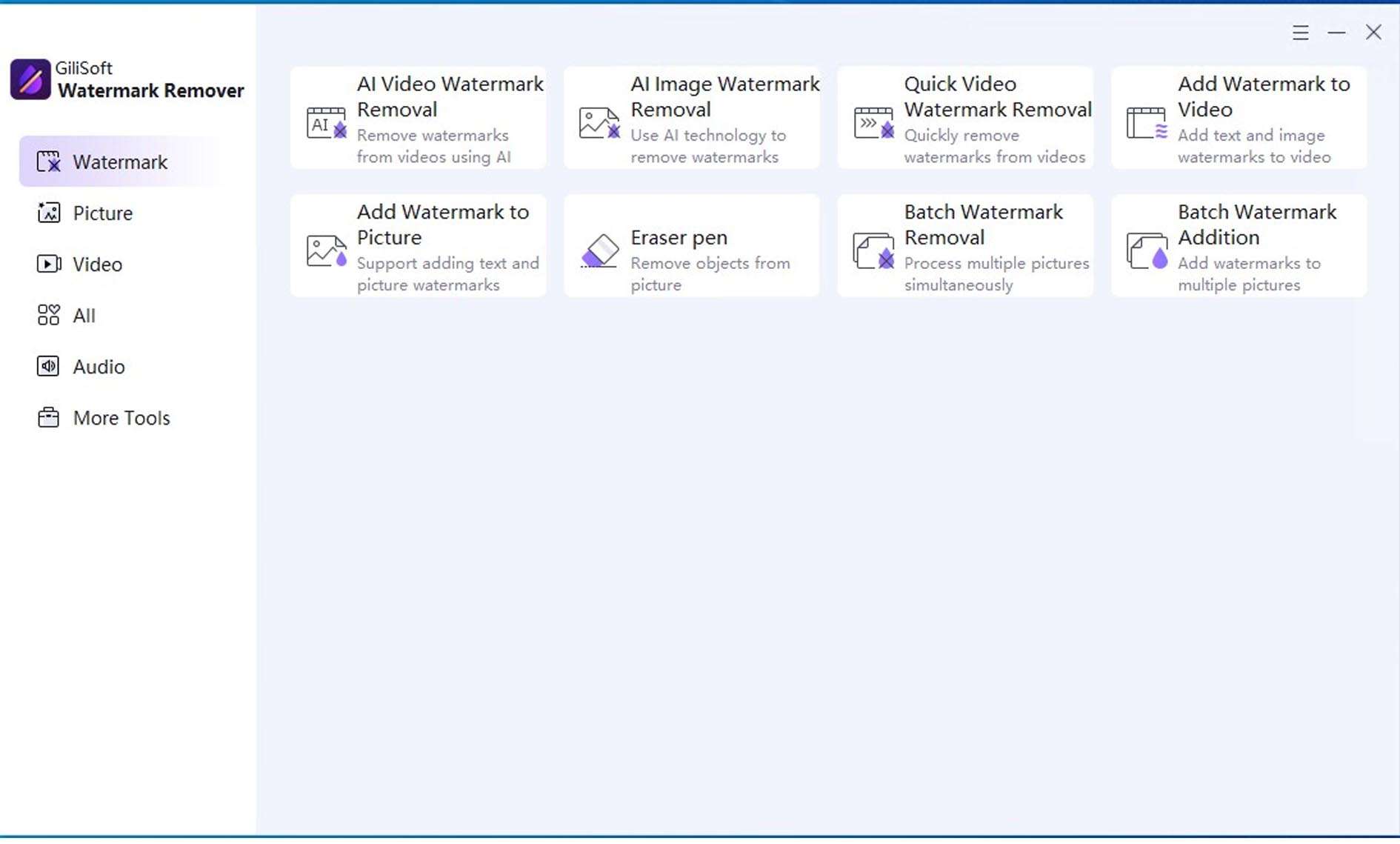
Gilisoft Watermark Remover 8.9.0 is a versatile application designed for the seamless removal of watermarks and unwanted objects from both digital photos and videos. Developed with advanced AI inpainting and object tracking technologies, this software serves photographers, videographers, digital content creators, and marketers who require clean, unobstructed media outputs. Its dual capability makes it a significant tool across various professional fields and for general users seeking to enhance their digital assets.
Overview of Gilisoft Watermark Remover and Its Applications
Gilisoft Watermark Remover provides a comprehensive solution for media cleanup tasks, distinguishing itself by its ability to handle both static images and dynamic video content. This unified approach simplifies workflows for professionals who frequently encounter watermarks, logos, text overlays, or other distracting elements across different media types. The software is particularly valuable in industries such as photography, where pristine image quality is paramount; videography, for producing professional-grade content; digital content creation, for social media engagement; and marketing, for campaign materials requiring clear branding and product visuals.
Photo Watermark Removal: Detailed Tools and AI Capabilities
For digital photography, Gilisoft Watermark Remover leverages sophisticated AI inpainting algorithms to achieve natural-looking results. The software offers precise selection tools, including brush, lasso, and polygon options, allowing users to meticulously isolate watermarks or other unwanted objects. Its AI capabilities are designed to analyze and regenerate surrounding textures, facilitating the removal of elements even from complex backgrounds that feature intricate patterns, gradients, or detailed surfaces. Furthermore, the supporting batch photo processing feature significantly enhances workflow efficiency for professionals dealing with large volumes of images.
Video Watermark Removal: Intelligent Tracking and Format Support
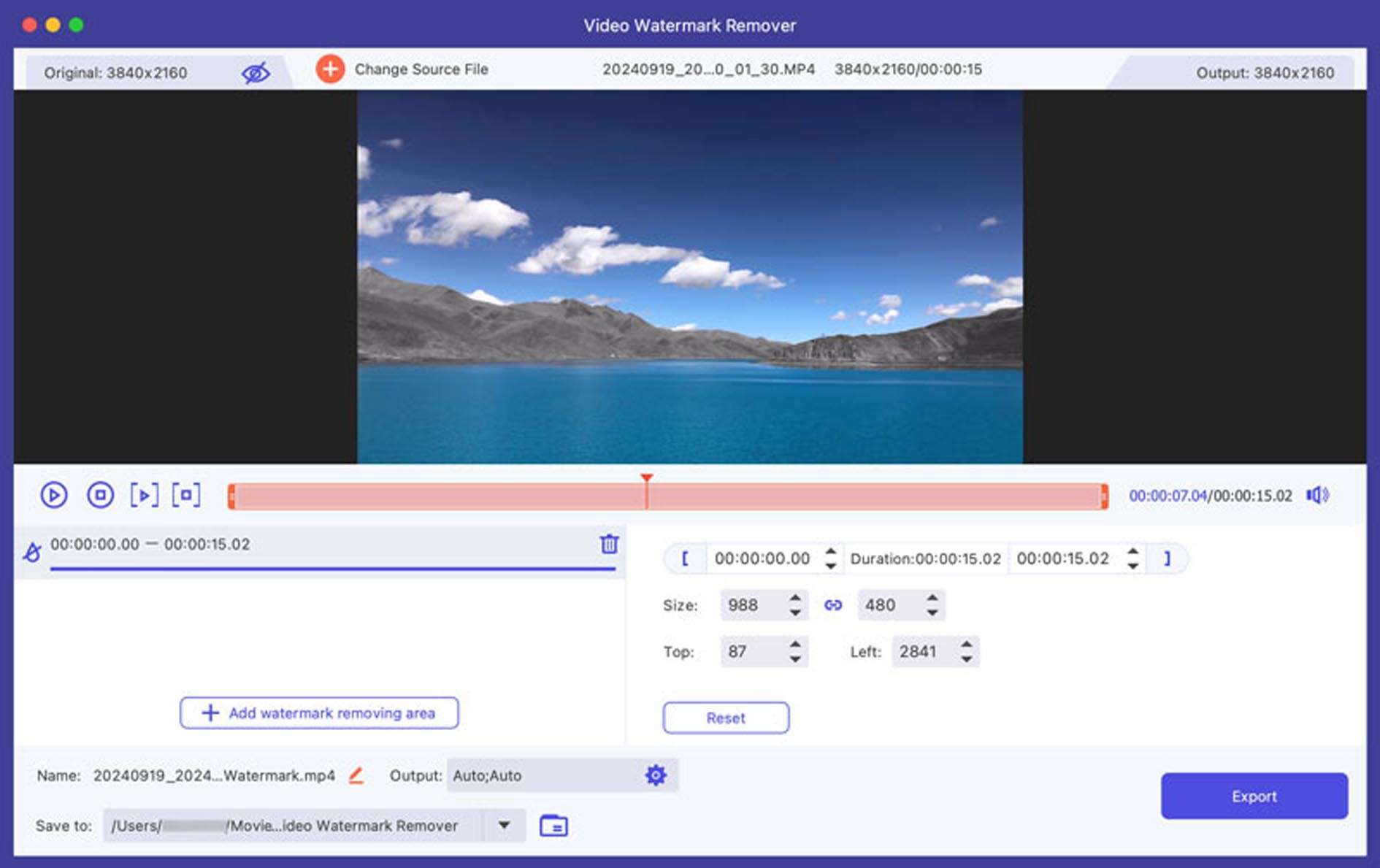
In the realm of video editing, Gilisoft Watermark Remover employs intelligent frame-by-frame object tracking and AI processing to ensure smooth and consistent watermark removal. The software allows users to define specific areas for removal, maintaining temporal coherence across the video timeline. Its compatibility with a wide range of video formats, including MP4, AVI, MOV, and MKV, ensures that most media files can be processed without conversion. A real-time preview function enables users to visualize the results of the watermark removal before exporting, helping to retain the original resolution and overall output quality.
Recent Enhancements in Version 8.9.0
Version 8.9.0 of Gilisoft Watermark Remover introduces several key improvements aimed at boosting performance and output quality. A next-generation AI inpainting engine enhances texture synthesis and edge blending, leading to more refined and natural results. The update also features significant GPU acceleration, providing faster processing speeds for both photo and video tasks. Video object tracking has been refined to offer greater stability, while an interface unification streamlines the user experience across photo and video editing functions. Extended format support has also been incorporated, broadening the software’s media compatibility.
Practical Use Cases and User Profiles
Gilisoft Watermark Remover addresses numerous practical scenarios for a diverse user base. Marketers can efficiently remove logos from advertising materials or product images, while educators might use it to clear subtitles or annotations from instructional videos. Social media professionals benefit from quickly cleaning up personal photos or video clips for professional use. The batch processing capability is especially advantageous for users managing large projects, such as cleaning a series of event photos or cataloging product videos. Professionals and casual users alike find value in the software’s ability to deliver clean, high-fidelity media outputs without complex editing skills.
Frequently Asked Questions
How does Gilisoft Watermark Remover handle complex backgrounds in photos?
Gilisoft uses advanced AI inpainting algorithms that analyze and regenerate surrounding textures to seamlessly fill areas where watermarks are removed, even on complex backgrounds like gradients, patterns, and detailed surfaces. This ensures that the edited photo maintains a natural appearance with minimal artifacts.
Can Gilisoft Watermark Remover work with multiple video formats and retain original quality?
Yes, the software supports a wide range of video formats including MP4, AVI, MOV, MKV, and WMV, maintaining the original resolution and quality after watermark removal. Its real-time preview feature allows users to verify output quality before exporting, ensuring satisfactory results.
What improvements were introduced in Gilisoft Watermark Remover version 8.9.0?
Version 8.9.0 features an upgraded AI inpainting engine for better edge blending and texture synthesis, boosted GPU acceleration for faster processing, enhanced video object tracking for stable removal, and a streamlined interface with extended format support. These enhancements contribute to improved performance and output fidelity.






Reviews
There are no reviews yet.