

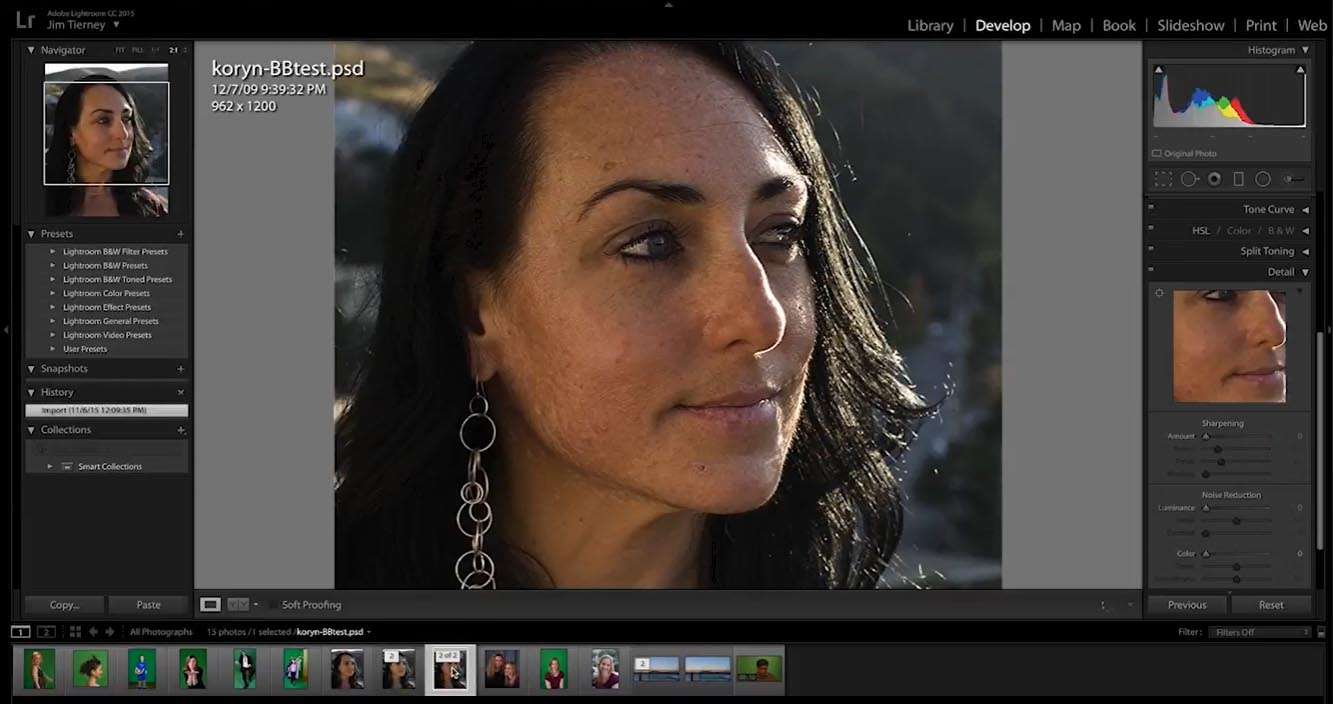
Download Digital Anarchy Beauty Box Photo 6.0.3 – Advanced Portrait Retouching Plugin for Photoshop
Digital Anarchy Beauty Box Photo 6.0.3 is a specialized portrait retouching plugin designed for Adobe Photoshop. Developed by Digital Anarchy, Inc., this software automates and enhances the process of skin smoothing and portrait correction, making it an essential tool for professional photographers, retouchers, and content creators. Its core function is to efficiently refine skin tones and textures while preserving a natural look, a critical requirement in fields such as fashion, beauty, and commercial advertising photography.
Overview of Digital Anarchy Beauty Box Photo and Its Applications
Digital Anarchy Beauty Box Photo serves as a powerful plugin for Adobe Photoshop, focusing on delivering high-quality portrait retouching with an emphasis on realism. It is widely utilized across professional photography disciplines, including portraiture, fashion, and advertising, where polished yet authentic-looking skin is paramount. The software streamlines the often time-consuming task of skin refinement, allowing creatives to achieve sophisticated results efficiently through its intelligent algorithms and user-friendly interface.
Advanced Skin Detection and Masking Technologies
The plugin employs sophisticated, proprietary algorithms for automatic face and skin detection. This technology identifies the skin area within an image, creating precise masks that isolate skin tones for targeted smoothing. Beauty Box Photo’s advanced edge detection capabilities ensure that masks are generated accurately, even around fine details like hair and clothing, minimizing artifacts or halo effects. The system is engineered to accurately detect a wide spectrum of skin tones, enhancing inclusivity in post-production workflows.
Natural Skin Smoothing with Texture Preservation
Central to Beauty Box Photo’s effectiveness is its anti-plastic smoothing technology. This feature provides an alternative to traditional frequency separation techniques, aiming to smooth blemishes, wrinkles, and imperfections without sacrificing essential skin texture. The intelligent processing selectively targets uneven areas while retaining pore detail and natural skin characteristics, thus preventing the artificial, overly smooth appearance that can detract from realism. Users can adjust the intensity of the smoothing effect for fine-tuned control over the final look.
Dual Workflow Modes: Automatic and Manual Retouching
Beauty Box Photo supports two primary workflow modes to accommodate different user needs and project demands. The automatic mode offers a one-click solution, ideal for high-volume batch processing or when speed is essential. For users requiring more granular control, a manual mode allows for precise refinement of the generated masks. This dual capability ensures that the plugin can adapt to complex retouching tasks and maintain consistency across a series of images, integrating seamlessly into a non-destructive Photoshop workflow via smart filters and layer masks.
Color Correction and Skin Tone Adjustments
Beyond smoothing, the plugin offers tools for effective color correction and skin tone balancing. It assists in correcting unwanted color casts and achieving consistent skin tones across multiple images within a photo series. The adjustments focus on subtle complexion grading, ensuring that natural highlights and subsurface scattering are maintained, contributing to a believable and vibrant skin appearance.
Performance and Integration Features
Version 6.0.3 incorporates significant performance enhancements, including GPU acceleration via OpenCL compatibility for faster rendering and processing. This optimization allows for real-time previews of adjustments, facilitating an interactive editing experience. The plugin also offers robust batch processing capabilities, easily integrated with Photoshop actions, making it highly efficient for managing large photographic projects. It is designed to work effectively with high-resolution images and multi-layer documents typically found in professional workflows.
What’s New in Version 6.0.3
The latest release, version 6.0.3, brings several key improvements. Face detection has been further refined for greater accuracy across diverse ethnicities and lighting conditions. Mask refinement tools offer enhanced precision, and performance has been optimized with improved GPU acceleration for faster processing. Crucially, this version provides full compatibility with Adobe Photoshop 2024, ensuring a smooth and up-to-date workflow for users operating on the latest Creative Cloud suite.
Frequently Asked Questions
How does Beauty Box Photo preserve natural skin texture while smoothing?
Beauty Box Photo utilizes proprietary anti-plastic technology combined with advanced masking algorithms to selectively smooth skin imperfections. This process targets unevenness while carefully preserving essential pore detail and natural skin texture, effectively avoiding the common over-processed “plastic” look.
Can Beauty Box Photo process multiple images at once?
Yes, the plugin features robust batch processing capabilities. This allows users to apply consistent retouching settings across entire collections of photos, significantly accelerating workflows for professionals handling large volumes of images, such as those from event or commercial shoots.
Is the plugin compatible with the latest versions of Adobe Photoshop?
Version 6.0.3 has been updated to ensure full compatibility with Adobe Photoshop 2024. This means users can confidently integrate the plugin into their current editing environment and leverage its features on the latest Photoshop platform without issue.






Reviews
There are no reviews yet.