
Download Capture 2026 – Professional Lighting Design & Visualization
Capture is a specialized lighting design and visualization software developed by Capture Visualisation. It provides an integrated environment for theatrical and entertainment lighting professionals, as well as architects and event designers, to seamlessly manage projects from initial concept through to final documentation and rendering. This version introduces significant usability enhancements and performance optimizations, making it a robust tool for complex lighting projects.
Streamlined Lighting Design Workflow
Unified Design, Documentation & Visualization
Capture is engineered to consolidate the entire lighting design process into a single application. This unified approach allows users to transition fluidly between different operational modes—designing, documenting, and visualizing—without losing project context or requiring data transfer between separate software packages.
Multi-Effect Support
Beyond traditional lighting fixtures, Capture excels in its capacity to simulate a wide array of stage and environmental elements. The software supports the design and visualization of multiple effect types, including standard lighting instruments, video projection mapping, laser shows, moving scenery, and even water features, enabling comprehensive environmental simulations.
Comprehensive Fixture & Effects Library
Theatrical & Architectural Fixtures
The software features an extensive library of lighting instruments, catering to both theatrical stage productions and architectural applications. This includes a diverse range of ellipsoidal, profile, wash lights, moving-head fixtures, and specialized architectural luminaires, all represented with accurate photometric data.
Video, Laser, Scenery & Water Modules
Specialized modules extend Capture’s capabilities to intricate effect simulations. The video module allows for projection mapping design, while dedicated tools handle laser effects and the automation of moving scenery. Physics-based simulations for water effects add another layer of realism to architectural and event designs.
Advanced 2D & 3D Planning Tools
2D Plotting & Symbol Management
Capture provides robust tools for creating detailed 2D documentation essential for professional lighting plans. Users can generate automated symbol libraries, organize schematics with configurable layers, and add annotations directly to plots, streamlining the creation of instrument schedules and technical drawings.
Real-Time 3D Rendering & Photometric Analysis
The software offers real-time 3D rendering capabilities, allowing designers to visualize beam distribution and light coverage in a photorealistic environment. Accurate photometric calculations and camera viewpoints facilitate detailed analysis, helping designers refine their lighting concepts and understand the precise light distribution across a venue or stage.
What’s New in 2026
Descriptive Undo/Redo & Automatic Recovery
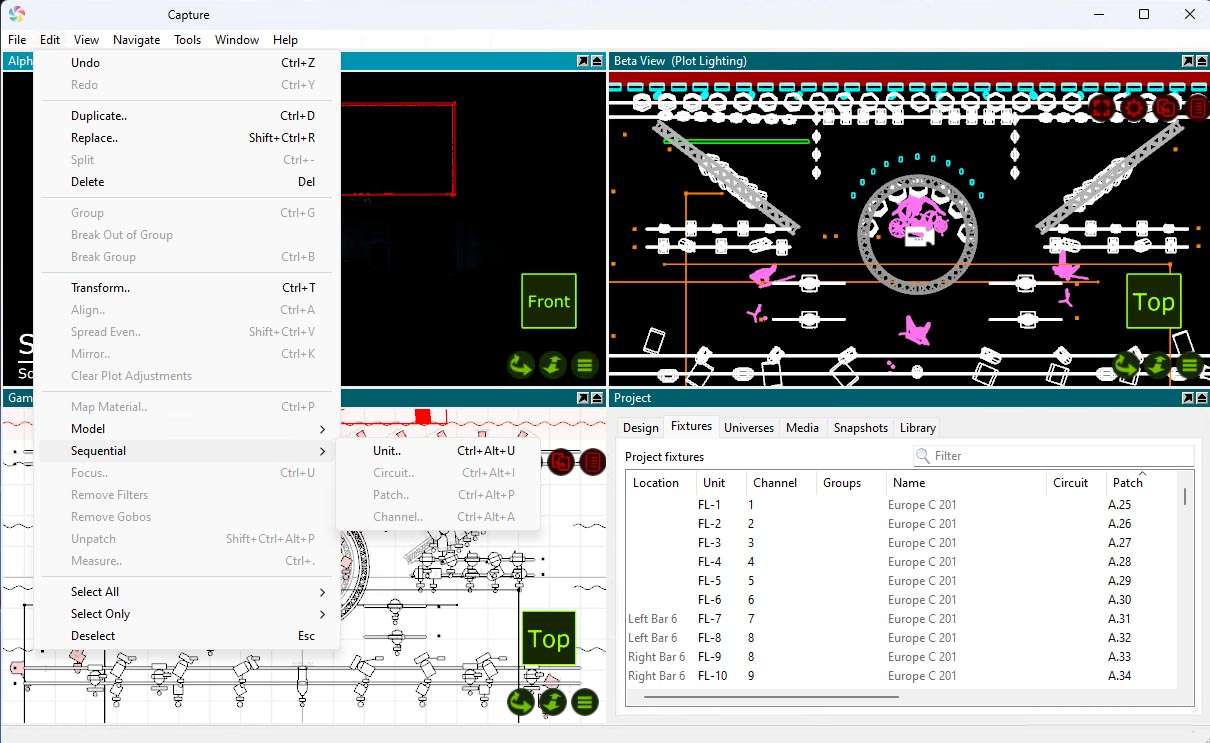
Version 2026 introduces a more intuitive undo/redo system. Actions are now presented with descriptive labels (e.g., “Undo Fixture Placement”) in the user interface, making it easier to track and reverse specific changes. Additionally, an unsaved-changes recovery feature provides a safety net against unexpected crashes.
Optimized Performance & Lower Memory Footprint
Significant performance enhancements have been implemented in this release, including the utilization of disk-based storage for undo/redo operations. This approach reduces the software’s memory footprint, leading to faster performance and improved stability, especially on complex projects with extensive datasets.
Enhanced 3Dconnexion Hardware Support
Capture 2025.1.15 includes updated support for 3Dconnexion hardware devices through an enhanced API integration. This allows for smoother, more intuitive navigation within the 3D environment, benefiting professionals who rely on these specialized input devices for detailed model manipulation.
Industry Applications & Case Examples
Architectural & Building Integration
In architectural lighting design, Capture is utilized for visualizing and planning illumination schemes for diverse environments. Projects range from dynamic lighting for corporate offices to sophisticated integrated lighting in cultural institutions like museums.
Theatrical & Live Event Design
The software is a staple for professionals in the live entertainment industry. It supports the creation of intricate lighting designs for theatrical productions, concert tours, and large-scale live events, enabling the visualization of complex stage setups and dynamic lighting effects.
Exhibitions & Installation Projects
Capture assists designers in conceptualizing and presenting lighting solutions for trade show booths, temporary exhibition spaces, and permanent art installations. The precise visualization capabilities are crucial for clients to understand the intended aesthetic and technical execution.
Seamless Integration & File Compatibility
CAD Interoperability & File Exchange
Capture is designed for interoperability within professional design workflows. It supports the import and export of standard CAD file formats such as DWG and DXF, and often includes direct links or plugins for compatibility with other industry-standard applications like Vectorworks, facilitating efficient data exchange.
How does the descriptive undo/redo feature improve my workflow?
Instead of generic “Undo” or “Redo,” Capture 2026 displays contextual labels (e.g., “Undo Delete Fixture”), making it easier to track changes and reverse specific actions without guesswork. This clarity speeds up corrections and reduces the risk of unintended modifications to your design.
What platforms and hardware devices are supported by Capture 2026 ?
Capture 2026 runs natively on Windows (10, 11) and macOS (11+). It also supports the latest 3Dconnexion navigation devices via an updated API for smooth camera control in 3D views. This broad compatibility ensures accessibility for a wide range of users and hardware setups.




Reviews
There are no reviews yet.