

Download VivaDesigner 11.5.0.9224 – AI-Powered Desktop Publishing Solution
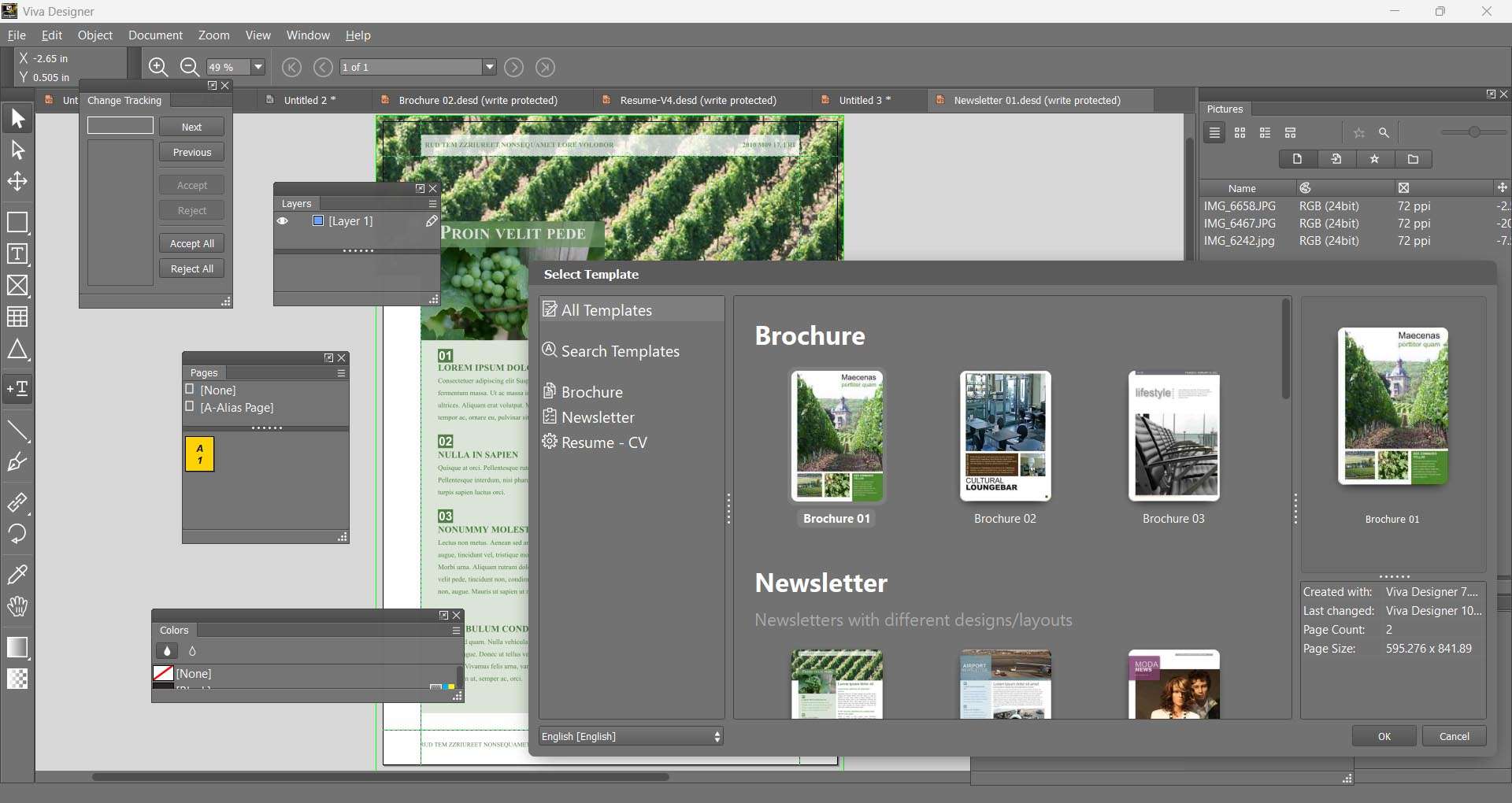
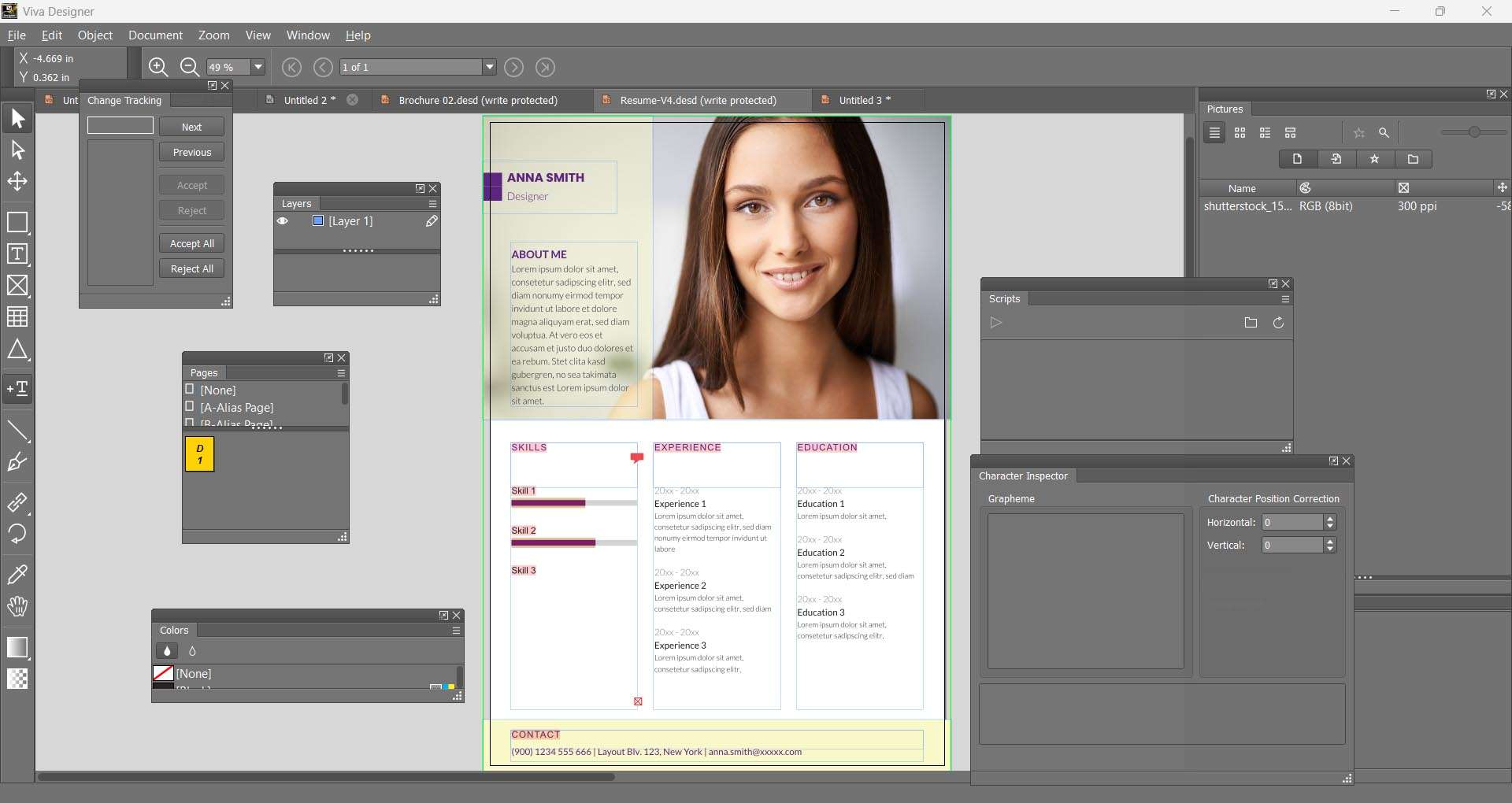
VivaDesigner 11.5.0.9224 is a professional desktop publishing application developed by VivaDesigner GmbH, designed to meet the demanding needs of publishing houses, editorial teams, and marketing departments. This AI-enhanced layout and typographic software offers robust features and cross-platform compatibility, making it a versatile tool for creating complex documents. Users seeking a powerful DTP solution will find the VivaDesigner download provides advanced capabilities for both seasoned professionals and educational institutions.
Why VivaDesigner Stands Out in Professional Publishing
Originally released in the early 2000s, VivaDesigner has established itself as a stable and professional desktop publishing application. A key differentiator is its native support across Windows, macOS, and Linux operating systems, ensuring a consistent experience for diverse IT environments. Unlike many contemporary software solutions that rely on subscription models, VivaDesigner offers a perpetual licensing option, providing a cost-effective, one-time purchase for its users. This approach benefits small businesses, non-profits, and educational institutions looking for long-term investment in their publishing tools.
AI-Enhanced Automation for Faster Production
The latest release, VivaDesigner 11.5, integrates advanced Artificial Intelligence features to streamline workflows and boost productivity, particularly for multilingual and visually rich content. These AI capabilities aim to reduce manual effort and accelerate production cycles.
One-Click Multilingual Translation
VivaDesigner 11.5 automates the translation process for documents into over 15 languages. This feature is engineered to preserve the original layout, formatting, and typographic integrity of the content, significantly reducing the time and resources required for producing international publications.
Intelligent Image Background Removal
With its AI-powered image clipping capabilities, VivaDesigner enables users to create precise clipping paths for images automatically. This is particularly beneficial for catalog production, e-commerce product layouts, and marketing materials where clean, professional image cutouts are essential for effective presentation.
Precision Layout and Typography Control
VivaDesigner provides a comprehensive suite of tools for users who require meticulous control over page design and text rendering. Its capabilities are built to handle complex document requirements with accuracy and efficiency.
Advanced Master Page and Spread Management
The software facilitates sophisticated page layout design through advanced master page functionality and spread management. This allows for the creation of consistent page templates, efficient handling of multi-page documents, and the imposition of complex sequential page flows, ensuring professional and organized publications.
Professional Typesetting Features
For typographically demanding projects, VivaDesigner includes professional typesetting features. It supports extensive OpenType features, offers optical kerning for refined character spacing, and provides advanced control over hyphenation and justification, enabling high-quality text composition suitable for print and digital media.
Seamless File Compatibility and Integrations
VivaDesigner emphasizes interoperability, offering robust capabilities for importing and exporting various file formats crucial for professional publishing workflows.
Adobe InDesign Import and Migration
A significant advantage for users transitioning from Adobe products is VivaDesigner’s ability to import Adobe InDesign files. This feature preserves the original document structure, styles, and formatting, enabling seamless migration and continued editing within VivaDesigner, thereby protecting investment in existing content.
PDF/X-Compliant Export
The application supports the generation of high-quality, press-ready PDF/X files, ensuring compliance with print industry standards for reliable print production. Additionally, it offers capabilities for exporting interactive PDFs, suitable for digital distribution and online viewing.
Collaborative Workflows with VivaCloud
VivaDesigner integrates with VivaCloud, a platform designed to enhance collaboration and asset management for teams working on publishing projects.
Role-Based Access and Version Control
VivaCloud enables administrators to define role-based access permissions, ensuring that users only interact with projects and assets appropriate to their responsibilities. The system also provides version control, allowing teams to track changes, review revisions, and revert to previous document states as needed.
Centralized Asset Management
Teams can benefit from centralized asset management through VivaCloud, which supports the organization of design elements, templates, and brand assets. This ensures brand consistency across all projects and simplifies the process of locating and reusing approved materials.
Real-World Use Cases and Industry Examples
VivaDesigner is utilized across various sectors for diverse publishing tasks, demonstrating its flexibility and power in professional content creation environments.
- Magazine and Newspaper Publishing: Efficiently handling layouts, complex text flow, and image placement for periodicals.
- Multilingual Brochures and Marketing Collateral: Leveraging AI translation and precise layout tools to produce localized materials for global markets.
- Educational Textbooks and Materials: Creating structured content with features like cross-references, indexing, and advanced typography for academic publications.
- Technical Manuals and Documentation: Managing complex information with features such as complex table support and indexing for technical writing.
- Catalog and E-commerce Product Listings: Utilizing intelligent image clipping and layout automation for product presentation.
Extending VivaDesigner: APIs and Third-Party Integrations
For organizations requiring custom solutions or deeper integration into existing systems, VivaDesigner offers extensibility through its API and support for third-party development.
- Developer API Access: Provides tools for developers to automate tasks, create custom functionalities, and integrate VivaDesigner into broader software ecosystems.
- Embedding into Web Portals: Enables the integration of VivaDesigner functionalities directly into custom web-based applications or client portals for streamlined content creation.
- Custom Workflow Automation: Facilitates the development of bespoke workflows by connecting VivaDesigner with other business or production software, optimizing operational efficiency.
Frequently Asked Questions
Can VivaDesigner import Adobe InDesign files?
Yes. VivaDesigner’s InDesign import feature preserves styles, formatting, and document structure, allowing you to continue editing existing InDesign projects without data loss. This capability is crucial for users migrating from Adobe workflows or collaborating with clients who use InDesign.
What AI-powered features are new in VivaDesigner 11.5?
Version 11.5 introduces enhanced AI translation into over 15 languages with full formatting retention, plus intelligent image background removal for precision clipping paths. These tools accelerate multilingual and image-heavy publishing workflows by automating complex tasks.
Which operating systems support VivaDesigner?
VivaDesigner runs natively on Windows, macOS, and Linux, offering a consistent feature set and interface across all platforms for both desktop and web-based (VivaCloud) workflows. This broad OS support ensures accessibility for a wide range of professional users.





Reviews
There are no reviews yet.