

Download Alteryx Designer v2025.2.1.85 – Data Preparation & Analytics Automation Platform
Download Alteryx Designer v2025.2.1.85, a leading data preparation and analytics automation platform developed by Alteryx, Inc. This powerful software is designed for professionals in business intelligence, data science, finance, marketing, operations, and any data-driven organization seeking to streamline complex data workflows. Alteryx Designer provides a visual, no-code/low-code environment that empowers users to prepare, blend, and analyze data efficiently, making advanced analytics accessible to a broader range of business users.
https://youtu.be/MxbvWrPYGVQ
Modern Data Preparation and Analysis Across Industries
Unified Drag-and-Drop Workflow
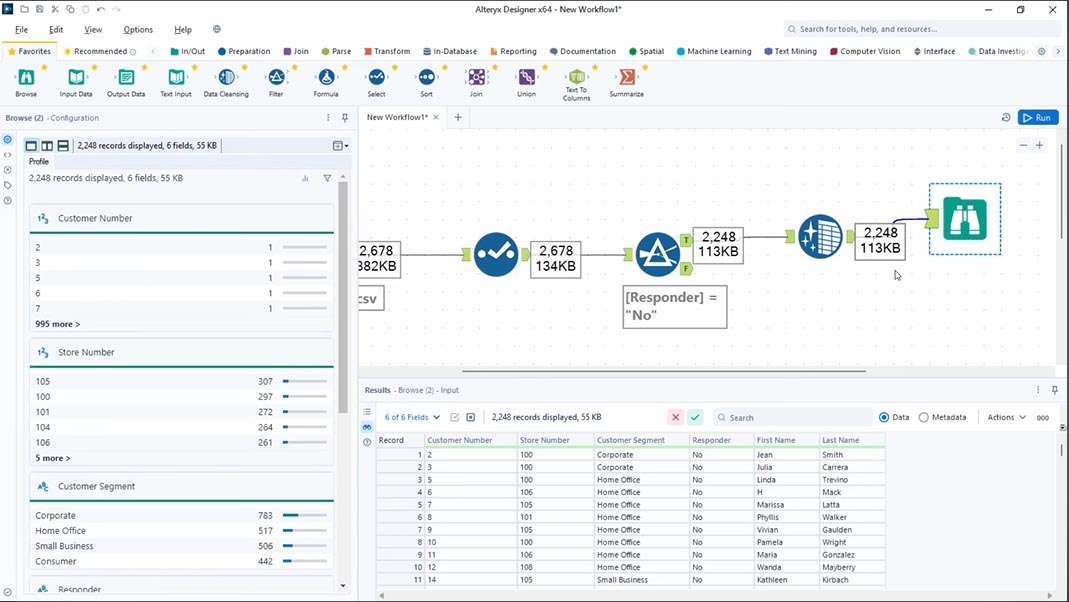
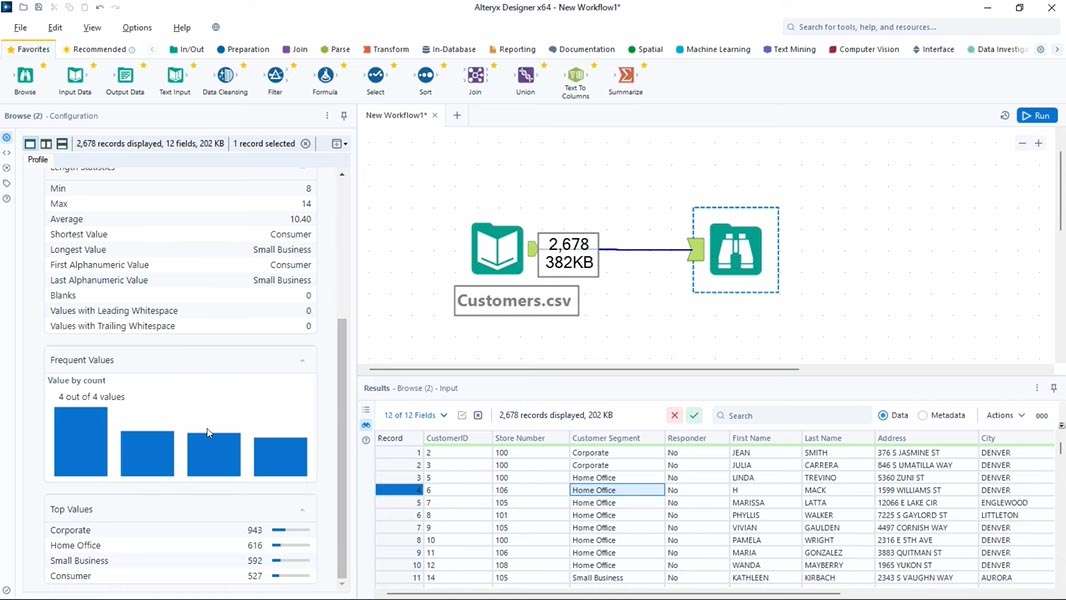
Alteryx Designer v2025.2.1.85 is built around an intuitive drag-and-drop visual canvas. This interface allows users to easily assemble complex data workflows by connecting a rich palette of over 300 tools. The organized tool categories and real-time data previews enable users to understand and validate their data transformations at each step, facilitating rapid iteration and error checking throughout the analytical process.
Target Industries and Use Cases
The platform supports a wide array of data-driven industries and functions. Key sectors benefiting from Alteryx Designer include business intelligence for dashboard creation, finance for automated reporting and reconciliation, marketing for customer segmentation and campaign analysis, operations for process improvement, supply chain management for forecasting, and research and development for data exploration. Its versatility makes it suitable for any data-intensive department seeking to derive actionable insights.
Seamless Data Integration and Cleansing
Connectors to Databases, Cloud Platforms, and Files
Alteryx Designer v2025.2.1.85 offers an extensive library of over 80 connectors, facilitating effortless integration with diverse data sources. This includes major cloud platforms like Snowflake, AWS, and Azure, as well as enterprise databases, CRM systems such as Salesforce, and common file formats like spreadsheets, PDFs, and web data. This broad connectivity ensures that data can be accessed and blended from nearly any location.
Transformations and Data Quality Tools
The software provides a comprehensive suite of tools for data transformation and quality enhancement. Users can perform essential operations such as filtering records, parsing text, standardizing formats, and converting data types. Advanced capabilities like fuzzy matching help to resolve data inconsistencies, ensuring that data is clean, accurate, and ready for analysis. These tools are critical for building reliable analytical models.
Advanced Analytics and Predictive Modeling
Machine Learning with No-Code/Low-Code Tools
Alteryx Designer v2025.2.1.85 empowers users to build machine learning models without extensive coding. Its assisted modeling capabilities guide users through classification, regression, clustering, and forecasting tasks. By automating feature engineering and model selection, the platform democratizes predictive analytics, enabling business analysts to gain deeper insights and make more accurate predictions.
Spatial and Statistical Analysis
Building on its strong data preparation roots, Alteryx Designer integrates robust spatial and statistical analysis tools. Capabilities such as geocoding addresses, performing spatial joins based on proximity, and creating trade areas allow users to incorporate location intelligence into their analyses. Statistical functions like ANOVA, correlation analysis, and time-series trend identification further enhance the platform’s analytical depth.
Workflow Automation and Scalability
Scheduling, Triggers, and Alerts
The Alteryx platform enables full workflow automation, allowing businesses to schedule routine data processes and set up event-based triggers. Users can configure automated alerts and report deliveries, ensuring that stakeholders receive timely updates based on data changes or workflow completions. This automation significantly reduces manual effort and accelerates the delivery of insights.
In-Database and Cloud Deployment Options
Alteryx Designer v2025.2.1.85 supports efficient in-database processing, pushing computational tasks to the data source for improved performance, especially with large datasets. The platform offers flexible hybrid deployment options, allowing organizations to leverage existing on-premises investments while integrating with cloud-based data storage and analytics services. This adaptability supports various IT architectures and scalability needs.
Extending Capabilities with APIs and Scripting
Python and R Integration
For advanced users, Alteryx Designer seamlessly integrates with Python and R. This allows analysts to embed custom scripts directly into their workflows, leveraging the vast ecosystems of open-source libraries for specialized data manipulation, statistical analysis, and machine learning tasks. This hybrid approach combines the ease of the visual canvas with the power of code.
Custom Connectors and Macros
The platform supports the creation of custom connectors to integrate with proprietary or less common data sources. Users can also build reusable macros, encapsulating complex logic into single tools. This capability promotes standardization of analytical processes across teams and ensures consistency in data preparation and analysis methodologies.
Real-World Implementations of Alteryx Designer
Finance and Reporting Automation
In finance departments, Alteryx Designer automates complex tasks such as financial statement consolidation, transaction reconciliation, and regulatory reporting. The platform enables the creation of dynamic financial dashboards and ensures data accuracy, reducing the time cost of manual data aggregation and validation.
Marketing Analytics and Customer Insights
Marketing teams utilize Alteryx Designer for advanced analytics to understand customer behavior and campaign effectiveness. Use cases include customer segmentation based on purchasing patterns, predictive modeling for churn, sentiment analysis from reviews, and optimizing marketing spend across various channels.
Operational Optimization and Supply Chain Management
Operational and supply chain professionals leverage Alteryx Designer to enhance efficiency and reduce costs. Typical applications involve inventory forecasting, demand planning, supplier performance analysis, and route optimization for logistics, leading to more resilient and cost-effective supply chain operations.
Latest Enhancements in Version 2025.2.1.85
New AI-Assisted Modeling Algorithms
Version 2025.2.1.85 introduces expanded AI-assisted modeling capabilities, featuring a broader library of algorithms and improved automation accuracy for tasks like classification and regression. These enhancements refine the assisted modeling experience, making advanced machine learning more accessible and reliable for business users.
Additional Connectors and Performance Optimizations
This release includes new connectors to emerging data sources and further performance optimizations for processing large datasets. These updates ensure that Alteryx Designer v2025.2.1.85 can handle growing data volumes more efficiently, providing faster ETL and analytical processing times across various deployment environments.
Frequently Asked Questions
Can Alteryx Designer integrate directly with enterprise data warehouses like Snowflake and Redshift?
Yes. Alteryx Designer v2025.2.1.85 includes native connectors for Snowflake, Amazon Redshift, Azure Synapse and other major cloud and on-premises databases, enabling high-throughput in-database processing and seamless ELT workflows.
What security and authentication features does Alteryx Designer v2025.2.1.85 offer?
The platform supports OAuth2.0, SAML single sign-on, and encrypted data transfers via TLS. Version 2025.2.1.85 also introduces enhanced token-based authentication for connectors and improved credential management within the Designer UI.
What geospatial analytics capabilities are built into Alteryx Designer?
Designer provides geocoding, reverse geocoding, spatial joins, buffer and trade‐area creations, and map visualizations. These tools let analysts combine location data with traditional datasets for territory optimization, proximity analysis, and mapping insights.





Reviews
There are no reviews yet.