

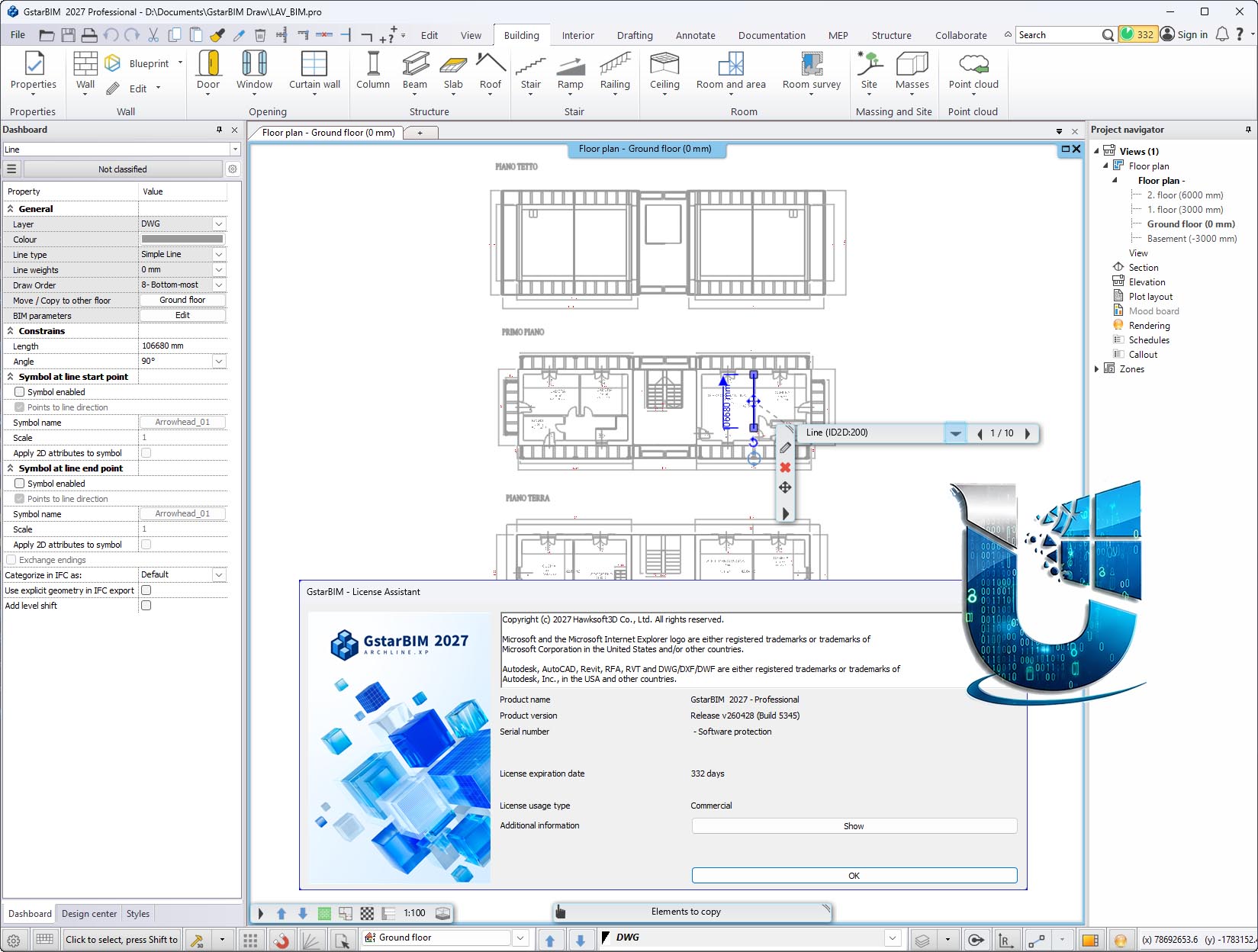
Gstarsoft GstarBIM 2027.1 : Professional BIM Software for Architecture & Interior Design
Gstarsoft GstarBIM is a comprehensive Building Information Modeling (BIM) software solution that covers every phase of architectural and interior design—from initial concept to detailed technical documentation . The software is based on ARCHLine.XP technology, a BIM application developed in Europe for approximately 30 years, which Gstarsoft acquired and rebranded as GstarBIM.
Positioned as a powerful alternative to Autodesk Revit and ArchiCAD, GstarBIM combines CAD precision with visual design capabilities, offering key strengths in ease of use, high-efficiency documentation, flexible interior customization, and multi-format interoperability.
Version 2027 introduces significant enhancements including an improved architectural grid system, wall layer management, redesigned rebar dialog for structural detailing, enhanced collaboration tools, and even more impressive visualization capabilities
???? Primary Users
This professional BIM software is designed for:
-
Architects & Building Designers creating intelligent 3D building models with automated documentation
-
Interior Designers & Space Planners utilizing specialized tools for furniture, tiling, cabinetry, and lighting design
-
Structural & MEP Engineers performing multi-disciplinary design coordination within a single BIM environment
-
BIM Coordinators & Project Managers managing collaborative workflows with support for linked files and central model coordination
-
Construction & Renovation Specialists working on urban renewal projects requiring point cloud reverse modeling capabilities
⚡ Key Features & Capabilities
????️ Architectural BIM Design
Parametric Intelligent Modeling:
-
Intelligent modeling tools for walls, doors, windows, roofs, columns, beams, stairs, ramps, and railings
-
Parametric objects automatically update project-wide when any design change occurs
-
Add new layers to walls with customizable function, material, thickness, and position
-
Enhanced architectural grid system for simpler and faster design with customizable appearance
Automatic Documentation:
-
One-click generation of plans, elevations, sections from the 3D model
-
Bi-directional synchronization between 3D model and 2D drawings
-
Support for multi-scale viewports on a single layout sheet for printing
Structural & Reinforcement Design:
-
Redesigned rebar dialog for faster, more intuitive structural detailing
-
Column, beam, foundation modeling with reinforcement placement
????️ Professional Interior Design
Specialized Interior Tools:
-
Furniture design and placement with flexible customization options
-
Intelligent tiling design with pattern management and precise quantity take-offs
-
Lighting design with IES light source support for accurate illumination simulation
KBB & Custom Cabinetry:
-
Professional cabinet design tools for kitchen, bedroom, and bathroom (KBB)
-
Standard cabinets reusable across projects; complex custom cabinets can be freely constructed
-
Automatic generation of cabinet exploded views, cutting lists, and material take-offs
Material & Component Library:
-
Extensive built-in material library with physical properties for realistic rendering
-
Support for importing components in .skp, .rfa, .3ds formats
-
Integration with SketchUp’s 3D Warehouse and AL Warehouse
???? BIM Data Interoperability
Extensive Format Support (50+ Formats):
| Category | Import | Export |
|---|---|---|
| CAD/BIM | DWG, DXF, IFC, RVT, RFA | DWG, IFC, RVT, PDF3D |
| 3D Models | SKP, FBX, 3DS, OBJ | SKP, FBX, OBJ |
| Point Clouds | E57, RCP, PLY, LAS, RCS | — |
| Documents | PDF, JPG | PDF, JPG |
OpenBIM Compliance:
-
buildingSMART certified IFC import/export (IFC 2×3, IFC 4.x)
-
Integrated with buildingSMART’s bSDD (buildingSmart Data Dictionary) service for standardized, lossless data exchange
???? 2D to 3D Workflow
-
Import 2D DWG floor plans or raster images; automatically generate 3D BIM models with accurate recognition of walls, doors, and windows
-
Smart 2D to 3D conversion reduces manual modeling time significantly
????️ Site & Massing Design
-
Import elevation points, contours, and multi-source data to generate 3D terrain models
-
Efficient terrain processing tools for precise site model construction
-
Rapid massing model construction for scheme feasibility studies
???? MEP Design (Mechanical, Electrical, Plumbing)
-
Built-in MEP design system supporting HVAC, electrical wiring, and plumbing engineering
-
Automatic optimal routing calculation for pipes and conduits
-
Automatic addition of required fittings (elbows, reducers, flexible connectors)
-
Dedicated MEP view mode to isolate and highlight MEP systems in complex models
???? Point Cloud Reverse Modeling
-
Import LAS, RCS, and other point cloud formats
-
Convert point cloud data directly into editable, component-based BIM models
-
Ideal for renovation projects, heritage preservation, and as-built documentation
???? Quantities & Documentation
-
Schedules and material take-offs automatically extracted from the model
-
Intelligent dimensioning system with one-click batch dimensioning for walls, doors, and windows
-
Flexible layer management for controlling visibility, linetypes, and print settings per viewport
-
Automatic room area calculation and labeling
???? Visualization & Rendering
-
Built-in photorealistic rendering engine with progressive rendering for real-time optimization
-
Physical-grade light simulation with accurate shadow and reflection control
-
Fine material control: brightness, reflectivity, roughness, bump mapping, transparency
-
Output photo-realistic renderings and panorama views
???? Collaboration & Project Management
-
Linked file and central model collaboration modes for multi-discipline coordination
-
Phase management: categorize elements as New, Existing, or Demolished
-
LOD (Level of Development) management from 100 to 400
-
BIM parameter management with bSDD data service integration
-
Clash detection: visual analysis of spatial interference between mechanical, structural, and architectural elements with automatic collision reports





Reviews
There are no reviews yet.