
exocad DentalCAD 3.3 Chemnitz: Intelligent Dental CAD/CAM Software
exocad DentalCAD 3.3 Chemnitz is the latest major release of the world‑renowned dental CAD/CAM software, named after the European Capital of Culture 2025, Chemnitz, Germany . This version represents a significant leap in digital dentistry, introducing AI‑powered multi‑unit design, a completely redesigned Implant Module, and a revolutionary split denture workflow for All‑on‑X hybrids.
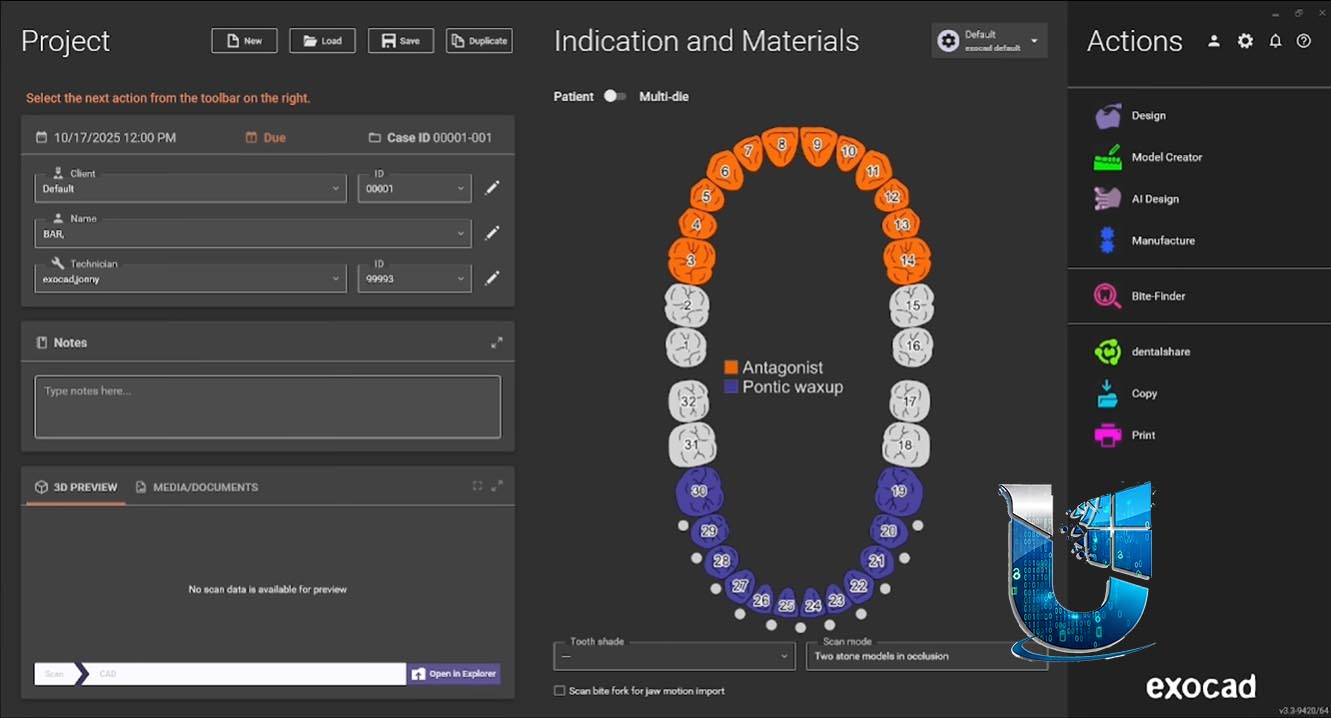
Developed by exocad GmbH (an Align Technology company), DentalCAD is trusted by over 70,000 users worldwide for its intuitive interface, unmatched flexibility, and robust performance even for complex cases . Version 3.3 Chemnitz builds on this legacy with intelligent automation that reduces manual clicks, smarter component selection, and faster workflows from scanning to final restoration . Available through a global network of partners, DentalCAD can be purchased as a Perpetual License (with optional upgrade contract) or a subscription‑based Flex License with lower initial cost.
???????? Primary Users
This professional dental CAD software is designed for:
-
Dental Laboratory Technicians designing crowns, bridges, implant abutments, and full prosthetics with AI‑assisted automation
-
Implantologists & Prosthodontists planning and designing implant‑supported restorations, including All‑on‑X bars and suprastructures
-
Digital Dentistry Workflows integrating intraoral scanning, model creation, and 3D printing preparation
-
Dental Clinics & Practice Labs offering in‑house CAD/CAM services for faster turnaround
-
Students & Academic Institutions learning industry‑standard digital dentistry workflows.
⚡ Key Features & Capabilities
???? AI‑Powered Design & Automation
| Feature | Description |
|---|---|
| AI Multi‑Unit Design | Design up to three adjacent posterior crowns or posterior bridges with up to three elements in fewer clicks (available in selected markets) |
| AI Bite Splint Automation | Automate bite splint design, reducing manual adjustments and speeding up production |
| AI Smile Design (TruSmile™) | Generate photorealistic AI smile previews with automatic jaw scan alignment and lip line detection (selected markets) |
| AI Abutment Proposals | The Implant Module now suggests an initial abutment design based on tooth position (molar, premolar, anterior), fully customizable and savable as personal abutment styles |
???? Redesigned Implant Module
| Enhancement | Benefit |
|---|---|
| Multi‑Implant Selection | Select and position all implants in one jaw in a single step, saving significant time compared to handling each implant individually |
| Search & Filter Functions | Quickly locate implant components by manufacturer, product name, article number, or indication (e.g., angulated screw channel) |
| Favorites | Mark frequently used components with stars; favorites appear first in the selection list |
| Control Point Visual Feedback | Moving a control point beyond functional limits triggers an immediate visual warning, preventing design errors |
| New Fissure Line | A thin yellow line reflects the fissure of the crown, freely adjustable to follow tooth morphology—especially useful for molar abutments |
| Rotate Abutment Shape | Select all control points simultaneously to rotate the entire abutment shape—ideal for rotated tooth positions |
???? Split Denture Workflow (All‑on‑X)
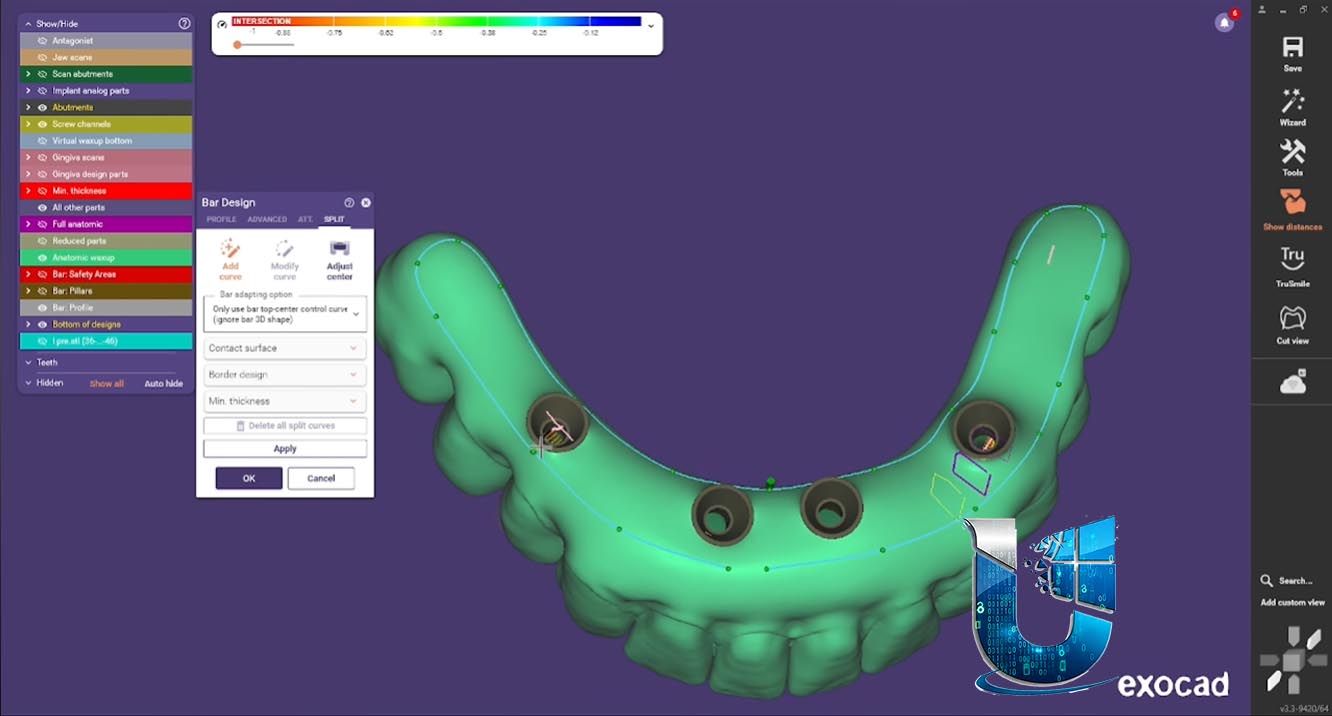
The new split denture workflow allows users to design both a bar and its suprastructure in one swift workflow .
-
The software splits the design into two precisely fitting components .
-
Saves time and minimizes manual adjustments for All‑on‑X hybrids .
-
Requires the Implant Module, Bar Module, and PartialCAD .
⚡ Productivity & Workflow Enhancements
-
Instant Anatomic Morphing (Chain Mode) – Real‑time, synchronized adaptation of occlusal morphology for bridges and large tooth setups, accelerating multi‑restoration workflows .
-
Typeahead Search – Find features instantly by typing—jump straight to the function you need .
-
Symmetric Tooth Shape Editing – Create symmetrical smiles efficiently with harmonious tooth shapes .
-
Ivoclar Digital Denture Support – Ivoclar’s clinical process for digital dentures is now supported, aiming to reduce the number of required patient visits .
???? Additional Modules & Compatibility
-
PartialCAD 3.3 Chemnitz – A companion module for designing removable partial dentures, featuring a new automated split denture workflow (All‑on‑X), flatter bar tops for better denture fit, enhanced post tools, and gingiva thickness detection .
-
Model Creator Module – Now supports Amann Girrbach’s Artex Print&Click, enabling tool‑free, plaster‑free mounting of printed models on Artex articulators .
-
Articulator Support – Now supports 20 articulators, including the new KaVo PROTARevo 7 .
-
DS Core Cloud Integration – Receive cases directly from Dentsply Sirona and other scanners .
-
Inspira™ Tooth Libraries – New tooth shapes for esthetic crown and bridge workflows .
???? What’s New in Version 3.3 Chemnitz
| Category | Key Updates |
|---|---|
| AI Services | AI multi‑unit design (up to 3 crowns / 3‑element bridges) |
| Implant Module | Multi‑implant single‑step selection; search/filter/favorites; smart abutment proposals; new fissure line; rotate all control points; visual constraint feedback |
| Split Denture | All‑on‑X bar and suprastructure design in one workflow |
| Workflow | Typeahead search; Instant Anatomic Morphing chain mode; symmetric tooth editing |
| Integration | Ivoclar digital denture process; DS Core Cloud; Artex Print&Click; KaVo PROTARevo 7 |
| PartialCAD | Split denture workflow; flatter bar tops; enhanced post tool; gingiva thickness detection |




Reviews
There are no reviews yet.