

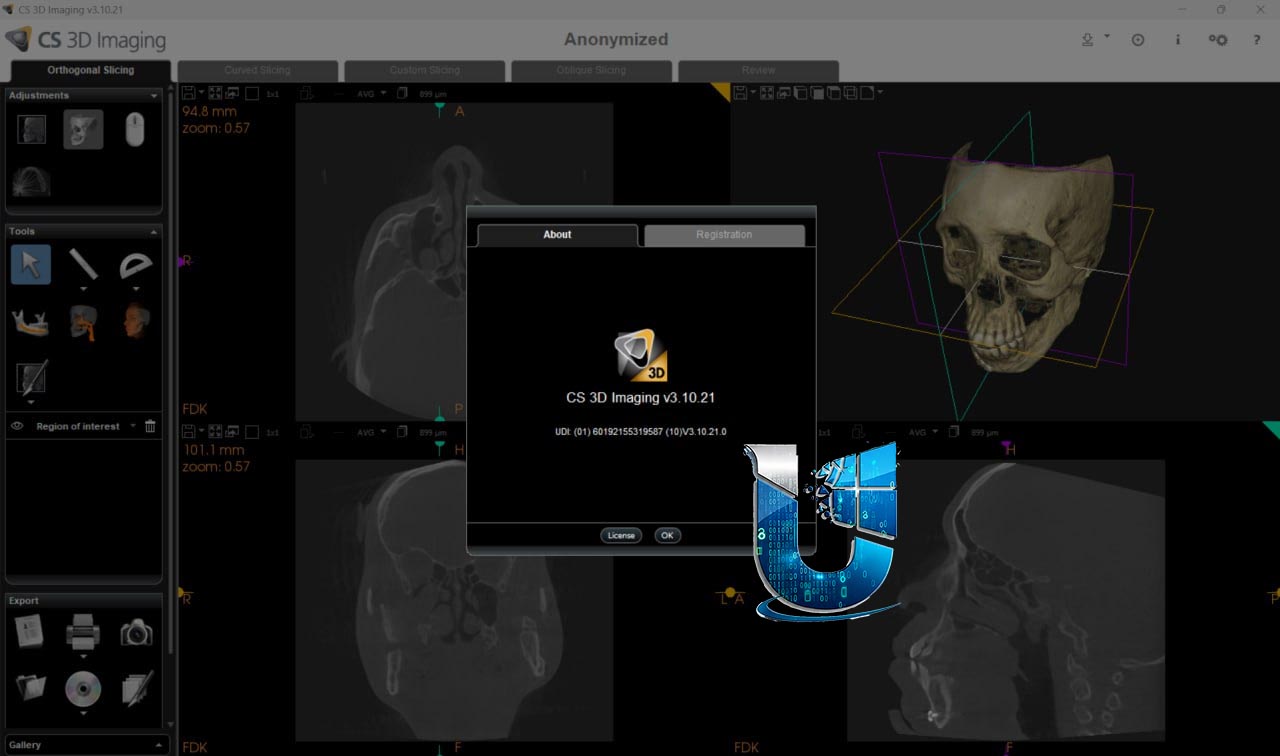
Carestream CS 3D Imaging 3.10.21: Dental Implant Planning & 3D Visualization Software
CS 3D Imaging 3.10.21 is a comprehensive 3D visualization and diagnostic software solution developed by Carestream Dental. It serves as the cornerstone software for users of Carestream Dental’s CBCT systems (CS 8100 3D, CS 8200 3D, CS 9300, CS 9600), providing tools for viewing, measuring, and analyzing 3D volumes of the maxillofacial region .
The software is available in two tiers: the Standard version with core diagnostic and visualization tools, and the Premium version which adds AI-powered implant planning, automated crown placement, data matching, and case sharing capabilities .
The software is designed to meet stringent medical device regulations, complying with the Medical Device Regulation (EU) 2017/745 and UK Medical Devices Regulations . It is intended for use by dento-maxillofacial healthcare professionals, ENT specialists, and radiologists
???? Primary Users
This professional dental imaging software is intended for:
-
Dentists & Oral Surgeons performing implant planning, surgical guide creation, and dento-maxillofacial diagnosis
-
Orthodontists & Endodontists visualizing 3D anatomy, tracing root canals, and assessing TMJ and airway
-
Radiologists & ENT Specialists interpreting CBCT volumes of the dento-maxillofacial and ear-nose-throat region
-
Dental Laboratory Technicians receiving implant planning data for surgical guide fabrication
-
Dental Clinics & Imaging Centers integrating CBCT with intraoral scans for comprehensive digital workflows
⚡ Key Features & Capabilities
????️ Core 3D Visualization & Diagnostic Tools
| Feature | Description |
|---|---|
| Multi-Planar Reconstruction (MPR) | View volumes simultaneously in axial, coronal, and sagittal planes |
| 3D Volume Rendering | Interactive 3D visualization of patient anatomy |
| Curved Panoramic Reconstruction | Create panoramic views from CBCT volumes |
| Custom Slice Planes | Focus on TMJ and ear anatomy with adjustable slice orientations |
| Nerve & Root Canal Tracing | Trace anatomical structures for endodontic and surgical planning |
???? Implant Planning (Standard & Premium)
| Capability | Version | Description |
|---|---|---|
| Implant Library | Standard | Access to library of over 110 implant manufacturers |
| Virtual Implant Placement | Standard | Place and position virtual implants in 3D space |
| 360° Implant Rotation View | Standard (3.10.71+) | New window for rotating views around virtual implant on three MPR axes |
| AI Auto Crown Placement | Premium | AI-calculated virtual crown position (up to 3 teeth) |
| AI Auto Implant Placement | Premium | AI-calculated implant dimensions and position (up to 3 teeth) |
???? AI-Powered Premium Features (Subscription)
CS 3D Imaging Premium is an optional package that adds a suite of AI-driven tools :
-
Automated Data Matching – CBCT scans and intraoral scans (3Disc, Dexis, iTero, Medit) are automatically merged to create a precise virtual model
-
AI-Automated Crown Placement – Automatically calculates crown dimensions and position (maxillary or mandibular region)
-
AI-Automated Implant Placement – Automatically identifies and numbers teeth, calculates implant dimensions and position
-
Export for Surgical Guide Creation – Export data to Smop or BlueSkyBio software, or as STL package for labs
-
Share My Case – Share 3D cases with other clinicians via secure link; recipient downloads shared viewer to review the case
???? Additional Capabilities
-
2D/3D Measurement Tools – Distance, angle, and density measurements
-
Print & Export – Export images and reports in standard formats
-
PDIP Module (with PDIP) – Advanced processing capabilities (requires dedicated graphics card)
-
CS Airway (Premium) – Airway analysis for sleep apnea assessment
???? What’s New in CS 3D Imaging
The 3.10.x series has seen several feature-rich updates. Key enhancements in later builds include:
| Feature | Added In | Description |
|---|---|---|
| CS 3D Imaging Premium | October 2025 | AI-powered implant planning, automated crown placement, case sharing |
| AI Auto Implant (Maxillary) | December 2025 | Automated implant placement on upper arch |
| 360° Implant Rotation | December 2025 | New window for rotating views around virtual implant |
| Automatic Cross Section Flip | December 2025 | Cross sections auto-orient based on sagittal plan |
| CS 1300 Intraoral Camera Support | February 2026 | Support for CS 1300 intraoral camera |




Reviews
There are no reviews yet.