
FARO BuildIT Projector 2026.1: Laser Projection & In-Process Verification Software
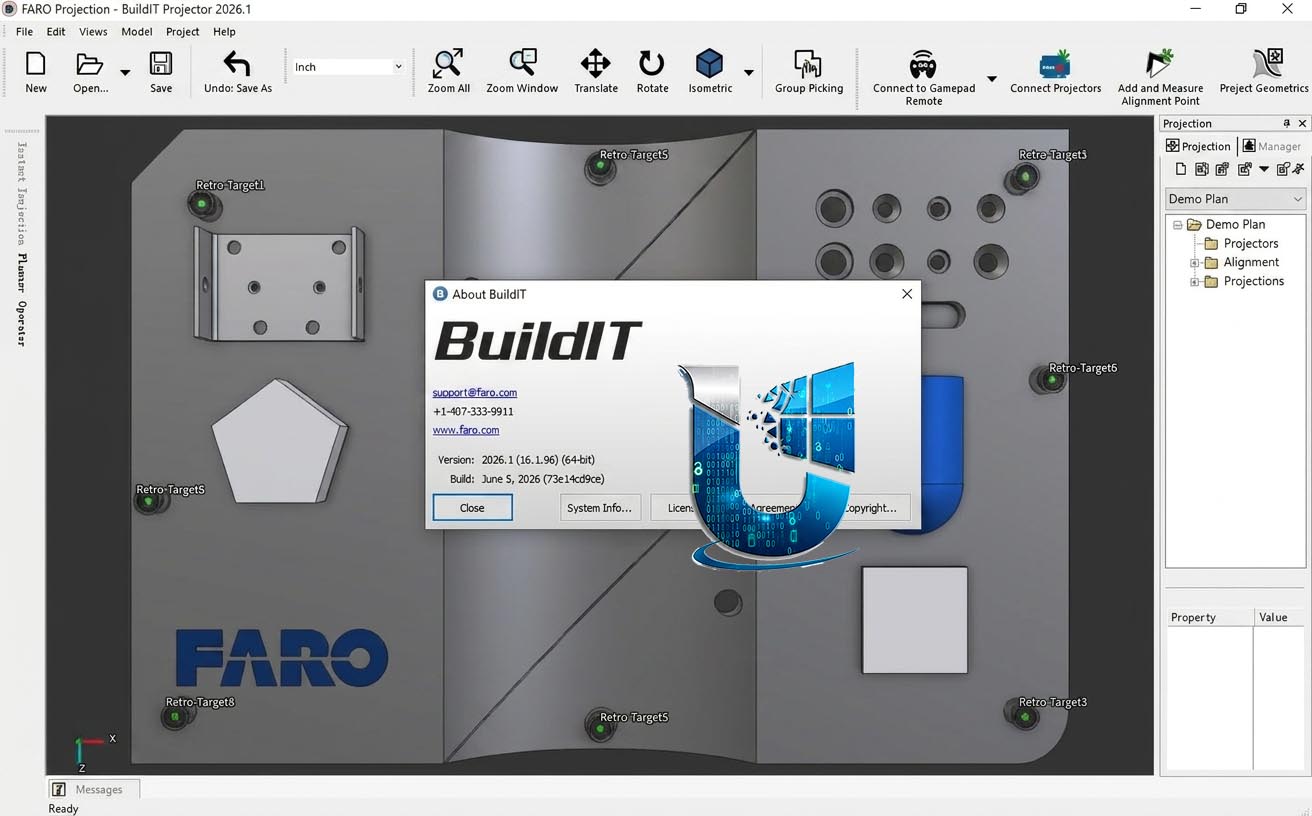
FARO BuildIT Projector 2026.1 is the world’s most complete imaging laser projection software , designed to generate, plan, and operate laser templating and verification workflows . Built on the popular BuildIT Metrology platform that has served manufacturers for over 20 years , the software enables the powerful and industry-unique features of FARO Tracer Laser Projectors.
The software eliminates the need for physical templates on the manufacturing floor by projecting CAD geometry directly onto surfaces, providing operators with accurate, repeatable visual guidance. It offers two integrated components :
-
BuildIT Projector Planner: Enables manufacturing engineers to set up laser templating and verification routines including sequencing, part placement, and verification .
-
BuildIT Projector Operator: The software used by assemblers during their workflows
👥 Primary Users
This professional laser projection software is designed for:
-
Manufacturing & Assembly Engineers using laser projection for precise part placement and assembly guidance in aerospace, automotive, defense, and heavy equipment manufacturing .
-
Quality Control & Inspection Teams performing in-process verification of components against CAD models.
-
Composite Layup & Fabrication Specialists projecting ply boundaries and layup schedules onto tooling surfaces.
-
Shipbuilding & Heavy Engineering Professionals aligning large structural components with projection guidance.
-
Construction & Prefabrication Teams projecting MEP systems, penetration points, and assembly locations directly onto job sites.
⚡ Key Features & Capabilities
🔦 Projector Planner & CAD Import
-
Import 3D CAD files (including native CAD formats) to generate projection sequencing and part placement workflows .
-
Premium offering supports importing any CAD model in its native format, preserving the highest fidelity—including names and tree structure—from the original CAD .
📐 Projection-Assisted Assembly & Feature-Based Alignment
-
Place and align parts easily according to layered projection plans .
-
Feature-based (targetless) alignment: Compare known features of an object to the CAD model for alignment purposes in a process that’s faster and easier than setup for laser-guided assembly .
-
ScanAlign feature: Turns finding and measuring retro-targets into a one-click step with absolutely no user intervention—automatically aligns to retro-targets by scanning a pre-defined region .
✅ In-Process Verification
-
Use quality-assurance checkpoints during and after critical assembly processes .
-
Verify correct placement of parts and detect presence/absence of features .
-
Foreign Object Debris (FOD) Detection: Enhanced quality assurance by detecting debris and foreign objects .
🔧 Automation & Customization
-
Layer-Level Automation: Leverage automation capabilities for projection plans—layers can automatically trigger processes such as turning indicator lights, sending notifications to supervisors, generating reports, launching supporting files, or guiding realignment .
-
Python scripting capabilities for streamlining repetitive and redundant workflows .
-
Communication with external applications (PLC and light indicators) possible with Premium offering .
🎮 Remote Control Options
-
Gamepad Remote: One gamepad can control multiple projectors, reducing time spent walking back and forth from the computer station .
-
Mobile Remote: Contains all controls needed to run an alignment routine; accessible via QR code on any device (iOS or Android) on the same network—no installation required .
🚀 Instant Projection Workbench
Streamlined interface tailored for low-production environments (one-off workflows)—the fastest way to go from importing CAD model to projection :
-
Connect Projector(s)
-
Align Projector (pick alignment points from CAD on the fly)
-
Project Geometries (real-time selection projection)





Reviews
There are no reviews yet.