

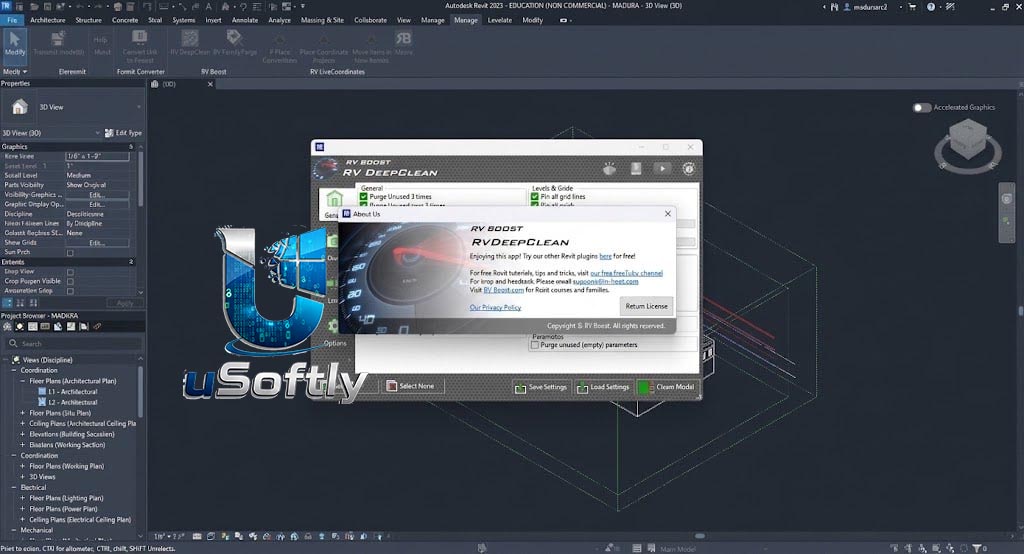
RV Boost RV DeepClean 2027 v1.4.0 for Autodesk Revit – Comprehensive One-Click Model Cleaning for High-Performance Revit Workflows
RV DeepClean is a powerful and comprehensive Revit model cleaning application that consolidates over 40 essential cleaning functions into a single, easy-to-use interface . Developed by RV Boost, the tool addresses the common problem of Revit files becoming slow, bloated, and unresponsive by automating the removal of unused elements, cleaning redundant views, and managing heavy external references .
RV DeepClean enables users to define a custom cleaning routine, save it for future use, and apply it to multiple models with a single click, all while ensuring compliance with company BIM standards . The 2027 v1.4.0 version is the latest release, fully compatible with Autodesk Revit 2027 and available for download via the DiPCSoft website
Primary Users
RV DeepClean 2027 v1.4.0 is designed for BIM Managers, VDC Coordinators, Architects, and Revit Power Users who need to maintain the health and performance of their Revit models. It serves professionals who:
-
Manage large, complex Revit projects that have become slow and bloated
-
Need to reduce file sizes for easier sharing, storage, and collaboration
-
Must enforce BIM standards consistently across multiple project files
-
**Seek to automate tedious and time-consuming manual model auditing tasks
-
Prepare models for export or issue by removing unnecessary external references and data
Key Features & Capabilities
RV DeepClean offers a suite of tools to optimize Revit models from multiple angles:
General Model Cleaning
-
Purge Unused: Recursively purge unused families and their nested components at any level, significantly reducing file size .
-
Delete Unused Scope Boxes: Removes scope boxes not associated with any view, level, or grid .
-
Remove Unplaced Rooms/Areas/Spaces: Cleans out space planning leftovers .
-
Delete Non-Primary Design Options: Removes secondary design options that bloat the file .
-
Remove Redundant Boundaries: Purges unused room/area/space separation lines that can slow down calculations .
-
Explode Groups: Ungroups groups created by Arrays that are no longer needed .
-
Purge Duplicate Elements: Automatically detects and removes duplicate elements, keeping the newest or oldest instance based on user preference .
-
Remove Model Constraints: Deletes locked dimensions and alignments that can limit flexibility and increase file size .
-
Purge Unused Parameters: Removes parameters that have no values in any applicable elements .
View and Sheet Management
-
Clean Unused View Templates and Filters: Removes obsolete views and filters .
-
Delete View-Specific Elements: Removes elements that are hidden in views .
-
Clean Temporary Views: Deletes temporary views that are no longer needed .
-
Delete Orphaned Tags and Dimensions: Removes tags and dimensions that are no longer associated with model elements .
-
Delete Unused Line/Fill Patterns: Cleans up unused line styles, line patterns, and fill patterns .
Link and External Reference Management
-
Remove 2D CAD Files: Removes heavy 2D CAD imports that are often view-specific and duplicated .
-
Remove All Revit Links or Point Clouds: Essential for preparing models for external issue .
-
Move CAD Files/Revit Links to Dedicated Worksets: Places links on specific worksets, allowing them to be easily turned off to improve performance .
-
Ensure Consistent Path Type for Links: Sets all Revit links to Absolute or Relative paths .
-
Delete Hidden 2D CAD Files: Removes CAD files that are hidden or cropped from their host views .
-
Pin All External References: Quickly pins external references to prevent accidental movement .
Automation and Customization
-
Hands-Free Operation: Automatically saves or synchronizes the file after cleaning and can auto-dismiss minor Revit warnings .
-
Configurable Cleaning Routines: Users can save their cleaning preferences as a settings file and reload it for consistent results across projects .
-
Batch Processing: Clean multiple models sequentially, processing a list of files while you focus on other tasks




Reviews
There are no reviews yet.