

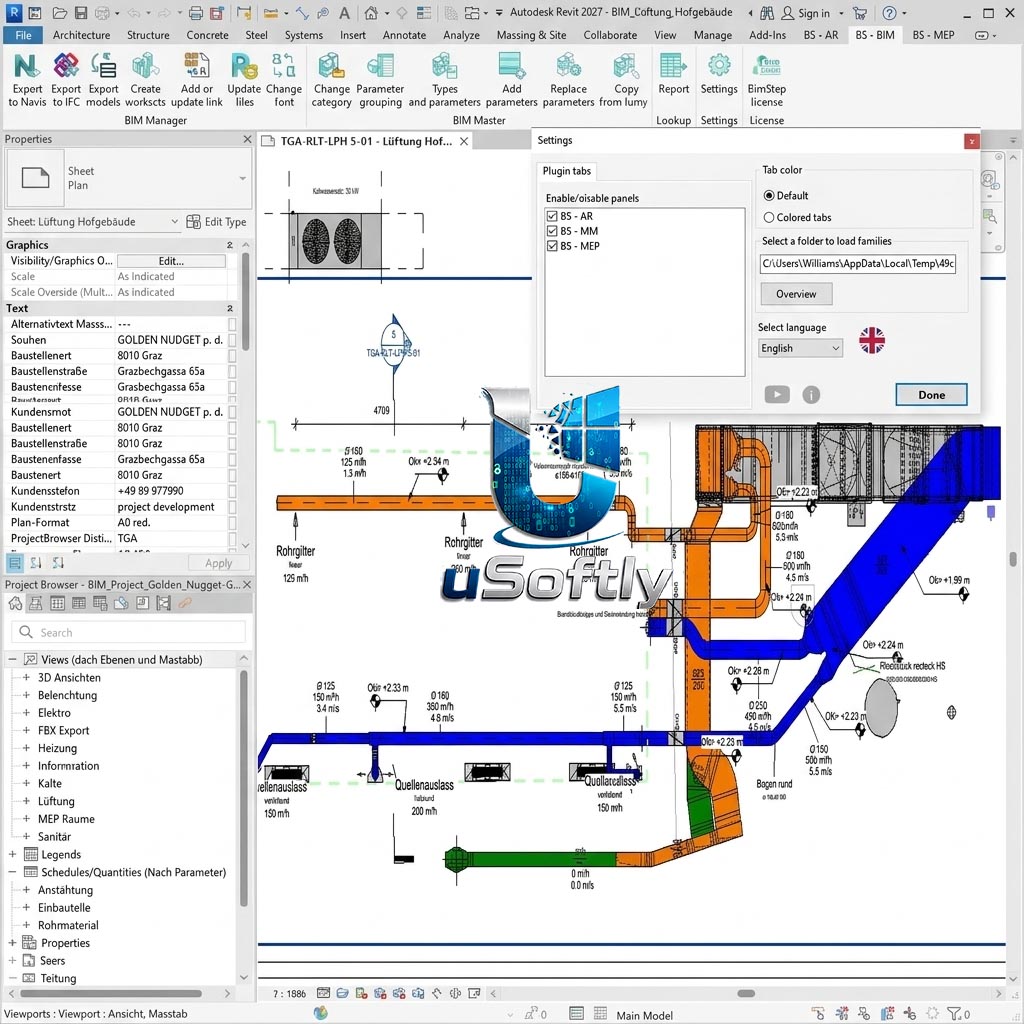
BimStep Architecture, BIM, General, MEP for Autodesk Revit 2027 – A Comprehensive Collection of Specialized Revit Plugins for Architecture, BIM Coordination, General Workflow, and MEP Engineering
BimStep is a suite of specialized Revit plugins developed by BimStep Team, offering a collection of tools designed to automate manual operations and expand Revit’s standard functionality . The plugins are compatible with Revit versions up to 2027 . Unlike generic productivity add-ins, BimStep is organized into four distinct suites, each tailored to a specific professional role:
-
BimStep Architecture: Tools for automating architectural workflows, including finishes, calculations, and drawings
-
BimStep BIM: Specialized tools for BIM professionals and content developers to standardize project environments
-
BimStep General: Universal commands for daily tasks such as copy, search, replace, and calculations
-
BimStep MEP: Features for MEP engineers to simplify routing, insulation management, and system filtering
Primary Users
The BimStep plugin line is designed for architects, BIM managers, general Revit users, and MEP engineers who want to automate repetitive tasks, enforce project standards, and extend the default capabilities of Autodesk Revit . These tools serve professionals who:
-
Need to automate routine operations such as bulk text replacement, view copying, and element filtering
-
Manage project-wide standards including fonts, shared parameters, and templates
-
Perform specialized architectural tasks such as interior finishing modeling and insolation calculations
-
Require MEP-specific features for duct/pipe insulation management and room-based space creation
The BimStep suites are categorized by professional area, ensuring that each user group has access to the most relevant tools for their daily workflow.
Key Features & Capabilities
BimStep Architecture
This suite accelerates the work of professional architects by automating repetitive modeling and documentation tasks:
-
Interior Finishing Modeling: Automated creation of interior finishes with generation of material statements and specifications, eliminating manual counting and scheduling
-
Automatic Lintel Placement: Instantly places lintels above window and door openings, saving time on structural integration
-
Insolation and Apartment Layout: Calculates sun exposure and assists with apartment planning, ensuring compliance with daylight and energy regulations
-
Multi-Layer Wall Separation: Separates multi-layer walls into individual layers or elements, useful for analysis and modification
-
Mirror Element Checking: Validates mirrored elements to ensure proper alignment and geometry
BimStep BIM
This toolkit standardizes the project environment for BIM professionals and content developers:
-
Bulk Font Changes: Changes fonts across the entire project in one operation, enforcing graphic standards
-
Shared Parameter Management: Convenient addition and replacement of common parameters in families
-
Template and Standards Management: Configures templates and manages internal model standards
BimStep General
A universal set of commands for any Revit specialist that eliminates manual work during design:
-
Quick View and Sheet Copying: Copies views and sheets along with their associated schedules and dimensions
-
Search and Replace Text: Bulk search and replace text, batch rename views, and manage suffixes/prefixes
-
Numerical Calculations: Calculates the sum of numerical parameters and the total length of selected lines, pipes, or ducts
-
Element ID Recording: Writes room numbers into element parameters (including nested connections)
-
DWG File Manager: Manages and cleans up unnecessary DWG files in the project
BimStep MEP
This suite simplifies workflow for interior design engineers working on mechanical, electrical, and plumbing systems:
-
Linked Room Space Creation: Automatically creates spaces based on rooms from a linked architectural file, with height stretching control
-
Duct and Pipe Insulation Management: Quick removal of insulation with a single click, plus a dedicated insulation manager for bulk operations
-
System Parameter Writing: Writes system parameters to insulation and provides system-based filtering
-
Automated View Setup: Prepares floor plans and 3D views for specific engineering systems with automatic filtering




Reviews
There are no reviews yet.