

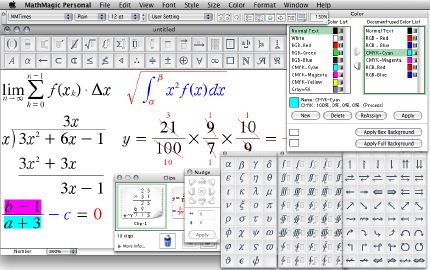
Download Maxima v5.26.0 – Advanced Symbolic Computation Software
Download Maxima v5.26.0, a powerful open-source computer algebra system (CAS) developed by the Maxima community. This software is designed for manipulating symbolic and algebraic expressions, offering robust numerical computation and graphical output capabilities. Maxima is a valuable tool for professionals and students in fields such as education, engineering, and scientific research, recognized for its user-friendly approach and advanced computational strength.
Introduction to Maxima
What is Maxima?
Maxima is a sophisticated computer algebra system (CAS) renowned for its comprehensive capacity to handle symbolic and algebraic manipulations. As an open-source project, it has been developed and is maintained by a dedicated community, ensuring continuous improvement and broad accessibility. Its capabilities extend beyond symbolic computations to include precise numerical analysis and the generation of informative graphical outputs. The software’s architecture provides a powerful environment for exploring complex mathematical relationships and solving intricate problems, making it a significant resource for academic and research pursuits.
This system traces its roots back to early computer algebra research, evolving into a mature and stable platform. Its development ethos emphasizes user-friendliness and extensibility, allowing it to serve a wide audience from students learning foundational mathematical concepts to researchers tackling advanced problems.
Primary Use Cases
Maxima serves a dual role, acting as both a potent tool for academic instruction and a robust system for professional mathematical tasks. In educational settings, it provides students with hands-on experience in symbolic computation, calculus, and differential equations, fostering a deeper understanding of mathematical principles. For engineers and researchers, Maxima offers the computational power required for complex analysis, simulations, and data visualization, supporting innovation across various technical disciplines.
Key applications include:
- Teaching and learning advanced algebra and calculus concepts.
- Performing complex symbolic integrations and differentiations.
- Analyzing and solving systems of linear and non-linear equations.
- Conducting numerical analysis and simulations.
- Visualizing mathematical functions and data through 2D and 3D plots.
Key Capabilities of Maxima
Mathematical Computations
At its core, Maxima excels in performing a vast array of mathematical operations. Its symbolic computation engine allows for the manipulation of expressions in their exact form, avoiding the limitations of floating-point approximations in many scenarios. This capability is crucial for deriving analytical solutions and conducting precise mathematical investigations.
The software’s computational strengths include:
- Algebraic Manipulation: Simplification of expressions, polynomial factorization, manipulation of matrices, and solving systems of algebraic equations.
- Calculus: Capabilities for differentiation, integration (both symbolic and numerical), limits, series expansion, and solving differential equations.
- Numerical Analysis: High-precision floating-point arithmetic, root finding, and matrix operations.
- Special Functions: Support for a wide range of mathematical functions, including Bessel functions, Gamma functions, and elliptic integrals.
Graphical Representations
Maxima offers integrated tools for visualizing mathematical data and functions, significantly aiding in the understanding and interpretation of complex concepts. The graphical capabilities are essential for both educational demonstrations and the analysis of simulation results.
Features include:
- 2D Plotting: Generation of plots for functions, datasets, and parametric curves, with options for customizing axes, labels, and styles.
- 3D Plotting: Creation of surface plots, contour plots, and wireframe models to visualize functions of two variables and datasets in three dimensions.
- Plot Customization: Tools to adjust plot ranges, add titles and labels, and control the appearance of plotted elements for clarity and impact.
User Interface and Accessibility
Platform Independence
Maxima is designed to be highly accessible, running on a variety of operating systems without modification. This cross-platform compatibility ensures that users can leverage its powerful features regardless of their preferred computing environment.
Supported platforms include:
- Microsoft Windows
- macOS
- Linux and other Unix-like systems
Menu System and Command Usage
The software provides a flexible interface catering to different user preferences. Users can interact with Maxima using a structured menu system or by directly entering commands. This dual approach enhances usability for beginners while offering efficiency for experienced users.
The interface options consist of:
- Menu-Driven Operations: A graphical menu system allows users to select and execute commands without needing to memorize syntax, greatly simplifying the learning curve for new users, particularly in educational contexts.
- Command-Line Interface: Advanced users can utilize the command-line interface for rapid input and scripting, enabling powerful automation of mathematical tasks.
Integration with Other Tools
Compatibility
Maxima is designed to work effectively within broader computational workflows, supporting various methods for data exchange and interoperability. Its compatibility features allow it to serve as a central component in diverse technical projects.
Compatibility aspects include:
- File Format Support: Maxima can read from and write to standard file formats, facilitating data transfer with other applications.
- External Libraries: Potential for integration with programming languages and external mathematical libraries to extend functionality.
Enhancing Productivity
By integrating Maxima into existing educational and professional workflows, users can significantly boost productivity. Its ability to automate complex calculations and visualize results streamlines the process of problem-solving and research.
Examples include:
- Using Maxima to generate mathematical expressions that are then incorporated into reports or presentations.
- Leveraging its computational power within engineering design processes for simulation and analysis.
- Employing it as a teaching aid in virtual learning environments to demonstrate mathematical concepts interactively.
Real-World Applications of Maxima
Educational Use
In academic settings, Maxima is a frequently employed tool for teaching and learning mathematics, physics, and engineering. Its ability to perform symbolic computations provides students with a tangible way to explore abstract mathematical concepts and verify their manual calculations.
Specific educational applications include:
- Illustrating calculus principles, such as derivatives, integrals, and limits, with immediate visual and symbolic feedback.
- Solving linear algebra problems, including matrix operations and systems of equations, to reinforce theoretical knowledge.
- Exploring differential equations and their solutions, aiding in the understanding of dynamic systems.
Industry-Specific Applications
Beyond education, Maxima finds practical application in various professional fields that rely on advanced mathematical analysis. Its open-source nature and robust capabilities make it an attractive alternative for specialized engineering and research tasks.
Industry use cases include:
- Mechanical Engineering: Analyzing stress and strain, performing kinematic simulations, and solving complex differential equations related to mechanical systems.
- Physics Research: Working with theoretical physics models, manipulating complex equations in quantum mechanics or relativity, and performing symbolic calculations.
- Software Development: Utilizing its symbolic capabilities for algorithm development or generating mathematical components for larger software projects.
Further Learning Resources
For users seeking to deepen their understanding of Maxima or explore its advanced features, a wealth of resources is available. The active Maxima community provides extensive support, documentation, and tutorials designed to assist users at all levels.
Key resources include:
- Comprehensive documentation detailing commands, functions, and system architecture.
- Community forums and mailing lists for asking questions and engaging with other users and developers.
- Online tutorials and guides that walk through specific mathematical problems and showcase Maxima’s capabilities.
Frequently Asked Questions
What types of mathematical problems can Maxima solve?
Maxima can solve a wide spectrum of mathematical problems, including algebraic equations, indeterminate integrals, calculus operations, and numerical calculations. It is designed for both symbolic computation and graphical output, allowing users to visualize results and explore mathematical functions and data comprehensively.
Is Maxima compatible with other software?
Yes, Maxima supports various file formats and can often integrate with other mathematical software, enhancing its utility in composite workflows. This compatibility allows for seamless data exchange and the combination of Maxima’s strengths with those of other specialized tools.
How does the user interface of Maxima facilitate learning?
Maxima features a menu-driven interface that simplifies access to commands, making it especially user-friendly for educational environments. Users can enter commands without needing to memorize syntax, reducing the initial learning barrier and allowing a focus on mathematical concepts rather than software intricacies.






Reviews
There are no reviews yet.