

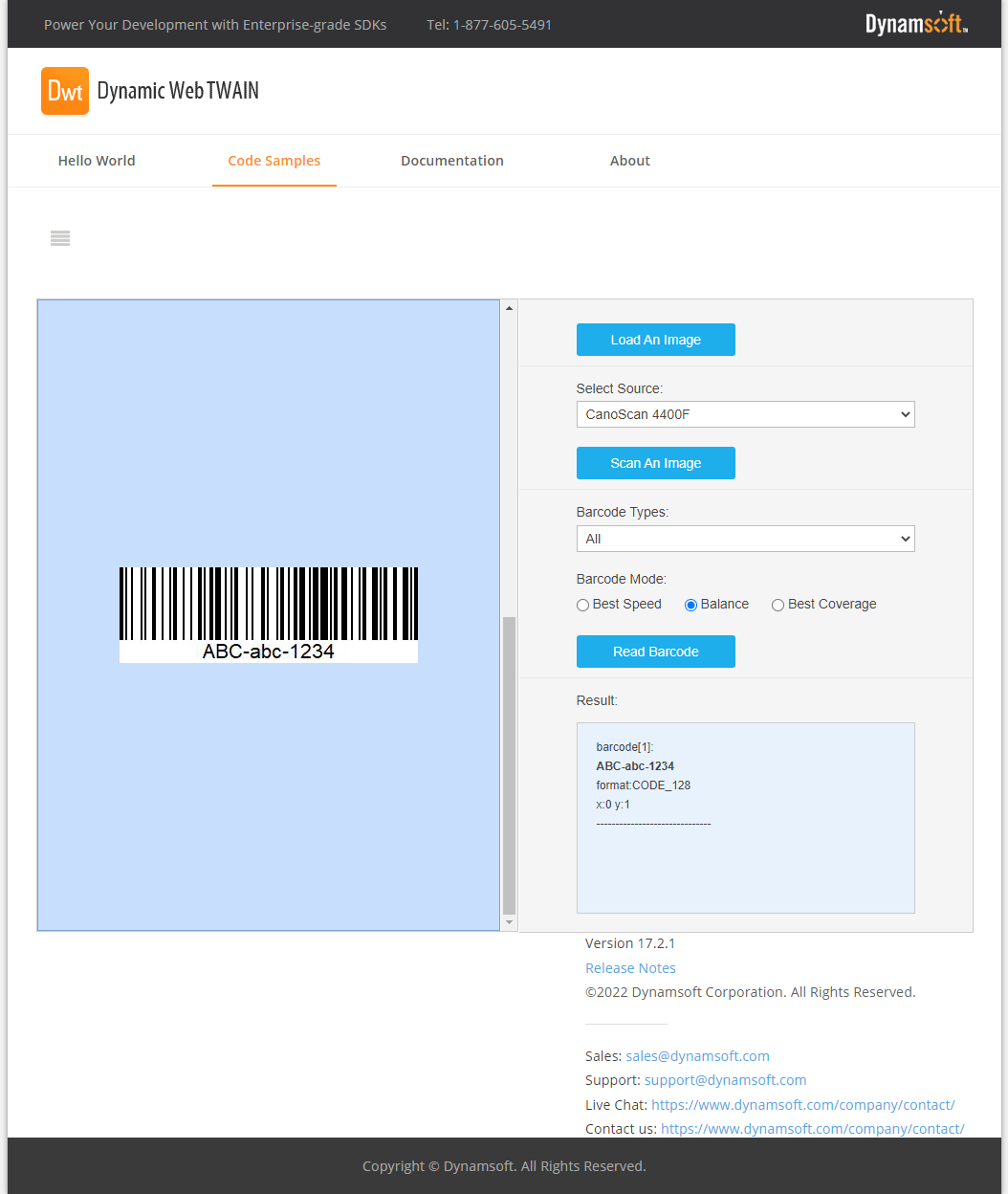
Download Dynamic Web TWAIN – Efficient Web Document Scanning Solution
Dynamic Web TWAIN, developed by Dynamsoft Corporation, is a specialized web development component designed for seamless TWAIN document scanning within web applications. This software addresses the need for integrated document management solutions, particularly for businesses requiring efficient data capture from documents directly through browser-based interfaces. It serves software developers and IT professionals across various industries who need to embed reliable scanning functionalities into their existing or new web platforms.
Overview of Dynamic Web TWAIN
History and Development
Dynamsoft Corporation has developed Dynamic Web TWAIN as a robust solution for web-based document scanning. Evolving with web technologies, the software was designed to overcome the limitations of traditional desktop-based scanning applications. Its development history reflects a commitment to integrating TWAIN compliance with modern web standards, ensuring broad usability and platform compatibility.
The company’s focus on enhancing user experience and technical performance has led to the adoption of technologies like HTML5, enabling a more streamlined and consistent scanning process directly within web browsers. This evolution makes Dynamic Web TWAIN a versatile tool for contemporary software development environments.
Primary Use Cases
Dynamic Web TWAIN is ideal for applications requiring direct document capture and processing within a web browser. Its core design facilitates quick integration into existing workflows, reducing the need for separate scanning software and improving efficiency.
- Document Archiving: Enabling businesses to scan and archive important documents directly into their document management systems.
- Form Processing: Digitizing application forms, invoices, or other documents as they are received, streamlining data entry and verification.
- Remote Scanning Operations: Facilitating document scanning from various locations through a unified web interface.
- Medical Record Management: Allowing healthcare providers to scan patient records and integrate them into electronic health record (EHR) systems.
- Financial Document Handling: Supporting the scanning of checks, statements, and other financial documents within banking or accounting web platforms.
Key Features and Capabilities
TWAIN Compliance and Scanning Options
At its core, Dynamic Web TWAIN provides robust TWAIN compliance, ensuring compatibility with a wide range of image acquisition devices. This adherence to industry standards allows for reliable document acquisition.
- TWAIN Standard Support: Fully compliant with the TWAIN standard, enabling seamless communication with TWAIN-compliant scanners.
- Scanning Capabilities: Supports for basic scanning operations such as acquiring images, setting resolutions, and selecting specific scanner drivers.
- Two-Way Scanning: Functionality to scan both the front and back of documents in a single operation, enhancing efficiency for double-sided documents.
- Advanced Image Acquisition: Options to control various scanning parameters like color depth, pixel format, and paper source.
User-Friendly Image Editing Tools
Beyond scanning, Dynamic Web TWAIN includes a suite of integrated image editing tools designed to prepare scanned documents for storage or further processing. These tools aim to provide essential modification capabilities directly within the web application.
- Basic Image Manipulations: Features such as rotating, cropping, and straightening images to optimize document presentation.
- Image Adjustments: Tools for adjusting brightness, contrast, and color levels to improve scan quality.
- Annotation Tools: Ability to add text or stamps to scanned documents for referencing or marking.
- Format Conversion: Support for saving scanned images in various common formats like PDF, JPG, PNG, and TIFF.
Multi-Browser Compatibility
Dynamic Web TWAIN leverages modern web technologies to ensure broad compatibility across different web browsers and platforms. This adaptability is crucial for enterprise environments where diverse operating systems and browsers are common.
- HTML5 Technology: Utilizes HTML5 and JavaScript to provide a platform-independent scanning experience.
- Cross-Browser Support: Compatible with major web browsers including Chrome, Firefox, Edge, and Safari.
- Operating System Flexibility: Works across Windows, macOS, and Linux environments, supporting web applications deployed on various server infrastructures.
- Modern Web Standards: Integration with web technologies ensures better performance and security compared to older ActiveX-based solutions.
Integrating with Existing Applications
Using Dynamic Web TWAIN in Your Projects
The software is engineered for straightforward integration into a wide array of web development frameworks and programming languages. Its API is designed to be developer-friendly, allowing for rapid implementation of scanning features.
- JavaScript API: A comprehensive JavaScript API allows developers to control scanning, editing, and uploading processes directly from their web front-end.
- Framework Agnostic: Can be seamlessly integrated into front-end frameworks like React, Angular, and Vue.js, as well as server-side languages such as ASP.NET, PHP, and JSP.
- Code Samples and Documentation: Extensive documentation and sample code are provided to assist developers in implementing the component quickly.
- Remote Scanning Capabilities: Supports sending scanned images to remote servers, facilitating centralized document management.
Security and Compliance Considerations
Dynamsoft emphasizes security in Dynamic Web TWAIN, particularly for enterprise applications handling sensitive data. The software incorporates features to ensure secure document capture and transmission.
- Windows Authentication: Utilizes Windows authentication for secure user access and document handling processes.
- Proxy Support: Ability to connect through proxy servers, ensuring compatibility with predefined network configurations and firewall rules.
- Secure Data Transmission: Supports secure protocols for uploading scanned documents to servers, protecting data integrity during transfer.
- Adherence to Standards: Follows best practices for web application security, helping to maintain compliance with industry regulations.
Real-World Applications and Case Studies
Enterprise Solutions
Dynamic Web TWAIN is utilized by numerous enterprises for its robust and integrated document scanning capabilities, streamlining workflows and enhancing operational efficiency. Its ability to be customized for specific business needs makes it a valuable asset.
- Financial Services: Banks and financial institutions use it for scanning checks, account opening documents, and loan applications, integrating these directly into core banking systems.
- Insurance Companies: Implementing it for claims processing, allowing agents and customers to upload claim-related documents, such as policy forms and damage photos, via web portals.
- Manufacturing: Employing the software for scanning quality control reports, work orders, and supply chain documents directly at various points of operation.
Public Sector Use Cases
Government agencies and public sector organizations leverage Dynamic Web TWAIN for its reliability and security in managing large volumes of documents required for public services and record-keeping.
- Healthcare Administration: Public health organizations use it to scan patient intake forms, medical histories, and test results, ensuring seamless integration with healthcare information systems.
- Legal and Judicial Systems: Courts and legal departments utilize it for digitizing case files, evidence, and official documents, improving accessibility and record management.
- Permitting and Licensing: Municipalities and government bodies employ it for processing applications for permits, licenses, and other official documentation submitted through web portals.
Conclusion: The Future of Web-Based Scanning
Dynamic Web TWAIN continues to evolve, adapting to the increasing demands for streamlined, web-native document management solutions. By prioritizing HTML5 integration and adherence to TWAIN standards, Dynamsoft Corporation provides software that meets the performance, security, and usability requirements of modern web applications.
The ongoing development of features that enhance developer experience and end-user convenience positions Dynamic Web TWAIN as a forward-looking solution. Its capability to integrate directly into web workflows ensures that businesses can manage their document scanning needs efficiently and securely, adapting to future technological advancements.
Additional Resources
For in-depth information on Dynamic Web TWAIN, developers can access a comprehensive range of resources designed to facilitate implementation and exploration.
- Official Documentation: Detailed guides and API references for developers.
- Online Sample Code: Practical examples demonstrating various integration scenarios.
- Live Demo Tools: Interactive tools to test scanning and editing features in a live environment.
- Dynamsoft Support: Access to technical support for implementation challenges.
Frequently Asked Questions
What is Dynamic Web TWAIN used for?
Dynamic Web TWAIN is a web-based component that allows for TWAIN-compliant document scanning directly from web applications. It enables users to manage document scanning with just a few lines of code, removing the need for separate desktop applications.
Which programming languages are compatible with Dynamic Web TWAIN?
Dynamic Web TWAIN is compatible with various web programming languages, including HTML5, JavaScript, ASP.NET, PHP, and JSP, allowing for seamless integration into web applications.
How does Dynamic Web TWAIN ensure security during scanning?
Dynamic Web TWAIN uses the Windows authentication system for secure document management and offers features to connect through proxies while adhering to firewall configurations.






Reviews
There are no reviews yet.