

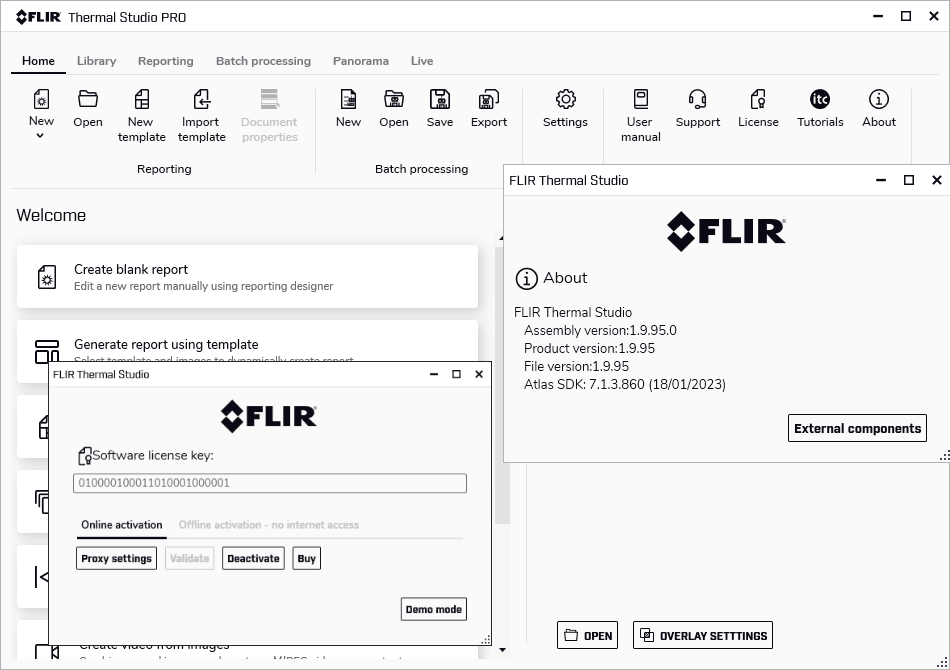
Download FLIR Thermal Studio 1.9.95 – Powerful Thermal Imaging Software for Inspections
FLIR Thermal Studio 1.9.95 is a professional-grade thermal imaging software developed by FLIR Systems. Designed for professionals in electrical inspections, predictive maintenance, and energy auditing, this software provides advanced tools for organizing, processing, and analyzing thermal data from various FLIR devices, enhancing the efficiency and accuracy of inspections.
Overview of FLIR Thermal Studio
Introduction to Thermal Imaging Software
FLIR Thermal Studio plays a significant role in the modern thermal imaging landscape by offering a robust platform for managing and interpreting thermographic data. In industries relying on precise visual inspection of heat patterns, professional software like FLIR Thermal Studio is essential for detailed analysis and comprehensive reporting, bridging the gap between raw thermal camera output and actionable insights.
Key Features and Capabilities
Advanced Processing Tools for Effective Analysis
FLIR Thermal Studio offers a suite of specialized tools designed to streamline the analysis of thermal images and videos. These capabilities empower users to extract maximum information from their data, ensuring accurate assessments and effective decision-making.
- Batch Processing: Allows for the efficient application of analysis parameters, calculations, and templates to multiple thermal images or videos simultaneously, saving significant time during post-processing.
- Magic Wand Tool: This feature automatically identifies and adjusts temperature measurement points within a specified area, simplifying the process of analyzing complex thermal scenes.
- Image Enhancement Tools: Provides options to adjust image contrast, levels, and palettes to improve the visibility of thermal details and abnormalities.
- Measurement Tools: Offers a range of measurement options, including spot meters, area meters, and line profiles, for detailed temperature analysis.
Applications Across Industries
The versatility of FLIR Thermal Studio makes it an indispensable tool across a wide array of industries that depend on thermal imaging for inspection and maintenance. Its capabilities are tailored to address specific challenges within these fields.
- Electrical Inspections: Used to identify hot spots in electrical components, such as panels, transformers, and connections, preventing potential failures and ensuring safety.
- Predictive Maintenance: Facilitates the monitoring of machinery and equipment, enabling early detection of anomalies that could indicate impending mechanical or electrical issues.
- Energy Auditing: Assists in locating areas of significant heat loss or gain in buildings, helping to identify insulation gaps and improving energy efficiency.
- HVAC Services: Aids in diagnosing issues within heating, ventilation, and air conditioning systems, checking for airflow problems or system inefficiencies.
- Building Diagnostics: Supports the identification of moisture ingress, air leaks, and structural issues through thermal patterns.
Data Management and Reporting
Effective management and clear reporting of thermal data are critical for comprehensive inspections. FLIR Thermal Studio provides robust features to organize findings and generate professional reports.
- Intuitive File Management: Organizes thermal images and associated data efficiently, allowing for easy retrieval and review.
- Customizable Report Templates: Enables users to create detailed inspection reports, incorporating thermal images, analytical data, and textual observations in a professional format.
- Data Export Options: Supports exporting processed images and data in various formats suitable for sharing and further analysis in other applications.
Integration with FLIR Hardware
FLIR Thermal Studio is engineered for seamless integration with FLIR’s advanced hardware solutions, ensuring a cohesive and efficient workflow from data capture to analysis.
- Camera Compatibility: Works directly with a wide range of FLIR thermal cameras, allowing for direct import of thermal data.
- UAS Support: Facilitates the processing and analysis of thermal imagery captured by FLIR’s unmanned aircraft systems (UAS), crucial for aerial inspections.
- Optical Gas Imaging (OGI) Cameras: Supports the management and review of data from OGI cameras, essential for detecting gas leaks in industrial environments.
User Experience and Workflow Enhancements
FLIR Thermal Studio is designed to enhance the overall inspection workflow, making the process of acquiring, analyzing, and reporting on thermal data more efficient and user-friendly.
- Streamlined Workflow: Reduces the time spent on post-processing through features like batch operations and intuitive editing tools.
- Route Creator: Allows for the creation of custom inspection routes, enabling technicians to follow predefined paths, improving consistency and data accuracy during field inspections.
- User-Friendly Interface: Provides an organized and accessible interface that simplifies complex thermal analysis tasks for both new and experienced users.
Conclusion and Download Information
FLIR Thermal Studio 1.9.95 stands out as a powerful and comprehensive software solution for professionals requiring detailed thermal analysis and effective data management. Its advanced processing capabilities, broad industry applications, and seamless integration with FLIR hardware make it an essential tool for predictive maintenance, inspections, and energy audits. Users can leverage its features to improve accuracy, efficiency, and the overall quality of their thermal imaging projects.
Frequently Asked Questions
What types of cameras can FLIR Thermal Studio work with?
FLIR Thermal Studio is designed to work with various thermal imaging devices, including handheld thermal cameras, unmanned aircraft systems (UAS), and optical gas imaging cameras to manage and analyze thermal data effectively.
How does FLIR Thermal Studio benefit predictive maintenance?
The software provides advanced analysis tools and data organization features that help identify potential issues in critical components before they escalate, aiding in effective predictive maintenance strategies.
Can I create custom inspection routes in FLIR Thermal Studio?
Yes, FLIR Thermal Studio includes a Route Creator feature that allows users to design custom inspection maps, streamlining the inspection process and improving data collection accuracy.





Reviews
There are no reviews yet.