
Download PCSCHEMATIC Automation 20.0.3.54 – Advanced Electrical Circuit Design Software
PCSCHEMATIC Automation, developed by PCSCHEMATIC A/S, is an advanced electrical engineering software designed for sophisticated circuit mapping and automation projects. This application caters to professionals in electrical engineering, automation, facility management, and industrial design, offering a powerful yet accessible platform for creating detailed electrical documentation.
Overview of PCSCHEMATIC Automation
What is PCSCHEMATIC Automation?
PCSCHEMATIC Automation is a specialized software solution engineered to streamline the process of creating electrical diagrams and automating various aspects of electrical system design. It serves as a comprehensive tool for both novice and experienced engineers, simplifying the creation of complex industrial electrical documentation. The software supports detailed electrical wiring, automation logic, and a vast array of system components.
Key Features and Capabilities
Comprehensive Automation Projects
This software empowers users to design and manage complex automation projects. Its capabilities extend to supporting a wide range of systems, enabling engineers to create detailed schematics for industrial control systems, process automation, and machinery. The software facilitates the integration of electrical, pneumatic, and hydraulic systems within a unified design environment.
Electrical Circuit Mapping
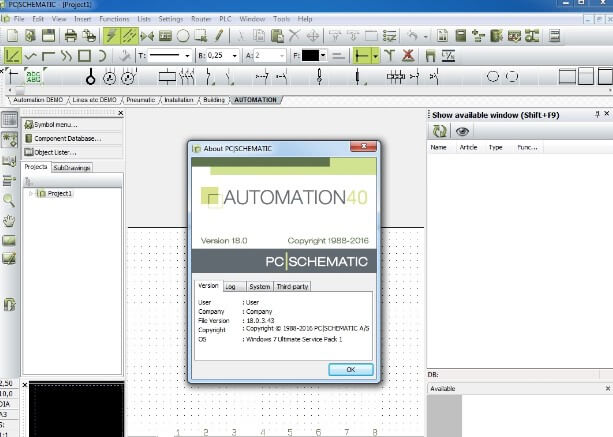
PCSCHEMATIC Automation features robust tools for electrical circuit mapping, significantly enhancing the efficiency of creating wiring diagrams. It includes a user-friendly drag-and-drop interface that allows engineers to rapidly place symbols and connect components, simplifying the visualization and layout of electrical circuits. This approach is central to generating accurate and easily understandable documentation.
Database of Components
A cornerstone of PCSCHEMATIC Automation is its extensive and intelligently managed component database. This library contains a wide variety of electrical, pneumatic, and hydraulic components, which users can easily access and integrate into their designs. The database is crucial for ensuring project accuracy and efficiency, as it provides readily available, pre-defined component data.
Industry Applications
PCSCHEMATIC Automation finds application across various sectors within the engineering and industrial landscape. Its versatility makes it suitable for designing complex electrical systems in manufacturing plants, managing facility electrical layouts, and developing intricate automation solutions for diverse industrial machinery. Specific use cases include industrial automation systems, building electrical planning, and the design of control panels with integrated pneumatic and hydraulic circuits.
Comparison with Competitors
Compared to other electrical circuit design software, PCSCHEMATIC Automation distinguishes itself through its balanced approach, offering an intuitive interface that benefits beginners while retaining advanced functionalities required by seasoned professionals. Its comprehensive component database and integrated support for pneumatic and hydraulic systems further set it apart, providing a more unified solution for multidisciplinary electrical engineering tasks.
Conclusion and User Recommendations
PCSCHEMATIC Automation 20.0.3.54 stands out as a powerful and user-friendly software for electrical circuit design and automation. Its strengths lie in its comprehensive feature set, extensive component library, and adaptability for users of all experience levels. For optimal use, engineers are encouraged to leverage the drag-and-drop functionality and the vast component database to expedite project completion and ensure design accuracy in complex industrial and facility management projects.
Frequently Asked Questions
What types of projects can I design using PCSCHEMATIC Automation?
PCSCHEMATIC Automation is well-suited for a wide range of projects, including electrical wiring designs for industrial facilities, automation projects, and installations requiring pneumatic and hydraulic schematics. Its comprehensive toolset supports everything from basic circuits to complex, integrated system designs.
Can I import and export projects with other software?
Yes, PCSCHEMATIC Automation allows for importing and exporting files in DWG format, facilitating compatibility with other CAD software. This capability ensures smooth integration into existing design workflows and simplifies collaboration with other engineering disciplines.
Is PCSCHEMATIC Automation suitable for beginners in electrical engineering?
The software is designed with a user-friendly interface, making it accessible for beginners, while still providing advanced features for experienced professionals. Its intuitive layout and drag-and-drop functionality help new users quickly grasp essential design principles, while offering the depth required for complex engineering tasks.






Reviews
There are no reviews yet.