

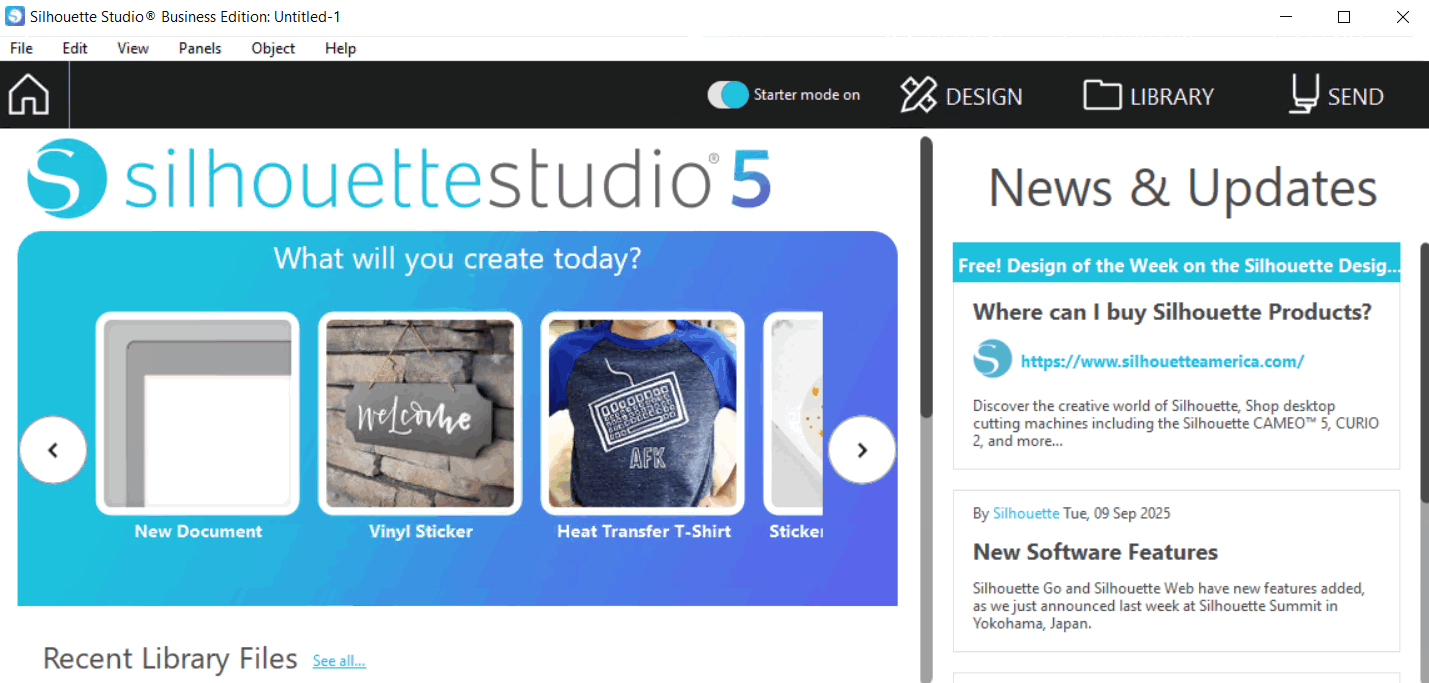
Download Silhouette Studio Business Edition 5.0.414 – Advanced Design Software for Silhouette Cutting Machines
Silhouette Studio Business Edition 5.0.414, developed by Silhouette America, Inc., is a powerful design software tailored for use with Silhouette cutting machines. Designed for the crafting, DIY, and small business custom design sectors, this software bridges the gap between user-friendly interfaces and professional-grade design capabilities. It enables users to create, edit, and prepare intricate vector designs for precise cutting, serving both hobbyists and commercial customers through its advanced feature set.
Integration and Application in Crafting and Design
Silhouette Studio Business Edition plays a pivotal role in enabling users to translate creative ideas into tangible projects using Silhouette cutting machines. Its primary function is to provide a comprehensive design environment where users can conceptualize, refine, and export designs specifically formatted for the cutting hardware. This tight integration ensures a seamless workflow from initial concept to the final cut, making it an indispensable tool for anyone engaged in personalized crafting, custom apparel, signage, or detailed paper crafts.
Advanced Design and Editing Tools for Precision Crafting
The software is equipped with a robust suite of design manipulation tools that empower users to achieve high levels of precision and customization. These features allow for the conversion of various image types into cut-ready vector paths and the detailed modification of vector elements.
Tracing and Image Conversion
A key capability within Silhouette Studio Business Edition is its advanced tracing functionality. This tool allows users to convert raster images, such as JPEGs or PNGs, into editable vector paths. This process is crucial for preparing imported artwork or photographs for precise cutting, enabling the machine to follow the contours of the desired shapes accurately.
Design Customization Features
Beyond tracing, the Business Edition offers extensive tools for refining vector designs. Features like welding allow users to merge overlapping shapes into a single contour, eliminating cut lines between them. The warping tool provides creative distortion effects for text and objects, while grouping, layering, and precise object manipulation tools offer granular control over complex designs, facilitating intricate and layered cutting projects.
File Compatibility and Cutting Settings Control
Silhouette Studio Business Edition ensures broad compatibility with various design assets and offers meticulous control over the cutting process. It supports a wide array of industry-standard file formats, allowing for easy integration with other design software and asset libraries.
- Supports import and export of common vector and raster formats, including SVG, DXF, PNG, JPG, and BMP.
- Allows users to create and save custom cut settings profiles tailored to different material types (e.g., vinyl, cardstock, fabric) and cutting blade depths.
- Provides options for defining cut lines, score lines, and perforations, enhancing versatility for complex projects.
- Enables precise control over blade depth, force, speed, and pass count for optimized cutting results.
Business Edition Advantages for Professional Users
Silhouette Studio Business Edition distinguishes itself from the standard free version through a selection of advanced features specifically designed to enhance productivity and expand creative possibilities for professional users and small businesses. These exclusive tools cater to more demanding design requirements and workflow efficiencies.
- Advanced features such as multi-cutter support for managing multiple Silhouette machines simultaneously.
- Enhanced layering controls and the ability to manage complex cut jobs more efficiently.
- Access to more sophisticated design manipulation tools, including advanced warping and rhinestone creation features.
- Personalized customer support and access to commercial use licenses for designs created within the software.
- Greater flexibility in design creation and customization essential for commercial applications.
Practical Use Cases in Crafting and Commercial Design
The versatility of Silhouette Studio Business Edition makes it suitable for a wide range of applications, from individual hobbyist projects to commercial design services. Professionals leverage its capabilities to produce customized items for clients and businesses.
- Creating custom vinyl decals for vehicles, windows, and personalized merchandise.
- Designing intricate paper crafts, such as layered card designs, party decorations, and scrapbook elements.
- Producing heat transfer vinyl designs for apparel, bags, and custom textiles.
- Fabricating stencils for painting, etching, or 3D printing applications.
- Developing signage and labels for small businesses, retail displays, and product branding.
- Crafting personalized gifts like custom mugs, phone cases, and home decor items.
Frequently Asked Questions
What makes Silhouette Studio Business Edition different from the standard version?
The Business Edition includes advanced features like enhanced design tools, multiple cutting settings, and options tailored for professional users and small businesses, which are not available in the standard free version. These additions provide greater control and efficiency for users with commercial or extensive project needs.
Can Silhouette Studio Business Edition trace images for cutting?
Yes, the software includes a tracing feature that converts bitmap images into cut-ready vector designs, enabling precise cutting around shapes. This functionality is crucial for users who wish to cut out graphics or photos that are not initially in a vector format.
Which file formats does Silhouette Studio Business Edition support?
The software supports various popular formats including SVG, DXF, PNG, and JPG for importing and exporting designs, facilitating flexible workflow integration. This broad compatibility ensures seamless use with a wide range of design assets and project requirements.





Reviews
There are no reviews yet.