

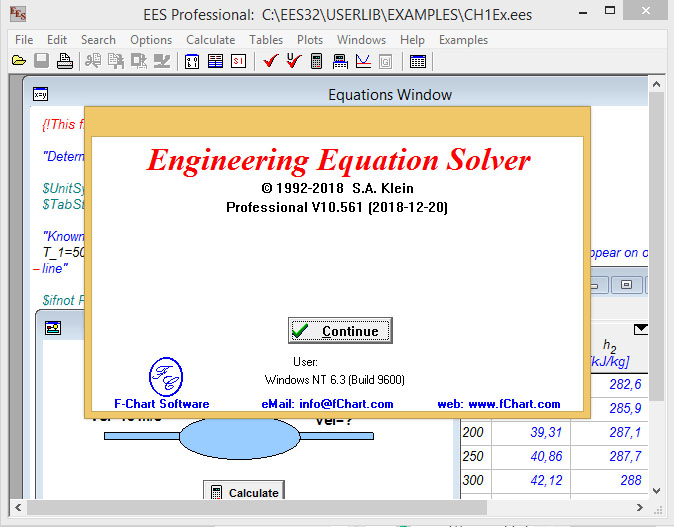
Download Engineering Equation Solver – EES Pro 10.561 – Advanced Mathematical and Thermodynamic Modeling Tool
The Engineering Equation Solver (EES) Pro 10.561, developed by F-Chart Software, is a specialized commercial software package designed specifically for solving systems of simultaneous non-linear algebraic equations. It is extensively utilized by mechanical engineers and professionals in thermodynamics and heat transfer fields. EES streamlines complex computational tasks by providing direct access to a comprehensive database of thermodynamic properties, eliminating the need for manual iterative calculations and enhancing the efficiency of engineering analysis.
Overview of Engineering Equation Solver (EES)
Engineering Equation Solver (EES) is a powerful application engineered to tackle complex mathematical problems encountered in thermodynamics and heat transfer. Its primary function is to efficiently solve systems of nonlinear equations, a common challenge in engineering design and analysis. Developed by F-Chart Software, a spin-off from the University of Wisconsin-Madison, EES integrates thermodynamic property data, allowing users to focus on solving their engineering problems rather than managing property data tables. This specialized tool is particularly valuable for tasks that require precise calculations and efficient problem-solving routines in academic and professional mechanical engineering contexts.
Key Features and Functionalities
EES offers a robust suite of features tailored for rigorous engineering calculations:
- Accurate thermodynamic database integration: The software includes comprehensive and up-to-date thermodynamic property data for various fluids, greatly simplifying calculations for engineers.
- Optimization tools for variable analysis: EES allows users to minimize or maximize specific variables within their equation systems, enabling the optimization of designs and processes.
- Parametric tables for multi-variable comparisons: This functionality enables users to systematically vary input parameters and observe their effects on output variables, facilitating thorough analysis of system behaviors.
- Support for custom functions and procedures: Users can define their own functions and procedures, extending the software’s capabilities to specific or unique problem requirements.
- Flexible and intuitive code input structure: EES permits equations and variables to be entered in any order, and supports conditional statements and loops, simplifying the process of setting up complex problems.
Applications in Mechanical Engineering
In mechanical engineering, EES serves as an essential tool for both educational purposes and professional projects. University courses frequently employ EES to teach fundamental principles of thermodynamics, heat transfer, and fluid mechanics, allowing students to solve realistic problems without becoming bogged down in complex manual computations. Professional engineers utilize EES for a wide range of applications, including designing and analyzing power cycles, refrigeration systems, heat exchangers, and combustion processes. Its ability to handle nonlinear equations and perform optimization makes it ideal for developing efficient and effective engineering solutions.
Integration with Other Software
EES is designed to work effectively within broader engineering workflows, offering compatibility with other widely-used software packages. It can interface with simulation environments like TRNSYS, enabling more comprehensive system-level analyses. Furthermore, EES supports data exchange with programming environments such as MATLAB and spreadsheet applications like Microsoft Excel. This interoperability allows engineers to combine EES’s specialized equation-solving capabilities with the strengths of other tools for data visualization, advanced programming, and system simulation.
Comparison with Other Computational Tools
Compared to general-purpose mathematical software or spreadsheets, EES offers significant advantages for thermodynamic and heat transfer calculations. While tools like MATLAB or Excel can solve equations, EES distinguishes itself with its built-in, validated thermodynamic property databases and specialized functions tailored for these fields. Its intuitive approach to inputting equations without strict ordering requirements and its efficient handling of nonlinear systems are key differentiators. Moreover, EES’s integrated optimization and parametric table features provide a more streamlined workflow for engineers compared to developing custom scripts in more general programming languages.
User Experience and Performance Metrics
EES is recognized for its speed and accuracy in solving complex engineering problems. Users frequently report that the software’s intuitive interface and the ability to input equations in a natural, readable format significantly reduce the learning curve. The internal thermodynamic property data ensures high accuracy in calculations, which is critical for reliable engineering analysis. Real-world applications, often found in academic textbooks and professional projects for analyzing energy systems and thermal performance, consistently demonstrate EES’s effectiveness and user-friendliness in achieving rapid and accurate computational results.
Conclusion and Final Thoughts
The Engineering Equation Solver (EES) Pro 10.561 is an indispensable tool for mechanical engineers, researchers, and students working with thermodynamics and heat transfer problems. Its unique combination of a powerful nonlinear equation solver, extensive thermodynamic property data, and integrated optimization and analysis features streamlines complex calculations and enhances the accuracy and efficiency of engineering design. For anyone tasked with solving complex mathematical models in these critical engineering disciplines, EES represents a robust, reliable, and efficient solution.
Frequently Asked Questions
What types of equations can Engineering Equation Solver (EES) solve?
EES specializes in solving systems of simultaneous non-linear algebraic equations, particularly those related to thermodynamics and heat transfer. It can handle both differential and integral equations efficiently, providing a comprehensive platform for complex engineering calculations.
How does EES optimize solutions for equations?
EES offers optimization tools that minimize or maximize specified variables by varying other input parameters. This feature is crucial for engineers looking to enhance system efficiencies and explore optimal design parameters in practical applications.
Can EES integrate with other software tools?
Yes, EES can seamlessly integrate with various software tools, including MATLAB, Excel, and TRNSYS, allowing users to perform comprehensive analysis and simulations within their preferred or existing engineering software ecosystems.






Reviews
There are no reviews yet.