

Download Calcpad 7.6 – Engineering Calculations and Documentation Software
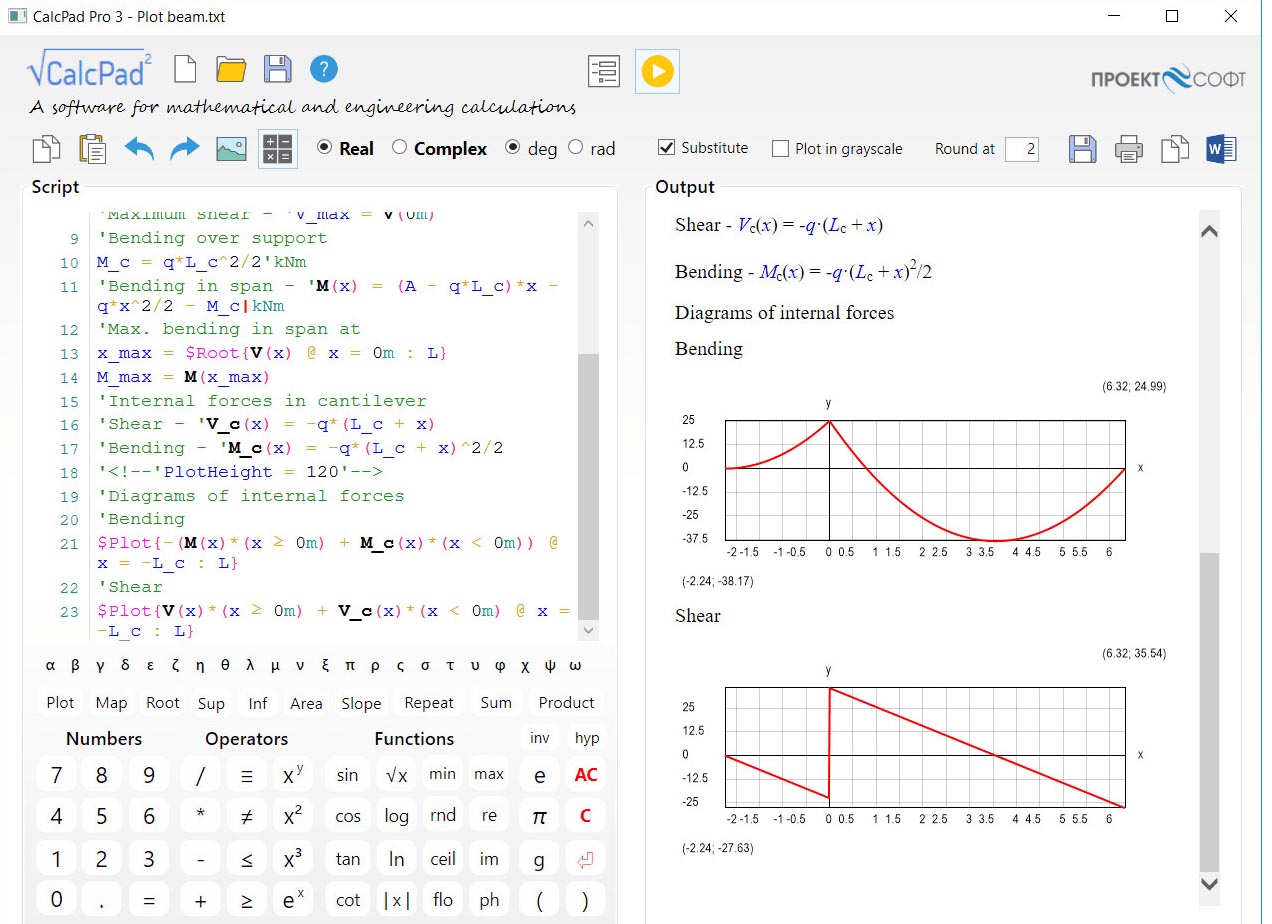
Calcpad 7.6 is a specialized mathematical software tool developed by PhD Eng. Nedelcho Ganchovski and continued by Proektsoft EOOD, designed for engineers, researchers, and educators. It functions as a powerful engineering calculations notebook, bridging the gap between complex computational tasks and formal technical documentation. This software empowers users to perform detailed engineering calculations and generate professional reports within a single, integrated environment, differentiating it from basic calculators or standard spreadsheet applications.
Overview of Calcpad and its Role in Engineering Calculations
Calcpad serves as a comprehensive mathematical notebook, enabling technical professionals to execute and document a wide range of engineering calculations. Originating from open-source development and now advanced as closed-source, Calcpad is tailored for users who require a structured approach to technical computing. It provides a unique platform where live calculations, mathematical formulas, and descriptive text coexist, allowing for transparent and reproducible workflows essential in engineering, research, and academic settings.
Calcpad’s Calculation Engine and Programming Features
At its core, Calcpad features a robust calculation engine that supports real and complex numbers, along with comprehensive unit handling. Users can define custom functions and macros, leverage advanced numerical methods, and perform vector and matrix computations. The software is powered by an interpreted programming model with partial compilation, which optimizes performance while maintaining the flexibility of a user-friendly programming language. This custom language boasts a simplified syntax, making it accessible for technical users without extensive programming backgrounds, thereby enhancing the reliability and efficiency of complex calculations.
Technical Documentation and Reporting Capabilities
Calcpad excels in transforming raw calculations into polished, professional documents. It enables users to format calculation reports with rich text, mathematical notation, and detailed explanations. The software supports the dynamic generation of reports in various formats, including HTML, PDF, and Microsoft Word (DOCX). Furthermore, advanced features like parametric vector drawing and embedded animations can be integrated directly into reports, offering a sophisticated way to visualize and present technical data and findings, with JavaScript support for interactive elements.
Integration and Compatibility with Other Engineering Tools
Enhancing its versatility, Calcpad offers significant interoperability with other essential engineering software. Through dedicated plugins, it integrates seamlessly with Python, allowing users to leverage Python libraries within their Calcpad projects. Additionally, a plugin for Grasshopper and Rhino enables the use of the Calcpad programming language within these parametric design environments. For data exchange, Calcpad supports importing and exporting data in industry-standard CSV and Excel file formats, facilitating modular programming and efficient external file management.
Practical Applications and Educational Uses
Calcpad finds widespread application across various engineering disciplines, including structural, mechanical, and electrical engineering, as well as in educational institutions. It is used for solving complex problems that require detailed calculations and clear documentation, such as finite element analysis, circuit simulations, control system design, and thermodynamic calculations. The software’s ability to present reproducible computational workflows makes it an invaluable tool for educators teaching technical subjects and for professionals documenting critical project parameters, ensuring transparency and reducing errors in technical calculation projects.
Frequently Asked Questions
How does Calcpad 7.6 differ from a traditional calculator or spreadsheet?
Calcpad combines live mathematical calculations with rich text documentation in one interface, allowing engineers to document formulas, units, and results seamlessly. Unlike calculators or spreadsheets, it supports programming logic, unit conversions, and professional report generation, offering a more integrated and structured approach to technical computing.
Can Calcpad integrate with other engineering software tools?
Yes, Calcpad can integrate with Python through a dedicated interface, and there is a plugin for Grasshopper/Rhino allowing Calcpad language usage within those environments. It also supports importing and exporting data with CSV and Excel formats, enhancing its utility in diverse engineering workflows.
What output formats does Calcpad support for engineering reports?
Calcpad supports exporting calculation reports in HTML, PDF, and Microsoft Word (DOCX) formats. Reports can include formatted text, mathematical expressions, diagrams, and even interactive and dynamic content with JavaScript, providing comprehensive documentation options.







Reviews
There are no reviews yet.