

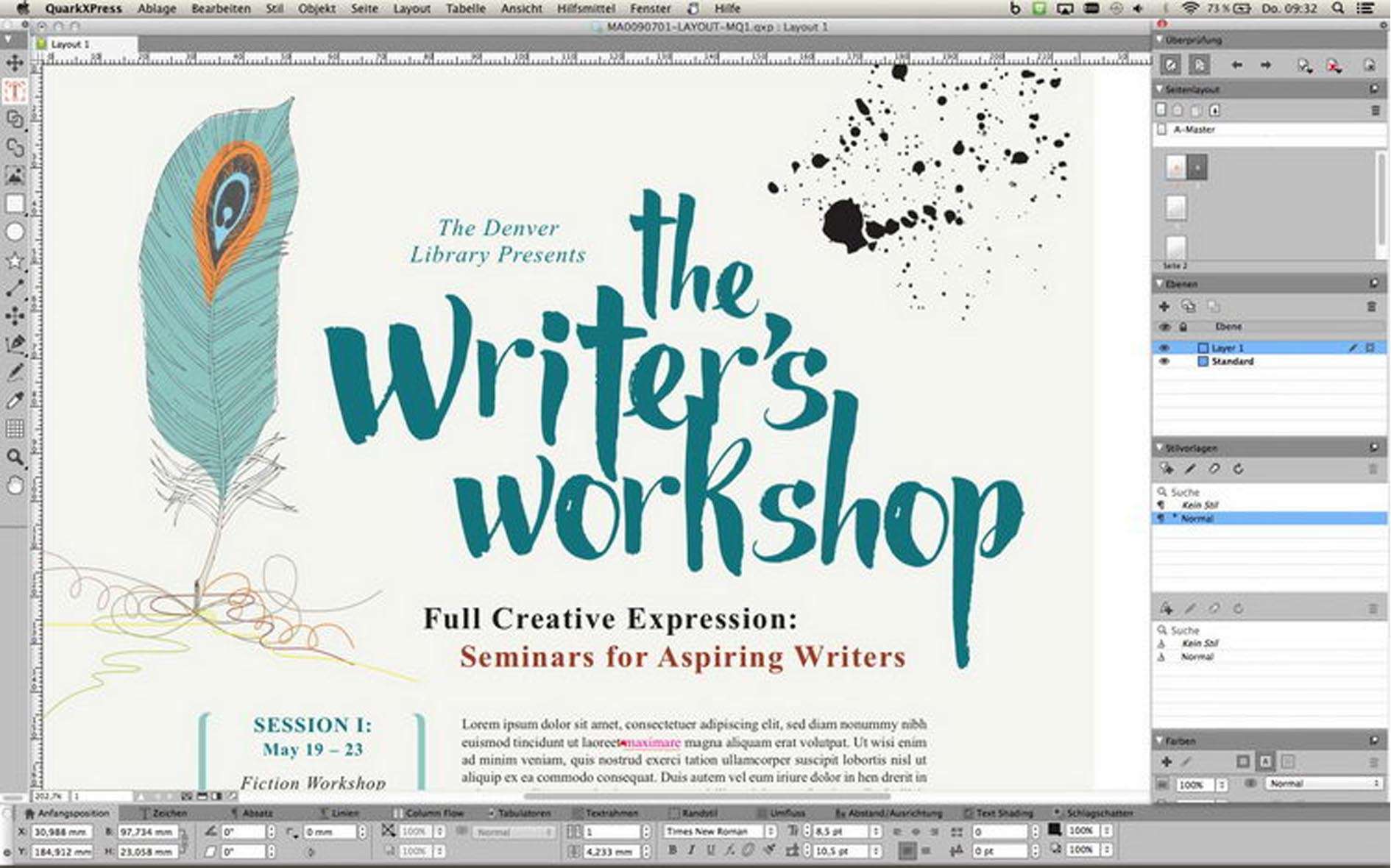
Download QuarkXPress 2026 v22 – Professional Desktop Publishing and Page Layout Software
QuarkXPress 2026 v22 is a professional desktop publishing application developed by Quark Software Inc., designed for high-precision page layout and advanced typographic control. It serves as a cornerstone for graphic designers, publishers, and digital content creators in industries ranging from print media and advertising to corporate branding and digital publishing. This software is essential for producing complex, long-form documents and sophisticated digital publications with exacting standards.
Overview of QuarkXPress in the Publishing Industry
QuarkXPress has established itself as a leading solution in the desktop publishing (DTP) field, offering robust tools for both traditional print media and the evolving landscape of digital content. Its history is marked by a consistent focus on enabling professionals to create visually compelling and meticulously organized publications. The software is instrumental in the workflows of agencies and corporate teams that require precise control over branding and layout across various media, including magazines, books, brochures, and marketing collateral. QuarkXPress facilitates a comprehensive publishing process, from initial design to final output, ensuring fidelity to the designer’s vision.
Precision Design Tools and Typographic Controls
At the core of QuarkXPress 2026 v22 lies a suite of advanced features dedicated to design precision and typographic excellence. Professionals can leverage the software’s deep support for OpenType features, including advanced kerning, tracking, and sophisticated hyphenation algorithms to achieve optimal text flow and readability. Layout aids such as master pages, multi-level layers, and customizable grids provide structural integrity and consistency across entire documents or publications. These tools empower designers to meticulously craft layouts, ensuring every element is precisely positioned and styled for maximum visual impact and professional presentation.
Managing Complex Long-Document Projects
QuarkXPress excels in handling substantial publishing projects, including lengthy books, technical manuals, and multi-issue magazine series. Its capabilities for managing long documents are comprehensive, featuring style synchronization across multiple chapters and documents to maintain design consistency. The software automates the generation of essential navigational elements like tables of contents and indices, significantly reducing manual effort. Furthermore, dedicated tools facilitate style management and content cross-referencing, making it an indispensable application for professionals engaged in structured, long-form publishing workflows.
Digital Publishing and Interactive Content Creation
Beyond print, QuarkXPress 2026 v22 offers robust tools for creating dynamic digital publications. Users can export content in various formats, including fixed-layout and reflowable ePUB for eBooks and eReaders, as well as interactive HTML5 publications suitable for web and tablet displays. The software supports the integration of rich media, such as animations, motion graphics, videos, and interactive elements like hyperlinks and pop-ups, to create engaging and dynamic user experiences. This versatility allows designers to extend their reach and meet the demands of cross-platform publishing environments.
Performance Enhancements and AI-Driven Design Assistance in 2026 v22
The QuarkXPress 2026 v22 release represents a significant leap forward with its fully 64-bit engine, delivering substantial improvements in performance, speed, and stability, particularly for complex layouts and rendering tasks. This update introduces AI-assisted design tools that streamline creative processes. These intelligent assistants can automate repetitive tasks such as intelligent image cropping, suggesting text styles, and optimizing layout balance, allowing designers to focus more on creative direction. The modernized user interface, complete with a popular dark mode option, further enhances user productivity and comfort during extended work sessions.
Cloud Collaboration with Quark Publishing Platform
QuarkXPress 2026 v22 integrates seamlessly with the Quark Publishing Platform, enabling advanced cloud-based collaboration features. This integration facilitates real-time co-editing capabilities, allowing multiple team members to work on the same project concurrently, enhancing efficiency and reducing turnaround times. Centralized asset management ensures all project components are version-controlled and accessible. Furthermore, the platform streamlines review and approval cycles, providing clear communication channels and audit trails for project feedback, thus optimizing team-based publishing workflows.
Color Management, Prepress, and Output Capabilities
For professional print production, QuarkXPress 2026 v22 provides comprehensive color management tools, including support for ICC profiles and precise control over spot colors. Integrated image editing features allow for adjustments directly within the layout environment. The software includes robust prepress features, such as built-in preflight checking tools to identify potential output issues before printing. Compliance with industry standards like PDF/X ensures that finished documents are prepared correctly for professional printers, guaranteeing accurate and reliable output for print projects.
Frequently Asked Questions
What new features does QuarkXPress 2026 v22 offer compared to earlier versions?
The 2026 v22 release introduces a fully 64-bit optimized engine for improved performance, AI-powered design assistants for automated image cropping and layout balancing, enhanced cloud collaboration via the Quark Publishing Platform, and expanded interactive motion graphics tools. Additionally, the UI has been modernized with dark mode support.
Can QuarkXPress create digital publications like eBooks and interactive magazines?
Yes, QuarkXPress supports creating fixed-layout and reflowable ePUB books as well as interactive HTML5 magazines. It allows embedding multimedia elements, animations, and hyperlinks to enhance digital reading experiences.
How does QuarkXPress handle large, multi-chapter documents such as books or manuals?
QuarkXPress offers robust features for managing long documents including synchronized styles across chapters, automatic generation of tables of contents and indices, and tools for consistent layout control throughout complex publication projects.








Reviews
There are no reviews yet.