

Download Q-Dir 12.67 – Advanced Multi-Pane File Manager for Windows
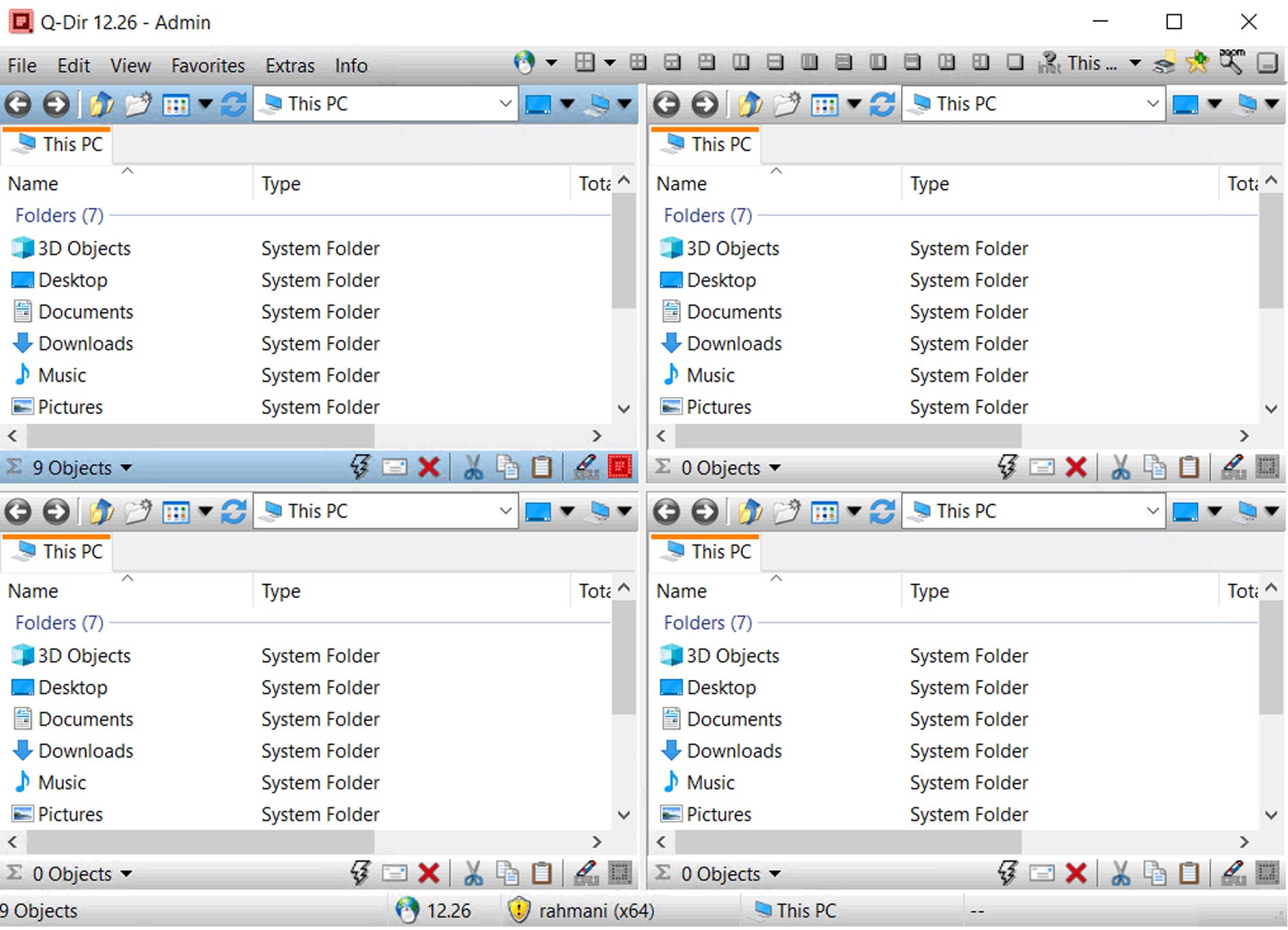
Download Q-Dir, a freeware multi-pane file explorer designed for advanced file management on Windows. Developed to enhance productivity, Q-Dir offers an efficient alternative to the standard Windows Explorer by providing up to four directory panes in a single interface. This feature-rich application is particularly beneficial for IT professionals, system administrators, and power users who require more sophisticated file system navigation and manipulation capabilities.
Overview of Q-Dir and Its Role in File Management
Q-Dir, also known as Quiet Directory Navigator, functions as a powerful file manager for the Windows operating system. Its core innovation lies in its multi-pane interface, allowing users to view and interact with up to four different directories simultaneously within one application window. This design significantly streamlines file operations such as copying, moving, and comparing files across various locations, offering a tangible productivity boost over the single-pane approach of the default Windows Explorer.
Multi-Pane Navigation and Customization Features
The primary strength of Q-Dir is its flexible multi-pane layout, which can be configured to display one, two, three, or four directory views. Users can personalize the appearance of these panes through customizable colors, fonts, and toolbar settings, adapting the interface to their specific workflow and visual preferences. The software supports various file viewing modes and includes a built-in image viewer, further enhancing its utility for rapid file inspection without needing to open separate applications.
Optimized File Operations and Productivity Tools
Q-Dir is engineered for swift and efficient file operations, including fast copying, moving, renaming, and deletion processes. Productivity is further enhanced by features such as a favorites list for quick access to frequently used folders, a history of visited directories, and customizable hotkeys for executing commands. Each pane offers individual quick filtering and search capabilities, while integrated utilities like a duplicate file finder, a folder size viewer, and support for ZIP archives streamline complex file management tasks.
Network and Cloud Storage Integration
Seamlessly integrating with modern storage solutions, Q-Dir supports access to network resources via Universal Naming Convention (UNC) paths. Users can also browse and manage files located on popular cloud storage services, including OneDrive, Google Drive, and Dropbox, directly within the application’s panes. This allows for unified file system navigation across local drives, network shares, and cloud repositories, simplifying data management for distributed workflows.
Performance, Portability, and System Compatibility
Q-Dir distinguishes itself with a lightweight design, ensuring low resource consumption and high performance even on older hardware. Its portable nature allows it to be run directly from a USB drive without installation, making it an ideal tool for IT professionals on the go. The latest version, 12.45, includes updated compatibility for Windows 11, including the 23H2 update, ensuring stability and proper visual rendering on the most recent operating system iterations.
Use Cases for IT Professionals and Power Users
IT professionals and power users leverage Q-Dir for a variety of demanding tasks. This includes managing multiple server directories simultaneously, performing complex data organization across different drives, and comparing file structures during system audits or software deployments. Its efficient file system navigation and integrated tools make it invaluable for tasks such as network administration, system backups, and maintaining large datasets, supporting robust and organized digital environments.
Frequently Asked Questions
How does Q-Dir improve file management compared to Windows Explorer?
Q-Dir allows up to four folder panes within a single window, enabling simultaneous multi-location file management, unlike Windows Explorer which opens one folder at a time. This reduces window clutter and speeds up copy, move, and comparison tasks.
Is Q-Dir compatible with the latest Windows versions including Windows 11?
Yes, Q-Dir version 12.67 is updated for full compatibility with Windows 11 23H2, ensuring smooth operation and proper visual styling under the newest OS release.
Can Q-Dir access files stored on cloud services like OneDrive or Google Drive?
Q-Dir supports cloud storage integration, allowing users to browse and manage files on OneDrive, Google Drive, and Dropbox directly within its panes for seamless access and file operations.






Reviews
There are no reviews yet.