

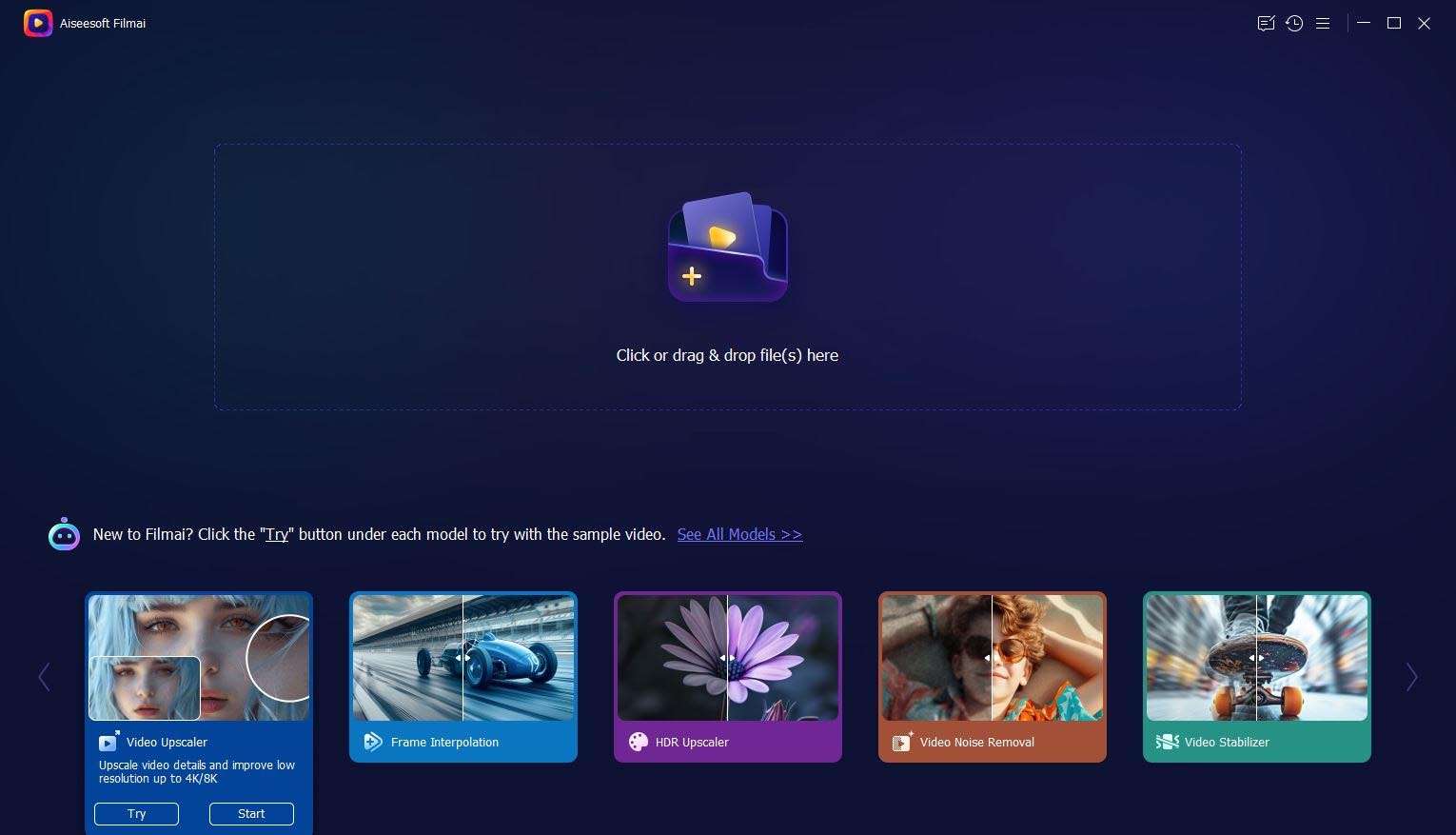
Download Aiseesoft Filmai 1.0.18 – AI-Powered Video Enhancement Software
Aiseesoft Filmai 1.0.18 is an AI-powered video enhancement software developed by Aiseesoft Studio, designed to significantly improve video quality through advanced artificial intelligence models. It is utilized across various sectors including video production, film archiving, content creation, and professional videography, offering sophisticated tools for upscaling, noise reduction, and motion fluidity.
Elevating Video Quality with AI-Driven Processing
Aiseesoft Filmai 1.0.18 employs specialized AI models to analyze and reconstruct video content, aiming to enhance resolution, clarity, and motion. This AI-driven approach allows users to achieve professional-grade results on both legacy footage and lower-resolution modern videos, transforming them for high-definition playback and distribution.
Precision Upscaling: From Standard Definition to 4K
Multi-Tier Resolution Options
Filmai offers progressive upscaling capabilities, enabling users to convert standard definition or high definition videos to 720p, 1080p, and 4K resolutions. The software ensures proper aspect-ratio preservation throughout the upscaling process, maintaining the original cinematic or broadcast intent of the footage.
AI Models for Detail Preservation
Unlike traditional upscaling methods that can introduce blurriness, Aiseesoft Filmai utilizes deep learning inference to intelligently generate detail. Specialized AI models focus on preserving intricate textures and sharpening edges, ensuring that converted footage retains a natural appearance rather than an artificially smoothed look.
Advanced Noise Reduction and De-Pixelation Techniques
This software addresses common video quality issues such as graininess and digital artifacts through advanced AI-based denoising. Filmai’s models are designed to distinguish between genuine image detail and unwanted noise, performing targeted cleanup to produce clearer visuals without sacrificing image definition.
Frame Interpolation for Fluid Motion
Aiseesoft Filmai can convert standard frame rates to smoother motion, notably offering frame interpolation to 60fps. This capability is beneficial for creating impactful slow-motion effects or eliminating judder in footage originally shot at lower frame rates, resulting in visually fluid playback.
Stabilization Engine for Steady Footage
The integrated stabilization engine corrects shaky or handheld footage. Filmai’s algorithms work to minimize camera movement while preserving a significant portion of the original frame, reducing the need for aggressive cropping that often accompanies traditional stabilization methods.
Streamlined Workflow: Batch Processing & Output Control
Multi-Video Queuing and Presets
Filmai supports batch video processing, allowing users to add multiple files to a queue and apply consistent enhancement settings. This feature is particularly useful for large archival projects or content creators processing numerous similar assets, with customisable presets to maintain workflow efficiency.
Customizable Export Formats
Users have extensive control over final output settings, supporting common formats such as MP4, MOV, AVI, and MKV. The software provides options to configure codec, bitrate, frame rate, and audio specifications, facilitating compatibility with various playback devices and online platforms through hardware-accelerated encoding.
Real-Time Preview and Quality Validation
To facilitate iterative adjustments and quality assurance, Aiseesoft Filmai includes a real-time preview function. This allows users to compare the enhanced output directly against the source footage side-by-side, with zoom capabilities for close inspection of details and textures.
What’s New in Version 1.0.18
Version 1.0.18 of Aiseesoft Filmai introduces notable improvements, including enhanced processing speeds attributed to GPU-accelerated algorithms and expanded support for a wider range of video formats. The update also features a refined user interface for a more intuitive experience and a new, more effective AI denoising model.
Frequently Asked Questions
How does Aiseesoft Filmai’s AI upscaling differ from standard upscaling?
Filmai employs deep-learning-based AI models to intelligently predict and generate missing pixels, enabling it to preserve textures and edges with superior accuracy compared to traditional bicubic or bilinear algorithms. This approach ensures more natural detail enhancement when converting video to 720p, 1080p, or 4K resolutions.
Can I process multiple videos at once with Filmai 1.0.18?
Yes, Aiseesoft Filmai 1.0.18 features a batch processing capability that allows you to queue multiple video files. You can apply consistent enhancement settings across all queued videos and process them sequentially, significantly saving time on large projects while allowing for adjustment of presets as needed.
What output formats and codecs does Filmai support?
Filmai supports a wide array of output formats including MP4, MOV, AVI, and MKV, often leveraging hardware-accelerated encoding for efficient rendering. Users can customize detailed settings such as codec, bitrate, frame rate, and audio parameters, or select from pre-configured presets optimized for various platforms.




Reviews
There are no reviews yet.