

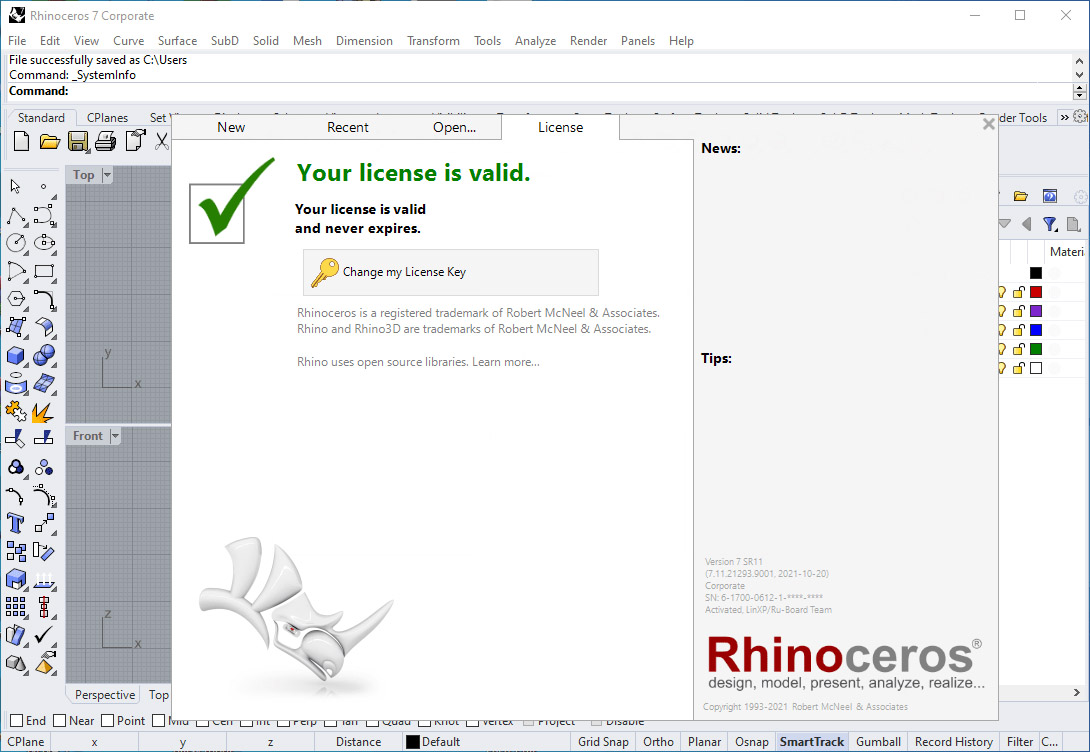
Download Rhinoceros 8.32 – Advanced 3D CAD Software for Design and Manufacturing
Rhinoceros 8.32, developed by Robert McNeel & Associates, is a sophisticated 3D CAD application designed for precise modeling, prototyping, and manufacturing. This powerful Rhinoceros 3D software is tailored for professionals in fields such as architecture, industrial design, product design, and multimedia, offering advanced capabilities in creating complex digital models.
Introduction to Rhinoceros
Overview and Historical Context
Rhinoceros, often referred to as Rhino, emerged as a commercial 3D CAD application built upon the NURBS mathematical model. This foundation allows for the creation of highly accurate representations of curves and freeform surfaces, setting it apart in the digital design landscape. Developed by Robert McNeel & Associates, the software has evolved to become a versatile tool, supporting a wide range of industries and design workflows. Its ongoing development includes robust SDKs and scripting interfaces that enable extensive customization.
Applications in Various Industries
Architecture and Industrial Design
In architecture and industrial design, Rhinoceros software is instrumental in translating complex conceptual designs into precise, manufacturable models. Its ability to handle intricate geometries and freeform surfaces makes it ideal for creating unique building facades, custom furniture, and complex manufactured components. The precision offered by NURBS modeling ensures that designs are accurate for fabrication and can be seamlessly integrated into downstream manufacturing processes.
Product Design and Prototyping
Rhinoceros serves as a critical tool for product designers, enabling the creation of detailed models for a wide array of products, from consumer electronics to intricate jewelry. The software’s capabilities in digital fabrication support rapid prototyping and the development of personalized items. Its compatibility with various file formats ensures that designs can easily transition from the conceptual stage to physical production, whether for 3D printing or CNC machining.
Key Features and Capabilities
NURBS Geometry and Modeling
At the heart of Rhinoceros 3D software lies its powerful NURBS (Non-Uniform Rational Basis Splines) geometry engine. This mathematical model provides a robust framework for creating and manipulating complex curves and surfaces with a high degree of precision and mathematical accuracy. NURBS modeling offers unparalleled flexibility in design, allowing for smooth, flowing forms and sharp, defined edges without compromising data integrity, making it indispensable for detailed design work.
File Format Compatibility
Rhinoceros excels in interoperability, supporting the import and export of over 30 distinct CAD file formats. This extensive compatibility ensures that designers and engineers can seamlessly exchange data with other CAD applications, rendering software, and manufacturing equipment. This broad support facilitates integration into diverse project pipelines and enhances collaboration by minimizing data conversion issues.
Plugins and Customization
Integrating with Grasshopper
A key aspect of Rhinoceros’s extended functionality is its integration with Grasshopper, a visual programming plugin. Grasshopper enables parametric modeling, allowing users to create complex designs through the definition of algorithms and rules rather than direct geometry manipulation. This approach is particularly valuable for generative design, optimization, and creating intricate, repeatable patterns.
Other Notable Plugins
Beyond Grasshopper, Rhinoceros supports a rich ecosystem of plugins that extend its capabilities into specialized fields. Orca3D is a notable example, offering advanced tools for naval architecture and marine design, including hydrostatics and stability analysis. This plugin ecosystem underscores Rhinoceros’s adaptability, allowing professionals to tailor the software to their specific industry needs and workflows.
Real-World Use Cases
Rhinoceros finds application in numerous high-profile projects across various sectors. Architects leverage its precision for designing complex building envelopes and unique urban structures. Industrial designers use it to craft intricate product casings and ergonomic forms. Furthermore, its capabilities are essential in the creation of bespoke jewelry pieces and advanced multimedia graphic design elements. The software’s adaptability allows it to be a central tool in workflows that demand sophisticated 3D modeling and accurate digital fabrication.
Conclusion and Getting Started with Rhinoceros
Rhinoceros 8.28 stands as a versatile and powerful CAD application, distinguished by its precision NURBS modeling capabilities and extensive customization options through plugins like Grasshopper. Its broad file format compatibility and affordability make it a compelling choice for professionals in architecture, product design, and manufacturing. For new users eager to explore its potential, engaging with the software’s comprehensive tutorials and community resources is highly recommended to master its advanced features for complex design challenges.
Frequently Asked Questions
What is the core functionality of Rhinoceros software?
Rhinoceros is primarily a 3D modeling tool that utilizes the NURBS mathematical model to create precise representations of curves and freeform surfaces. It is widely used in various industries for design, prototyping, and digital fabrication.
How does Rhinoceros support collaboration in design projects?
Rhinoceros is designed to facilitate teamwork, offering tools to manage large projects and collaborate across teams. It supports over 30 CAD file formats, ensuring seamless data exchange with other design applications.
Can Rhinoceros be extended with additional functionalities?
Yes, Rhinoceros supports numerous plugins, including Grasshopper for parametric modeling and Orca3D for naval architecture, allowing users to customize their workflow and enhance the software’s capabilities.




Reviews
There are no reviews yet.