

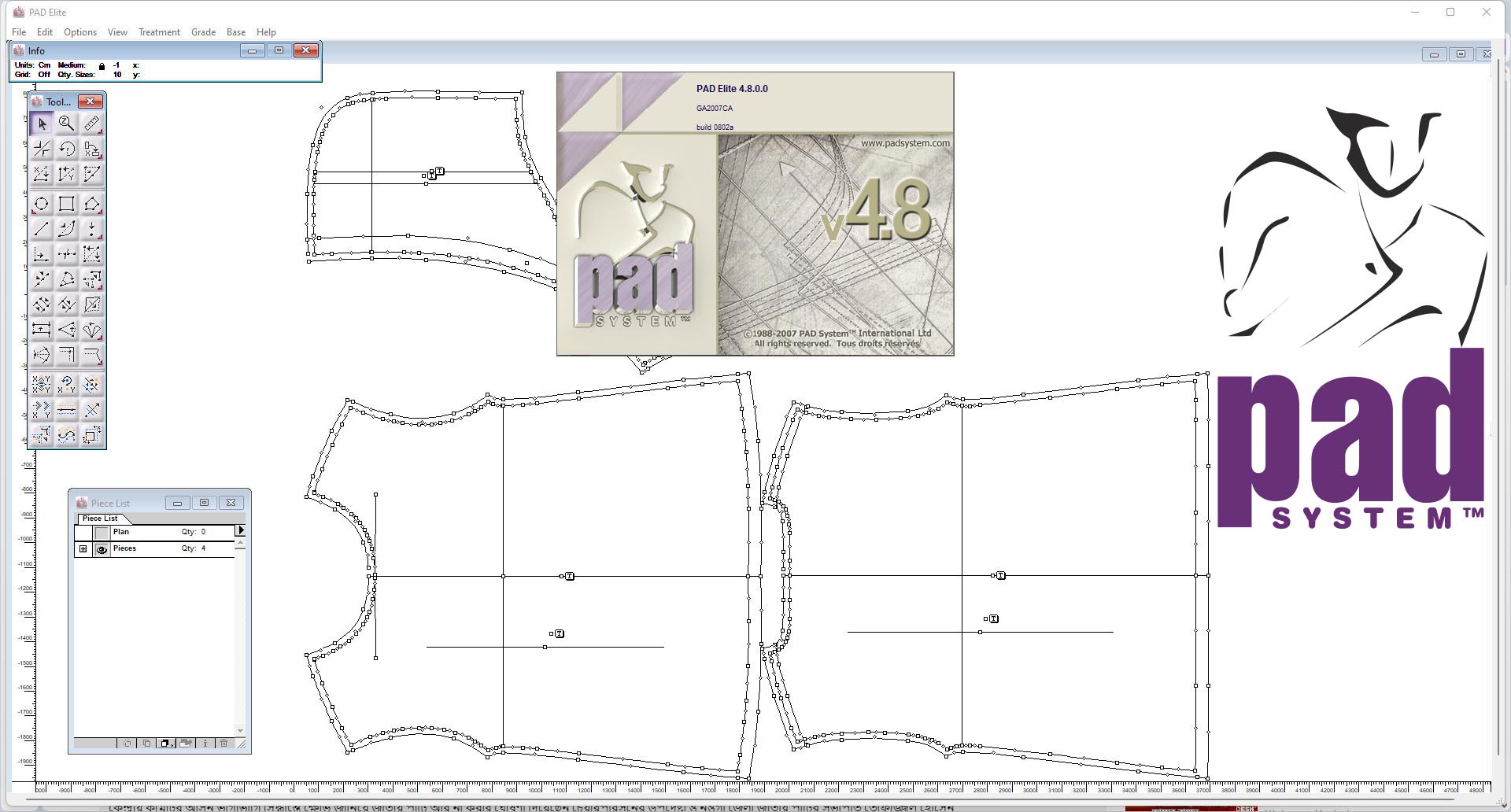
PAD System 4.8: Professional Apparel Pattern Design & Grading Software
PAD System 4.8 is a professional apparel CAD (Computer-Aided Design) software solution for pattern design, grading, and marker making. Developed by PAD System Technologies, the 4.8 version introduced significant upgrades including floating technical-sketch windows, universal plotter drivers, improved grading tools, retro-save features back to version 4.0, and specialized markers for plaids and stripes.
✂️ Primary Users
This professional apparel CAD software is designed for:
-
Pattern Makers & Fashion Designers creating and grading digital patterns for garment production.
-
Apparel Manufacturers & Cut Houses using Opticut AutoMarker for marker making and fabric optimization.
-
Made-to-Measure Specialists using Clone and MTM features for customized sizing.
-
Fashion Students & Educators learning industry-standard pattern-making techniques.
⚡ Key Features & Capabilities
???? Pattern Design (Master Pattern Maker)
-
Digital Pattern Creation: Draft patterns using industry-standard tools with multiple point and segment types (Regular points, Mark points, Control points, Nodes) .
-
Segment Sync: Synchronize modifications across cloned pieces automatically .
-
Pleat & Dart Tools: Advanced tools for pleats, darts, dart transfer, and shirring .
-
Seam Allowance: Automatic seam allowance generation and corner management.
-
Technical Sketches: Floating sketch windows while working on patterns .
???? Grading (Sizing)
-
Three Grading Methods: Grade in X/Y via Grade Info dialog, Grading Arrows visual interface, or Grading Library .
-
9 Grading Tools: Symmetry Grading, Rotate Grading, Manipulate Grading, Copy/Paste Grading, Parallel Grading, Align Grading, Copy/Paste Path Grading, Smooth Path Grading, Distribute Grading .
-
Irregular Grading: Support for irregular grading steps between size groups .
-
Grading Arrows: Visual grading control with positive step values and arrow direction control .
-
Grading Library: Save and reuse frequently-used grading evolutions .
???? Clone & Made-to-Measure (MTM)
-
Clone System: Automatically updates modifications from pattern-development phase to cloned-production pieces .
-
MTM (Made-to-Measure): Update multiple pieces in all sizes by entering new measurement specifications .
-
Measurement Import/Export: Import/export client specifications from/to common databases or spreadsheets .
???? Marker Making (Opticut AutoMarker)
-
Autonesting: Advanced automatic nesting algorithms for fabric optimization .
-
Plaid & Striped Fabrics: Specialized markers for handling plaid and striped materials .
-
Swatch Angle: Add swatch angle to set twill direction .
-
Combine Styles: Create markers combining multiple styles .
???? Technical Features
-
Floating Windows: Piece List, Grading Arrows, Grade Info, Grading Library, and Technical Sketches as floating windows .
-
Workspace Flexibility: Group or ungroup floating windows; drag to desired positions .
-
Universal Drivers: Support for various plotters and output devices .
-
Retro-Save: Save files compatible back to version 4.0 .
???? What’s New in Version 4.8
-
New floating technical-sketch windows – View sketches while working on patterns .
-
Universal drivers for plotters – Expanded output device compatibility .
-
Improved grading tools – Enhanced grading capabilities .
-
Retro-save features – Save back to version 4.0 .
-
Markers for plaids and stripes – Specialized handling for patterned fabrics .
???? System Requirements
Minimum Requirements
-
OS: Windows 10/11 (64-bit)
-
RAM: 4 GB minimum (8 GB recommended)
-
Storage: 2 GB free space





Reviews
There are no reviews yet.