

iConstruct 14.0 for Navisworks: Construction Information Management & Work Packaging Software
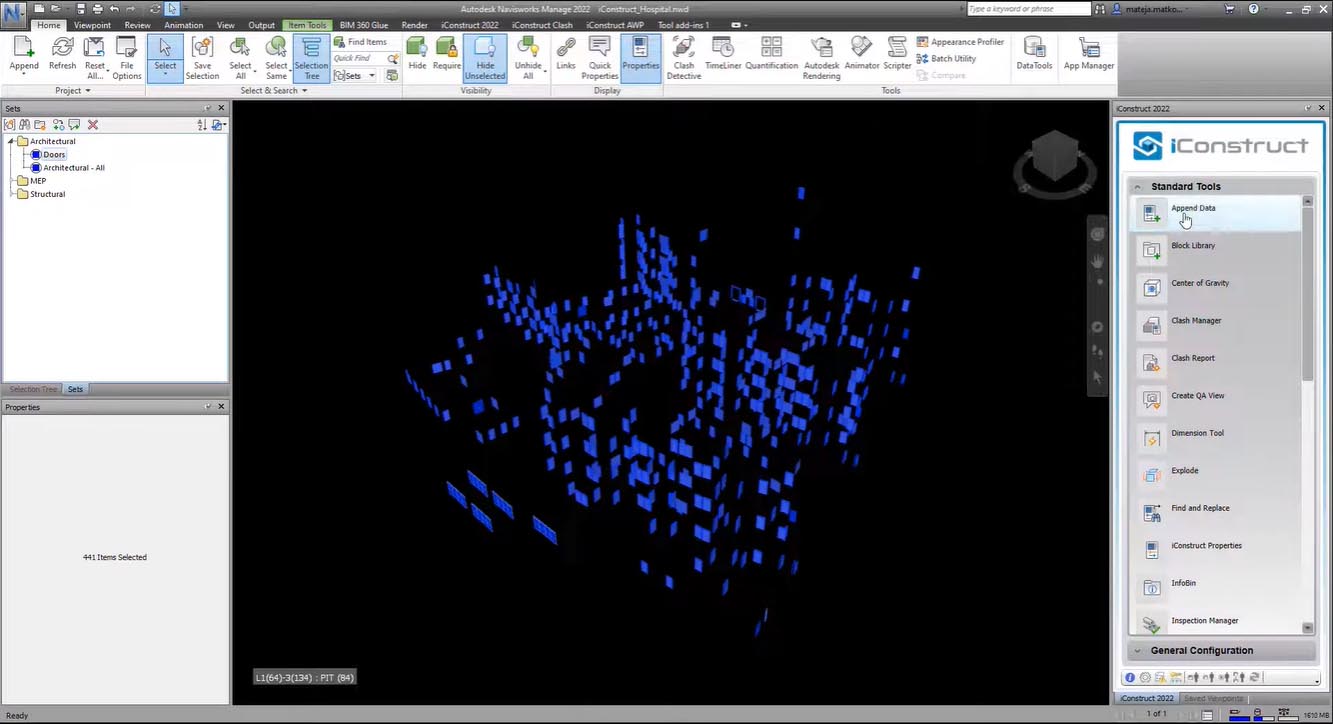
iConstruct 14.0 is a powerful bolt-on application for Autodesk Navisworks that extends the software’s functionality for information management and construction project delivery. It acts as a bridge between design models from various consultants and the additional data required by the construction team, integrating this intelligence into a single 3D model within the Navisworks environment.
The software’s purpose is to manage and structure the information from disparate design models, integrating it with external data from business systems (via Excel, ODBC, or APIs) to create a simplified and standardized format for construction use. This allows for better communication of design intent and construction methodology, facilitating well-informed decisions throughout the project lifecycle.
👷♂️ Primary Users
This professional construction management software is designed for:
-
BIM Managers & VDC Coordinators managing and enriching model data from multiple sources for project coordination
-
Construction Project Managers & Planners using Advanced Work Packaging (AWP) for planning and scheduling construction activities
-
Work Face Planners responsible for breaking down work into manageable packages and aligning them with construction schedules
-
Estimators & Quantity Surveyors extracting quantities and managing construction costs from the model
-
Information Managers overseeing data integration from business systems and ensuring data quality in project models
⚡ Key Features & Capabilities
🔗 Data Integration & Management
iConstruct provides a Control Panel plug-in within Navisworks for managing project data. It enables the integration of datasets from business systems without replacing existing infrastructure. The key capabilities are:
-
Data Integration: Data from business systems can be linked via Excel files, ODBCs, or APIs.
-
Role-Based Access: The Control Panel features a role-based system (e.g., AWP Champion, Information Manager, Contractor) that determines user access to features and commands.
-
Project & Table Management: Users can create local or remote projects, import/export data, and configure tables for color coding, views, and work package generation.
🏗️ Advanced Work Packaging (AWP)
iConstruct is used to implement Advanced Work Packaging, a key project management methodology. It supports the following features:
-
Work Package Management: Create, edit, copy, and update work packages directly within the Navisworks environment.
-
Work Face Planning: Users can assign selected elements to new or existing work packages, which is essential for planning and scheduling construction activities.
-
Collaboration: Supports both online and offline workflows, allowing users to push and pull remote data for team collaboration.
🛠️ Modeling & Toolpath Utilities
-
Color Coding: The model can be color-coded by any data in the Control Panel, providing visual clarity on information attached to model items, with colors reflected on the model and in the table.
-
Visibility & Selection Tools: Tools to manage model visibility (e.g., Section Box) and a Selection Inspector to view and inspect property data of selected elements.
-
Data Export: Users can export model and table data to Excel spreadsheets for reporting and analysis.
-
NWF Manager: Manage Navisworks file (NWF) references.
🆕 What’s New in Version 14.0
-
Compatibility: Native support for Navisworks 2026, 2025, and 2024.
-
Updated User Interface: Improved dialogs in the Control Panel for accessibility and flexibility, with features like collapsible headers and options to maximize, resize, or split the windows.
💻 System Requirements
-
Host Application: Autodesk Navisworks (Manage or Simulate) 2024, 2025, or 2026








Reviews
There are no reviews yet.