

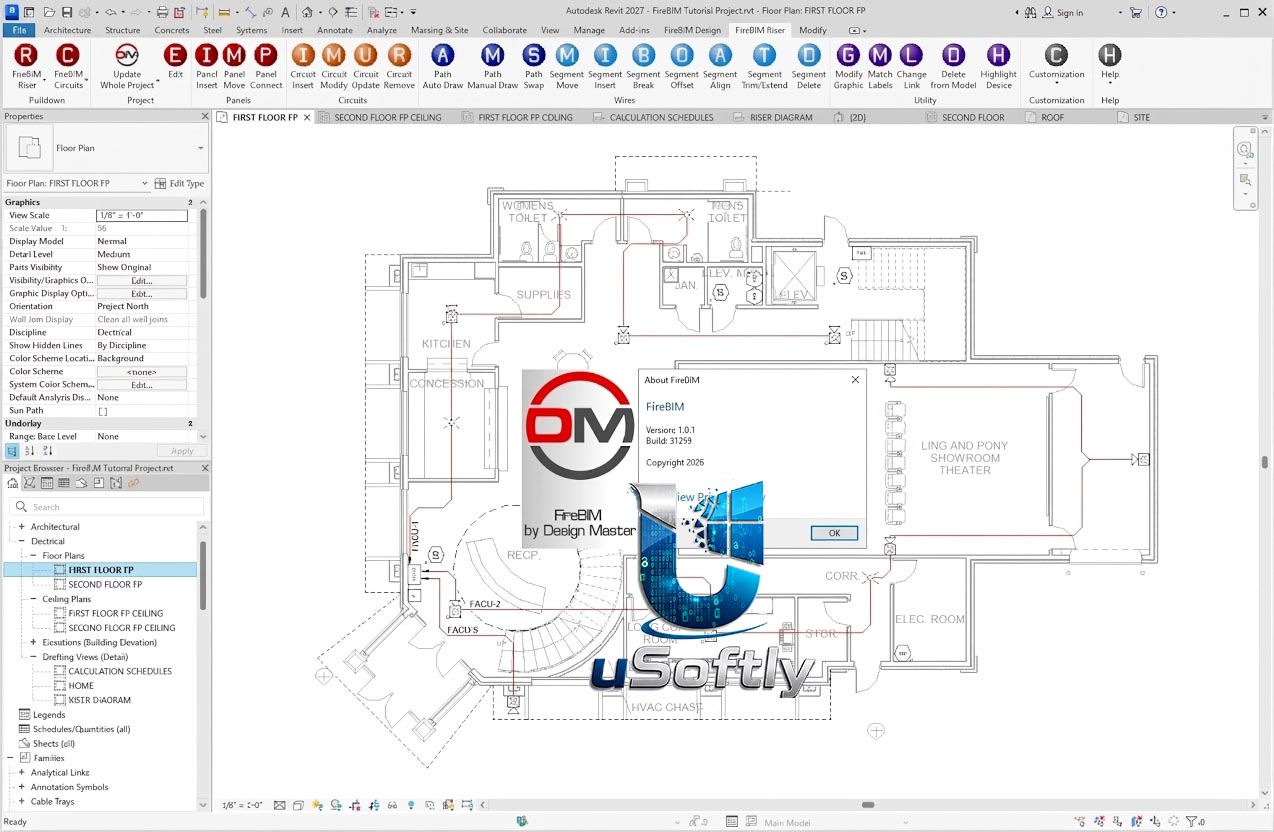
Design Master Software FireBIM v1.0.1 – Professional Fire Alarm Design and Calculation Add-in for Revit MEP
FireBIM is a specialized add-in for Revit that adds fire alarm calculations and riser diagrams to your existing Revit model . Developed by Design Master Software, the software integrates fire alarm layout, diagrams, and calculation data into a single Revit model, eliminating the need to coordinate across multiple disconnected workflows.
Version 1.0.1 was released on August 19, 2026, and represents the first stable release of the product, building on the beta cycle that began in March 2026 . The software is fully compatible with Autodesk Revit 2027 as well as Revit 2022 through 2026.
FireBIM is designed with the philosophy of keeping everything in Revit — from device placement and circuiting to calculations and documentation — ensuring that any model change automatically updates calculations and diagrams.
Primary Users
FireBIM v1.0.1 is designed for fire protection engineers, electrical engineers, and MEP designers who use Autodesk Revit for fire alarm system design. It serves professionals who need to:
-
Design fire alarm systems directly within the Revit environment
-
Automate voltage drop calculations across circuits and between devices
-
Perform battery capacity calculations for fire alarm control panels
-
Generate riser diagrams that stay synchronized with the Revit model
-
Produce code-compliant documentation for fire alarm system installations
Key Features & Capabilities
Riser Diagrams
-
Automated Diagram Generation: Create a Revit fire alarm model and riser diagram simultaneously
-
Automatic Updates: Riser diagrams stay synchronized with model changes
-
Panel and Circuit Insertion: Insert panels and circuits that automatically display connected devices and addresses
-
Graphic Customization: Full customization of riser diagram graphics
Voltage Drop Calculations
-
Automatic Calculation: Computes voltage drop along each circuit and between each device
-
Circuit Length from Model: Uses actual circuit length from the Revit model
-
Flexible Display: Shows voltage drop as a value, percentage, or both
-
Class A and Class B Support: Options for both circuit types that update schedules and riser instantly
Battery Calculations
-
Automated Load Totaling: Automatically totals connected device loads in Revit
-
Capacity Calculation: Calculates required battery capacity based on user-defined standby and alarm times
-
Internal Panel Loads: Accounts for internal panel loads for accurate battery sizing
Device and Circuit Design
-
Core Family Library: Includes LOD 200 fire alarm panel and device families with appropriate categories and connectors
-
Shared Parameters: Pre-configured with FireBIM shared parameters for panels and devices
-
Device Address Support: Custom and locked device addresses via the Device Edit command
-
Circuit Prefixes and Suffixes: Configurable for device addresses in Circuit Types
AI Integration (New in v1.0.1)
-
AI Agent Configuration: New command to configure AI Agents
-
AI Design Review: Export the full fire alarm model as text to any LLM for design review
What’s New in FireBIM v1.0.1
Version 1.0.1, released August 19, 2026, is the first stable release following the beta program .
FireBIM 1.0.1 Changes
-
Fixed errors related to caching single-line diagram families
-
Added command to configure AI Agents
FireBIM 1.0 (Initial Release — August 3, 2026)
The initial stable release included the core feature set :
-
Riser Diagrams
-
Voltage Drop Calculations
-
Battery Calculations
Beta Cycle Highlights
The beta releases (March–June 2026) introduced key capabilities including :
-
Panel Connect and Circuit Remove commands
-
Circuit Prefixes and Suffixes for device addresses
-
Symbol Legends with Revit Type Image parameters
-
Voltage Drop Display options (value, percentage, or both)
-
Revit 2027 Support (added in Beta 4)




Reviews
There are no reviews yet.