

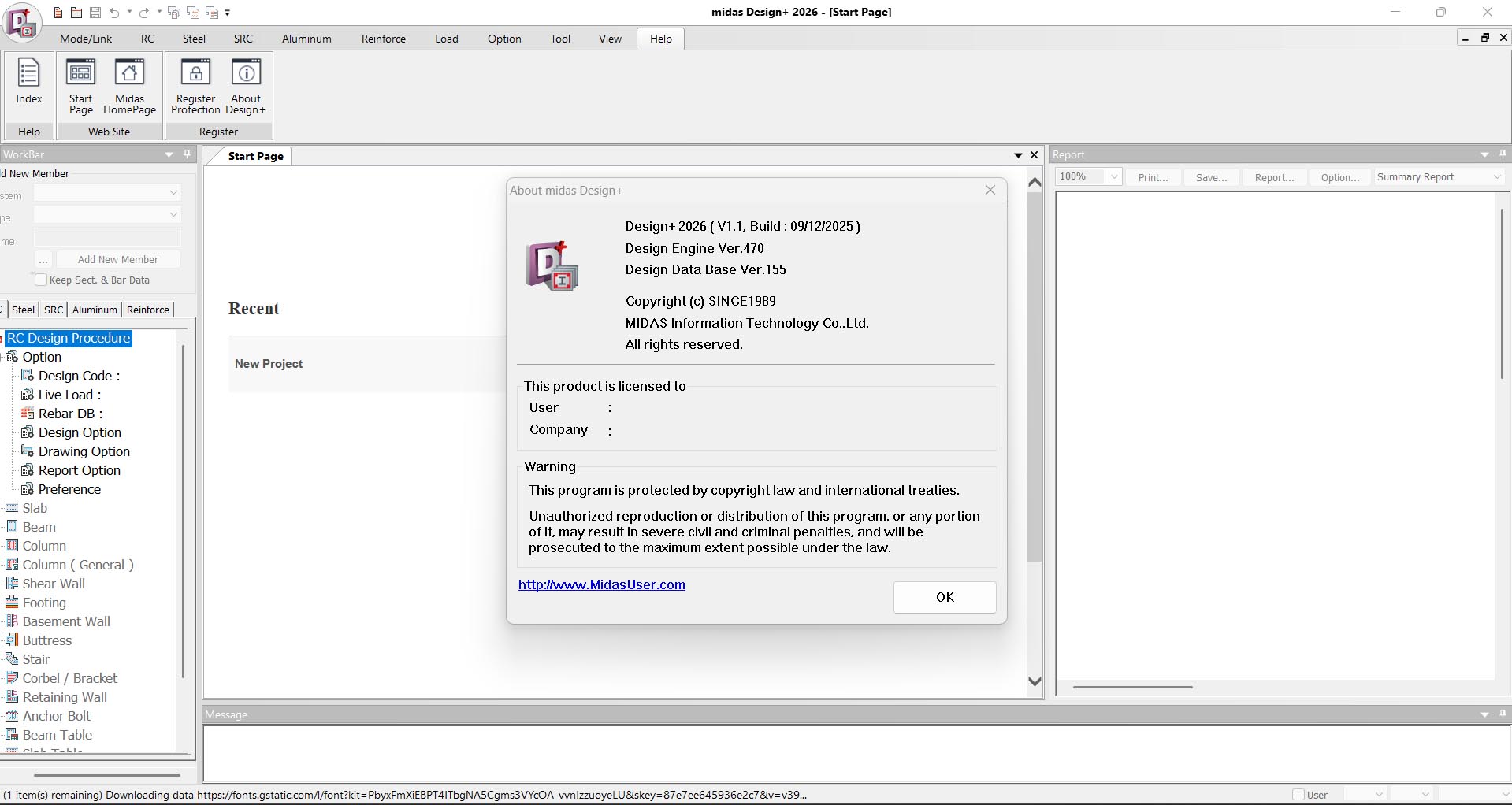
Download midas Design+ 2026 v2.1 – Leading Software for Civil Structural Design
Download midas Design+ 2026 v2.1, a specialized structural design tool developed by Midas IT Co., Ltd. for the civil engineering sector. This software empowers civil engineers and architects to create detailed structural components with an emphasis on ease of use and high-speed calculations. It plays a crucial role in modern structural design workflows by ensuring designs meet the latest industry standards.
Introduction to midas Design+
midas Design+ 2026 v2.1 is a comprehensive civil engineering software designed for the detailed design of various structural elements. Developed by Midas IT Co., Ltd., it caters specifically to the needs of civil engineers and structural designers in creating robust and compliant building components. The software is recognized for its user-friendly interface, efficient calculation capabilities, and adherence to current design codes, making it a valuable asset in both professional and academic environments.
Overview of Key Functions and Capabilities
The primary functions of midas Design+ revolve around enabling engineers to perform detailed structural analysis and design for critical components. Its significance in the civil engineering field stems from its ability to streamline complex design processes, from initial concept through to detailed element design. The software ensures that all designs are not only structurally sound but also compliant with extensive civil engineering design codes.
Core Design Tools and Features
Detailed Component Design
midas Design+ offers robust capabilities for designing a wide range of structural components essential for civil engineering projects. Engineers can create detailed elements with precision, ensuring structural integrity and performance. The software supports the design of fundamental building blocks, facilitating a complete structural modeling process.
- Beams and columns
- Walls and shear walls
- Staircases and landings
- Steel joints and connections
- Foundation elements such as footings and piles
Parametric Design Capabilities
A key strength of midas Design+ lies in its parametric design features, which allow for dynamic and iterative design processes. Users can define and manipulate design parameters, enabling swift modifications and optimizations of structural elements. This approach enhances design flexibility and efficiency, allowing engineers to quickly respond to changing project requirements or explore multiple design alternatives.
Integration with AutoCAD and Other Tools
Exporting Design Drawings
The software ensures seamless integration with widely-used industry applications, most notably AutoCAD. This capability allows engineers to translate their detailed designs into standard drawing formats, facilitating collaborative workflows and project documentation. The export functionality helps bridge the gap between structural design and drafting, making the overall project process more cohesive.
Compatibility with Standards and Codes
Compliance with the latest design codes and standards is a critical aspect of midas Design+. The software is developed to adhere to regulations across various regions, ensuring that all designs meet legal and safety requirements. This commitment to code compliance provides engineers with confidence in the accuracy and credibility of their structural designs.
Real-World Applications in Civil Engineering
Case Studies of Successful Projects
midas Design+ has been instrumental in the successful execution of numerous civil engineering projects. Its application ranges from the design of individual structural components to entire building systems. By utilizing its advanced features, engineers can achieve efficient and reliable structural solutions, contributing to the overall success and safety of infrastructure developments.
- Designing foundational elements for large commercial buildings
- Creating detailed structural plans for bridges and overpasses
- Analyzing and optimizing reinforcement for high-rise structures
- Developing detailed schematics for retaining walls and infrastructure projects
Education and Learning Applications
Beyond professional use, midas Design+ serves as a valuable educational tool in civil engineering programs. Its intuitive interface and comprehensive features make it an effective platform for students to learn and apply structural design principles. Universities and technical institutes utilize the software to provide hands-on experience with industry-standard design practices.
Comparative Analysis with Other Structural Design Tools
Unique Features of midas Design+
Compared to other civil engineering software, midas Design+ distinguishes itself through a combination of powerful features and an accessible user experience. Its focus on comprehensive component design, coupled with robust parametric capabilities, offers a distinct advantage for engineers requiring detailed structural element analysis.
- A user interface specifically designed for ease of use in structural design tasks.
- Comprehensive design modules for a wide array of structural components.
- High-speed calculation engines optimized for complex structural analysis.
- Strict adherence to updated international and regional design codes.
Strengths and Limitations
midas Design+ excels in providing detailed component design and analysis with a strong emphasis on user-friendliness and code compliance. Its parametric capabilities allow for efficient design iteration, a significant advantage for time-sensitive projects. While it covers a broad range of structural elements, users may find that highly specialized or advanced analysis types might require complementary software.
User Experience and Support
User Interface and Accessibility
The user interface (UI) of midas Design+ is crafted to be intuitive, ensuring that engineers can navigate its features efficiently. This design philosophy prioritizes accessibility, allowing both experienced professionals and those new to structural design software to utilize its capabilities effectively. The clear layout and logical organization of tools contribute to a smooth user experience.
Support and Community Resources
Midas IT Co., Ltd. provides users with comprehensive support and resources for midas Design+. This includes access to technical assistance, user guides, and potentially online forums or communities where users can share knowledge and solutions. These resources are vital for users seeking help or looking to enhance their understanding and application of the software.
Frequently Asked Questions
What types of structural components can I design with midas Design+?
You can design a variety of structural components including beams, columns, staircases, steel joints, and foundation elements, all adhering to the latest design standards. This comprehensive offering ensures that most common structural elements are covered within a single software package.
How does midas Design+ facilitate parametric design?
The software allows users to adjust various design parameters, enabling quick iterations and modifications to structures which increases design efficiency. By defining parameters that control geometry, material properties, or loads, users can explore multiple design scenarios rapidly.
Is midas Design+ compatible with AutoCAD?
Yes, midas Design+ enables seamless export of designs to AutoCAD, allowing for further modification and detailing of the architectural plans. This compatibility ensures that designs created in midas Design+ can be easily integrated into broader project documentation and workflows.





Reviews
There are no reviews yet.