

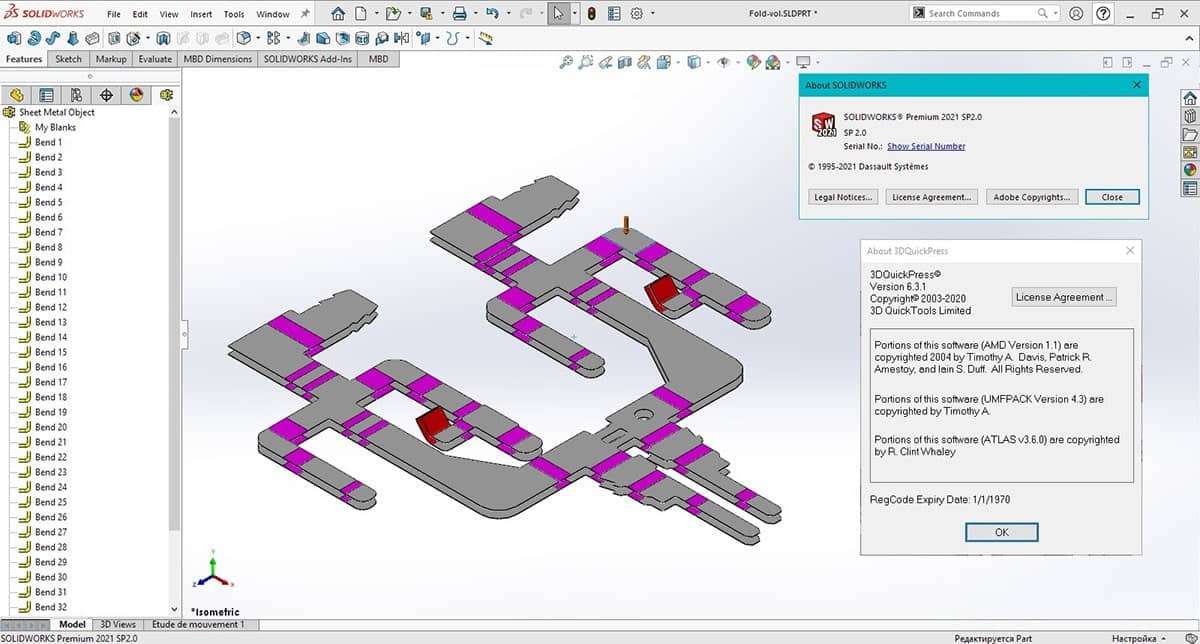
Download 3DQuickPress – Enhanced Template Design Tool for SOLIDWORKS
3DQuickPress is a specialized plugin developed by 3DQuickTool, designed to enhance the capabilities of SOLIDWORKS for mechanical engineering and manufacturing professionals. This tool optimizes template design, significantly boosting productivity within the SOLIDWORKS ecosystem for tasks involving CAD template design and complex manufacturing processes.
Introduction to 3DQuickPress
Overview of the Plugin
3DQuickPress serves as a powerful extension for SOLIDWORKS, focusing on automation and streamlining design workflows. It provides specialized features that cater to mechanical engineers and product designers, enabling more efficient creation and management of design templates and mechanical components, which is crucial in modern manufacturing design tools.
Applications in Mechanical Engineering
Within the mechanical engineering and manufacturing sectors, 3DQuickPress offers substantial utility. It is particularly beneficial for product design and development cycles, allowing for faster iteration and production. The plugin supports the creation of complex parts and assemblies, making it an invaluable asset for industries that rely on precise design and efficient manufacturing processes.
Key Features and Capabilities
Layout Bar Management
The software includes a sophisticated layout bar management system. This feature simplifies the organization and selection of design elements, incorporating drag & drop functionality for intuitive user interaction. It helps in optimizing the use of available design space and resources.
Automatic Mold Creation
3DQuickPress automates significant aspects of mold design and creation. This capability allows engineers to rapidly generate complex molds and associated components, significantly reducing the manual effort and time required. The automation extends to detecting and inserting standard components into the Bill of Materials (BOM).
User-Centric Database Management
A standout feature is the user-centric database management system. This allows users to create and maintain their own libraries of components and design elements, tailored to specific project needs. This capability supports the concept of parametric modeling by ensuring consistency and reusability across projects for manufacturing design tools.
Integration within SolidWorks
As a plugin, 3DQuickPress is deeply integrated with SOLIDWORKS, leveraging its core functionalities. This seamless integration ensures that users can utilize familiar SOLIDWORKS environments while accessing advanced features for template design and automation. The plugin also supports interoperability with features like SOLIDWORKS eDrawings for enhanced collaboration and review processes.
Case Studies and Real-World Use Cases
In real-world manufacturing workflows, 3DQuickPress has demonstrated its value in various demanding environments. For instance, in the automotive industry, it has been used to rapidly prototype and manufacture complex tooling components. Mechanical engineering firms have utilized its automation features to accelerate the design of custom machinery, reducing lead times and improving final product quality through consistent application of CAD template design best practices.
Comparison with Other CAD Plugins
Compared to generic CAD plugins, 3DQuickPress distinguishes itself through its specialized focus on template design optimization and automated mold creation within SOLIDWORKS. Its user-centric database management offers a distinct advantage, allowing for deep customization and efficient component handling. While other plugins might offer broad CAD functionalities, 3DQuickPress provides targeted solutions that enhance productivity specifically for mold design and high-volume manufacturing tasks.
Frequently Asked Questions
What is 3DQuickPress used for in SOLIDWORKS?
3DQuickPress is a plugin designed for optimizing template design in SOLIDWORKS, specifically geared toward enhancing productivity in mechanical and manufacturing tasks. It facilitates automated mold creation and better management of design templates, making it a powerful tool for CAD template design.
How does 3DQuickPress improve the design workflow?
3DQuickPress streamlines the design workflow by enabling users to create complex molds automatically, manage layout bars efficiently, and maintain a user-centric database for standardized components. This reduces design time and increases accuracy within the SOLIDWORKS environment.
What industries benefit most from using 3DQuickPress?
Industries such as mechanical engineering, automotive, and manufacturing benefit significantly from using 3DQuickPress due to its advanced template design capabilities and integration with SOLIDWORKS, catering to a wide range of design and production needs.






Reviews
There are no reviews yet.