

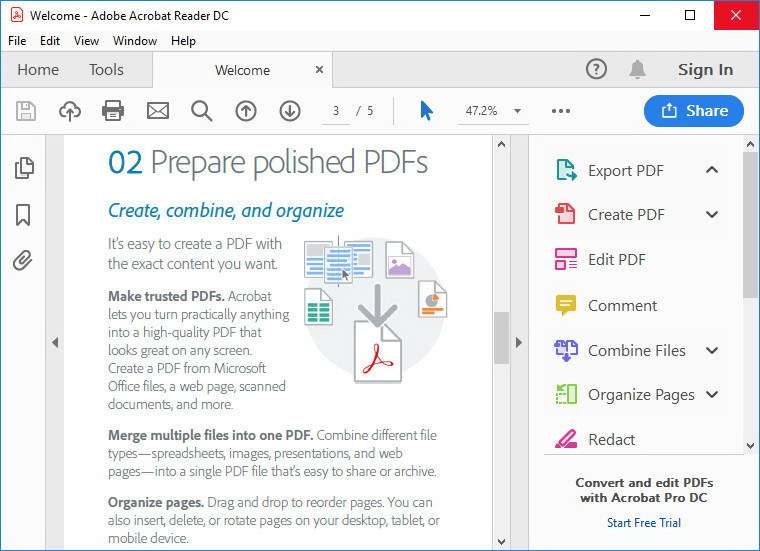
Download Adobe Acrobat Reader DC 2025 – Comprehensive PDF Viewing and Management
Adobe Acrobat Reader DC 2025 is the authoritative PDF viewer developed by Adobe Inc., the company that pioneered the Portable Document Format. As a leading multinational software firm, Adobe Inc. offers this flagship application, which serves as the industry standard for viewing, interacting with, and managing PDF documents. This latest iteration continues Adobe’s legacy, providing professionals and organizations with unparalleled compatibility and functionality for all types of PDF content.
Overview of Adobe Acrobat Reader DC and Its Role in Document Management
Adobe Acrobat Reader DC has evolved significantly since its inception, becoming the essential tool for handling PDF files across virtually all digital platforms. Its primary role is to ensure that documents appear exactly as intended, regardless of the viewing device or operating system. This consistent fidelity is crucial for legal, business, and technical documentation where accuracy is paramount. The software’s deep integration with PDF technology, controlled by Adobe, guarantees complete support for the format’s extensive features.
Advanced PDF Viewing Modes and Interaction Features
Adobe Acrobat Reader DC 2025 offers a range of viewing modes designed to enhance readability and user interaction with complex documents. Users can select from layouts such as Text Width, Page Width, or Continuous Multi-page views to best suit their reading preferences. The software also includes robust annotation and commenting tools, enabling users to highlight text, add notes, and markup pages directly. Sophisticated search capabilities allow for quick retrieval of information within single or multiple documents, streamlining research and review processes.
Multi-language Support and Accessibility
Ensuring global usability, Adobe Acrobat Reader DC 2025 provides comprehensive support for PDFs created in various languages, with features adapting to different character sets and writing directions. Furthermore, the application incorporates accessibility features designed to assist users with disabilities. This includes compatibility with screen readers and keyboard navigation, making it easier for a wider audience to access and interact with PDF content effectively.
Working with Interactive and Multimedia PDFs
Beyond static documents, Adobe Acrobat Reader DC 2025 excels in rendering interactive PDFs that incorporate advanced elements. This includes the ability to work seamlessly with documents containing embedded multimedia, such as audio and video players, as well as legacy Flash content. The software is engineered to display these rich media components within the PDF framework, providing a more engaging and informative document experience.
Digital Signatures and Form Completion
A key function for professional workflows is Adobe Acrobat Reader DC 2025’s capability to handle fillable PDF forms. Users can easily input data into form fields, save their entries, and apply digital signatures for secure and efficient document submission. These features are critical for applications in legal contracts, official applications, and business agreements, offering a secure and verifiable method of approving and exchanging documents.
Integration with Adobe Document Cloud and Cross-Platform Compatibility
Building on the foundation established with Adobe Document Cloud, the 2025 version of Acrobat Reader offers enhanced integration with cloud-based services. This allows for seamless synchronization of documents across multiple devices, enabling users to access their files from desktops, tablets, and smartphones. This cross-platform compatibility ensures that users can work with their PDFs regardless of their location or the device they are using, fostering productivity and flexibility.
Practical Use Cases Across Industries
The versatility of Adobe Acrobat Reader DC 2025 makes it indispensable across numerous sectors. In educational institutions, it is used for distributing and annotating course materials and assignments. Corporate offices rely on it for managing internal documents, reports, and presentations, ensuring brand consistency and information integrity. Legal and governmental organizations utilize its robust features for handling official documents, filings, and secure record-keeping. Technical professionals, including engineers and designers, depend on it for viewing specifications, blueprints, and technical manuals where precise rendering is essential.
Frequently Asked Questions
How does Adobe Acrobat Reader DC 2025 handle interactive PDF forms?
Adobe Acrobat Reader DC 2025 allows users to fill out, save, and digitally sign interactive PDF forms securely. These features simplify document workflows in professional environments requiring verified submissions.
Can Adobe Acrobat Reader DC 2025 play multimedia elements embedded in PDFs?
Yes, Adobe Acrobat Reader DC 2025 supports multimedia content such as embedded videos, audio, and previously Flash-based elements within PDF files, enhancing document interactivity.
What advantages does Adobe Acrobat Reader DC 2025 offer over other PDF viewing software?
Adobe Acrobat Reader DC 2025 provides comprehensive PDF compatibility, supports advanced annotation tools, integrates with Adobe Document Cloud for seamless access, and handles complex PDFs with multimedia and forms unmatched by most alternatives.




Reviews
There are no reviews yet.