

Download Adobe Camera Raw 18.2 – Powerful Image Processing Plugin for Photographers
Adobe Camera Raw 18.2, developed by Adobe Inc., is a critical plugin for professionals in digital photography and image editing. First released in 2003, it serves as an essential tool for photographers working with unprocessed RAW image files, offering advanced capabilities that significantly enhance editing workflows and image quality.
Overview of Adobe Camera Raw 18.2
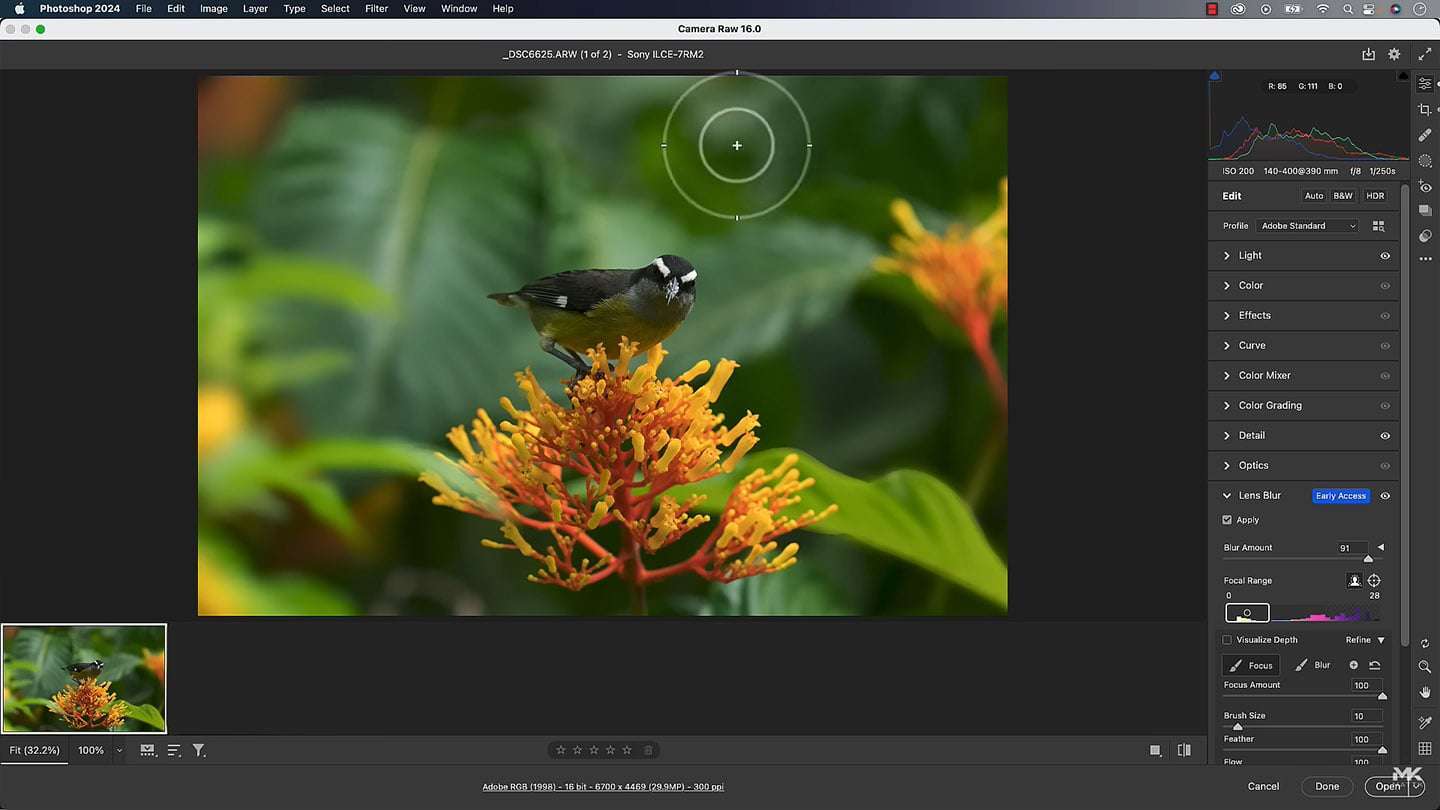
Adobe Camera Raw (ACR) is an indispensable plugin that operates in conjunction with Adobe Photoshop, providing photographers with direct access to editing RAW image formats. It is tailored for the specific demands of digital photography, enabling granular control over image parameters crucial for achieving professional results. Its longevity and continuous development underscore its role as a foundational component of modern image editing pipelines.
Key Features and Capabilities
Comprehensive RAW Editing Tools
ACR offers a robust suite of tools designed for in-depth image manipulation. These features allow photographers to make precise adjustments to elements such as exposure, contrast, highlights, shadows, whites, and blacks, thereby optimizing the tonal range of an image. Advanced color controls include temperature, tint, vibrance, and saturation, enabling precise color grading and correction. These capabilities are fundamental for refining the aesthetic and technical quality of photographs.
Compatibility with Various Camera Formats
A significant advantage of Adobe Camera Raw is its extensive support for RAW file formats from a vast array of camera manufacturers. This includes popular brands such as Canon, Nikon, Sony, Fujifilm, and many others. This broad compatibility ensures that photographers can consistently use ACR for their diverse equipment, making it a versatile solution across different shooting scenarios and professional setups.
Advanced Noise Reduction Techniques
Managing image noise is a critical aspect of RAW image editing, particularly in low-light conditions. Adobe Camera Raw incorporates sophisticated noise reduction algorithms that effectively minimize luminance and color noise. These tools are engineered to reduce visual artifacts without introducing excessive blurring or losing important image detail, thereby preserving the sharpness and texture of the photograph.
Integration with Adobe Products
As an Adobe product, Camera Raw is seamlessly integrated into the broader Adobe Creative Cloud ecosystem. It functions as a plugin for Adobe Photoshop, allowing direct access from within the familiar Photoshop interface. Additionally, ACR’s capabilities are closely tied to Adobe Lightroom, sharing many of the same editing algorithms and features. It also integrates with Adobe Bridge, facilitating streamlined asset management and batch processing of RAW files.
Real-world Applications in Photography
Professional photographers utilize Adobe Camera Raw across a spectrum of applications. In wedding and event photography, it is crucial for correcting white balance and adjusting exposure in challenging lighting conditions. Landscape photographers rely on ACR for enhancing dynamic range and saturating colors to bring out the natural beauty of scenes. For portraiture and studio work, its precise color grading and skin tone adjustments are invaluable for creating polished portfolios. The plugin’s efficiency with RAW files also speeds up post-production for large volumes of images.
Comparison with Similar Image Processing Plugins
While numerous RAW processing applications exist, Adobe Camera Raw stands out due to its deep integration within the Adobe suite and its exceptionally wide camera support. Compared to standalone RAW editors, ACR offers a more cohesive workflow for users already invested in Photoshop or Lightroom. Its continuous updates ensure compatibility with the latest camera models, a factor that can be a challenge for some competing plugins. The advanced noise reduction and detail enhancement tools are also frequently cited as key differentiators in professional circles.
Conclusion
Adobe Camera Raw 18.2 remains an essential tool for digital photographers, providing unparalleled capabilities for processing and editing RAW image files. Its extensive feature set, broad camera compatibility, and seamless integration with other Adobe products solidify its position as a cornerstone of professional image editing workflows. For photographers seeking precise control and high-quality results, mastering Adobe Camera Raw is fundamental.
Frequently Asked Questions
What is Adobe Camera Raw used for?
Adobe Camera Raw is a widely used plugin for Adobe Photoshop that allows photographers to edit RAW image files, providing advanced tools for color correction, exposure adjustments, and more. It retains image quality and detail while enabling extensive editing options, making it indispensable for professional post-production.
How does Adobe Camera Raw improve RAW image editing?
Adobe Camera Raw enhances RAW image editing by enabling non-destructive adjustments that preserve the original file’s quality. Photographers benefit from precise control over color grading, noise reduction, and exposure settings without altering the underlying image data; this ensures maximum flexibility and quality.
What cameras are compatible with Adobe Camera Raw?
Adobe Camera Raw supports RAW image formats from numerous camera manufacturers, including Canon, Nikon, Sony, Fujifilm, and many more. This broad compatibility allows a wide range of users to integrate the plugin into their photography workflows, regardless of their camera brand.





Reviews
There are no reviews yet.