

Lumina Decision Systems Analytica v7.0.6.296: Visual Decision Analytics & Predictive Modeling Software
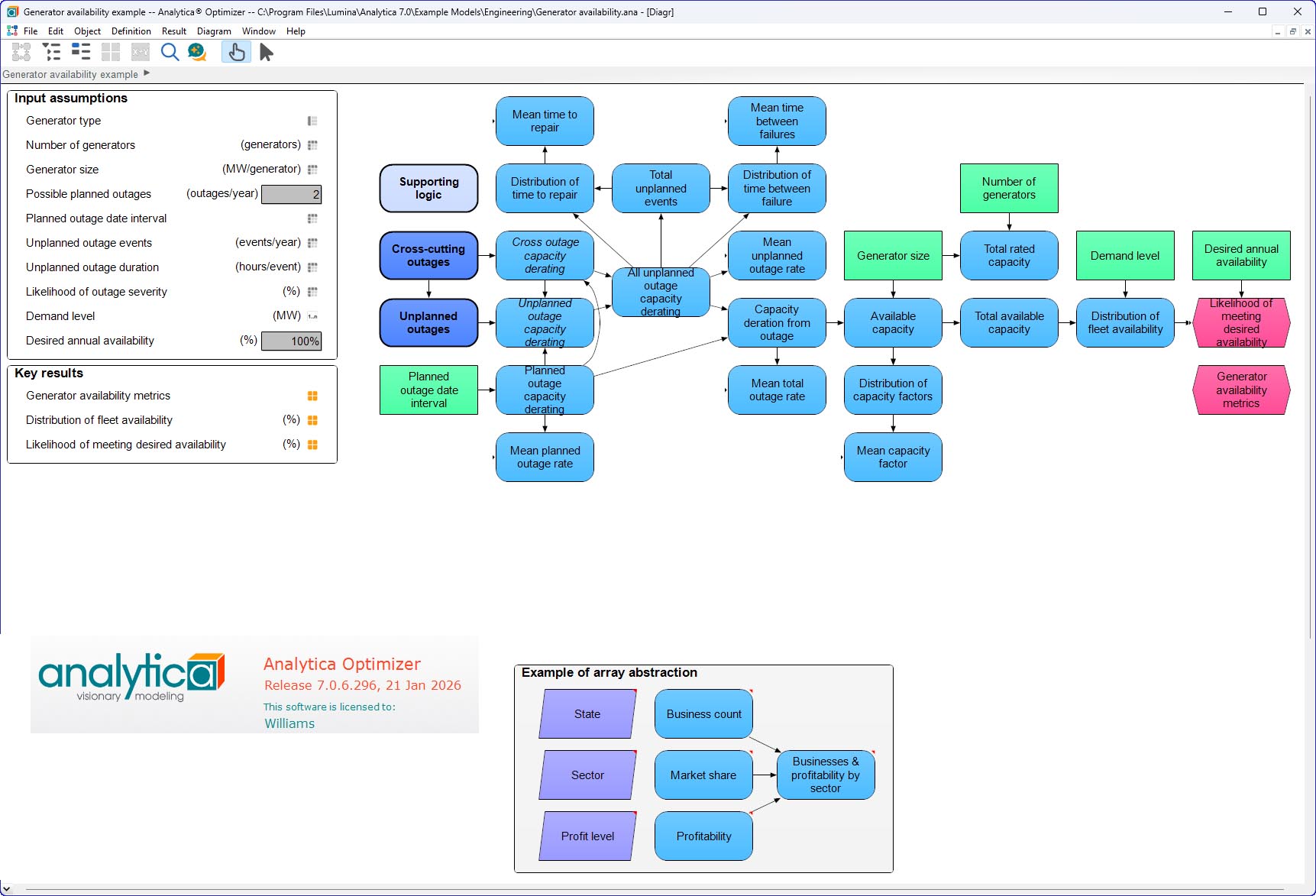
Lumina Decision Systems Analytica v7.0.6.296 is a visual software environment for building, exploring, and sharing quantitative models to help people make effective decisions. Unlike spreadsheets that are prone to errors and scripting languages like Python and R that require coding expertise, Analytica enables users to build models the way they think—using influence diagrams, intuitive arrays, and built-in uncertainty analysis. Version 7.0 marks a major milestone with deep Python integration, allowing modelers to access the entire Python ecosystem of libraries for machine learning, advanced visualization, and specialized analytics directly within Analytica. Designed for healthcare, pharmaceuticals, energy, consulting, and other industries, Analytica is a predictive analytics tool that presents data, calculations, and expert opinions in a logically organized format that allows teams or clients to easily collaborate on projects, eliminating errors common in spreadsheets.
???? Primary Users
This professional decision analytics software is designed for:
-
Analysts & Data Scientists building quantitative models to support complex business decisions.
-
Healthcare & Pharmaceutical Researchers modeling clinical trials, epidemiology, and drug development economics.
-
Energy & Utility Planners analyzing capacity investments, renewable integration, and regulatory compliance.
-
Management Consultants & Strategy Professionals developing decision frameworks for clients across industries.
-
Risk Managers & Financial Analysts performing Monte Carlo simulation and sensitivity analysis for uncertain outcomes.
⚡ Key Features & Capabilities
????️ Visual Influence Diagrams
Intuitive Model Building:
-
Drag-and-drop visual interface representing variables as nodes on a diagram
-
Arrows show causal relationships and dependencies
-
Models match how decision-makers think about problems
-
Non-technical stakeholders can understand and validate model structure
Hierarchical Modeling:
-
Modular models with sub-models for complex systems
-
Encapsulation of detail within higher-level modules
-
Reusable modules across multiple projects
-
Simplified navigation and maintenance
???? Intelligent Arrays (AI)
Automatic Array Handling:
-
Analytica’s unique “Intelligent Arrays” automatically manage multi-dimensional data
-
Operate on entire arrays without explicit looping
-
Eliminate the “spreadsheet problem” of copying formulas
-
Results automatically dimensioned and indexed
Multi-Dimensional Analysis:
-
Time series, scenarios, geographic regions, product lines
-
Slice and dice data without re-formulating models
-
Compare alternatives side-by-side
-
Visualize results across any dimensions
???? Probabilistic & Monte Carlo Simulation
Built-In Uncertainty Analysis:
-
Define probability distributions for uncertain inputs (Normal, Lognormal, Beta, Triangular, etc.)
-
Automatic propagation of uncertainty through the model
-
Monte Carlo simulation with user-controlled sample size
-
Results as probability distributions, confidence intervals, and statistics
Sensitivity Analysis:
-
Tornado diagrams for ranking uncertain inputs by importance
-
Scenario analysis for discrete alternatives
-
Parametric analysis for decision optimization
???? Python Integration (New in 7.0)
Two-Way Bridge to Python Ecosystem:
-
Write Python code directly inside Analytica variable definitions
-
Call Python functions and access Python libraries from Analytica models
-
Pass multi-dimensional arrays between Analytica and Python
-
Python code can evaluate Analytica variables and expressions (two-way)
Access to Thousands of Libraries:
-
NumPy, Pandas – Efficient numerical arrays and data-frame operations
-
Matplotlib, Seaborn – Custom visualizations not native to Analytica
-
PyTorch, TensorFlow – Machine learning integration
-
scikit-learn – Advanced statistical and ML algorithms
-
Pillow – Image processing for satellite or medical imagery
For Analytica Modelers:
-
Leverage Python resources without leaving Analytica environment
-
Combine deterministic Python results with Analytica’s Monte Carlo uncertainty propagation
For Python Developers:
-
Use Analytica’s influence diagrams as an interactive code development environment
-
Automatic dependency maintenance between Python functions and variables
-
One-click, no-code graphing of multi-dimensional results
-
Wrap existing Python models to get Monte Carlo and sensitivity analysis with Analytica ease
???? JSON & Data Interoperability
ParseJSON & MakeJSON:
-
Parse JSON directly into Analytica Structs for convenient hierarchical data representation
-
Generate JSON from Analytica Structs for API integration
Spreadsheet Integration (LibXL):
-
Read and manipulate Excel (.xlsx) files without having Excel installed
-
Faster and more robust than COM-based methods
-
Write data to spreadsheets for reporting
???? New Object Classes (Analytica 7.0)
Struct:
-
Define atomic, immutable data types that bundle heterogeneous values (text, numbers, arrays)
-
Does not array abstract – treated as a single cell
-
Ideal for API data, configuration objects, and compound data structures
Callable:
-
Variable-like object whose definition can be a handle to a Python class or Python function
-
Appears on influence diagram with function shape (rounded rectangle vs. oval)
-
Enables seamless integration of Python-coded logic into Analytica workflows
???? Index Label Auto-Updates
Prevent Costly Errors:
-
When you change a text label in an Index, code that refers to it updates automatically in most cases
-
New Index-label dot syntax (I . “label”) associates text literals with their index
-
Eliminates common errors from text mismatches when updating Index labels
???? Advanced Result Visualization
Tables & Graphs:
-
Multi-dimensional result tables with slicing and pivoting
-
Extensive graphing options: XY plots, bar charts, pie charts, area plots, contour plots
-
Customizable titles, axis labels, legends, and colors
-
Export graphs to images or embed in reports
Interactive Exploration:
-
Comparison indexes for side-by-side display of alternatives
-
Slicer controls for interactive dimension selection
-
Animated simulations for time-varying results
???? Reporting & Collaboration
Shareable Models:
-
Export models as standalone executable files (Analytica Player free distribution)
-
Collaborate via Analytica Cloud Platform (ACP) for web-based sharing
-
Publish interactive models with browser-based user interfaces
Documentation:
-
Automatic documentation generation (definitions, descriptions, units, inputs/outputs)
-
Export to HTML, Word, or PDF formats
-
Commenting and annotation on model objects
???? What’s New in Version 7.0.6.296
-
Python Integration (Developer Edition) – Full two-way bridge to Python ecosystem
-
Index Label Auto Updates – Automatic propagation of Index label changes to dependent expressions
-
Struct Object Class – New atomic data type for bundling heterogeneous values
-
Callable Object Class – Handle to Python functions or classes directly in Analytica variables
-
ParseJSON/MakeJSON using Structs – Simpler, more convenient JSON handling
-
LibXL Spreadsheet Backend – Read/write Excel without requiring Excel installation
-
Enterprise → Developer Edition Rename – Better reflects the purpose of the middle-tier edition
-
Model Context Protocol (MCP) Server – Experimental feature allowing Analytica models to act as MCP servers for AI agents
-
Updated Mutables Library – New Mutable Struct for improved atomic data handling
-
Enhanced Result Table Controls – Blank option for comparison index, improved slicer behavior
???? System Requirements
Minimum Requirements
-
OS: Windows 10/11 (64-bit) or macOS (recent versions)
-
CPU: 2.0 GHz dual-core processor
-
RAM: 8 GB
-
Storage: 2 GB free space
-
Display: 1280 × 720 resolution
-
Python: Version 3.8+ recommended (optional, for Python integration)


Reviews
There are no reviews yet.