

Download C3D Labs CADEX CAD Exchanger v3.24.16 – Advanced CAD Data Interoperability Software
C3D Labs CAD Exchanger v3.24.16 is a sophisticated software solution tailored for mechanical engineering, manufacturing, and product design sectors, addressing the persistent challenges of CAD data interoperability. Developed by C3D Labs, this application functions as both a robust SDK for developers and a comprehensive desktop tool, facilitating seamless data exchange and visualization across diverse CAD environments. It supports extensive native and neutral file formats, ensuring high-fidelity translation critical for complex multi-CAD workflows.
Overview of CAD Exchanger in Mechanical and Manufacturing Engineering
In mechanical engineering and manufacturing, the ability to reliably exchange CAD data between different software systems is paramount. C3D Labs CAD Exchanger provides essential functionality to overcome these interoperability hurdles. It is designed to handle the complexities of modern product development, where designs are often created and modified using multiple CAD platforms. The software ensures that critical design and manufacturing data remains accurate and accessible throughout the product lifecycle.
High-Fidelity 3D Model Translation and Format Compatibility
CAD Exchanger is recognized for its ability to perform high-fidelity translations, preserving intricate model data that is often lost in basic conversion processes. This capability is crucial for maintaining design intent and ensuring manufacturability.
Supported Native and Neutral CAD Formats
- CATIA V5/V6
- SOLIDWORKS
- Siemens NX
- PTC Creo
- Autodesk Inventor
- Rhino
- STEP (AP203, AP214, AP242)
- IGES
- JT (with optional JT module)
- 3D PDF
- OBJ
- STL
- FBX
- USD (Universal Scene Description)
- 3MF (3D Manufacturing Format)
Preserving Critical Model Data
Beyond basic geometry, CAD Exchanger focuses on retaining the semantic richness of CAD models. This includes comprehensive support for:
- Accurate geometric representation (B-Rep)
- Assembly structure and hierarchy
- Product Manufacturing Information (PMI), including Geometric Dimensioning and Tolerancing (GD&T)
- Material properties and metadata
- Color schemes and layer information
Desktop Application Features for Visualization and Analysis
The free desktop application version of CAD Exchanger offers a suite of tools for users who need to view, analyze, and share CAD models without requiring access to the original authoring software. This makes it an invaluable utility for design reviews, quality control, and communication across departments.
- Interactive 3D model viewing with advanced visualization options.
- Precise measurement tools for distances, angles, and radii.
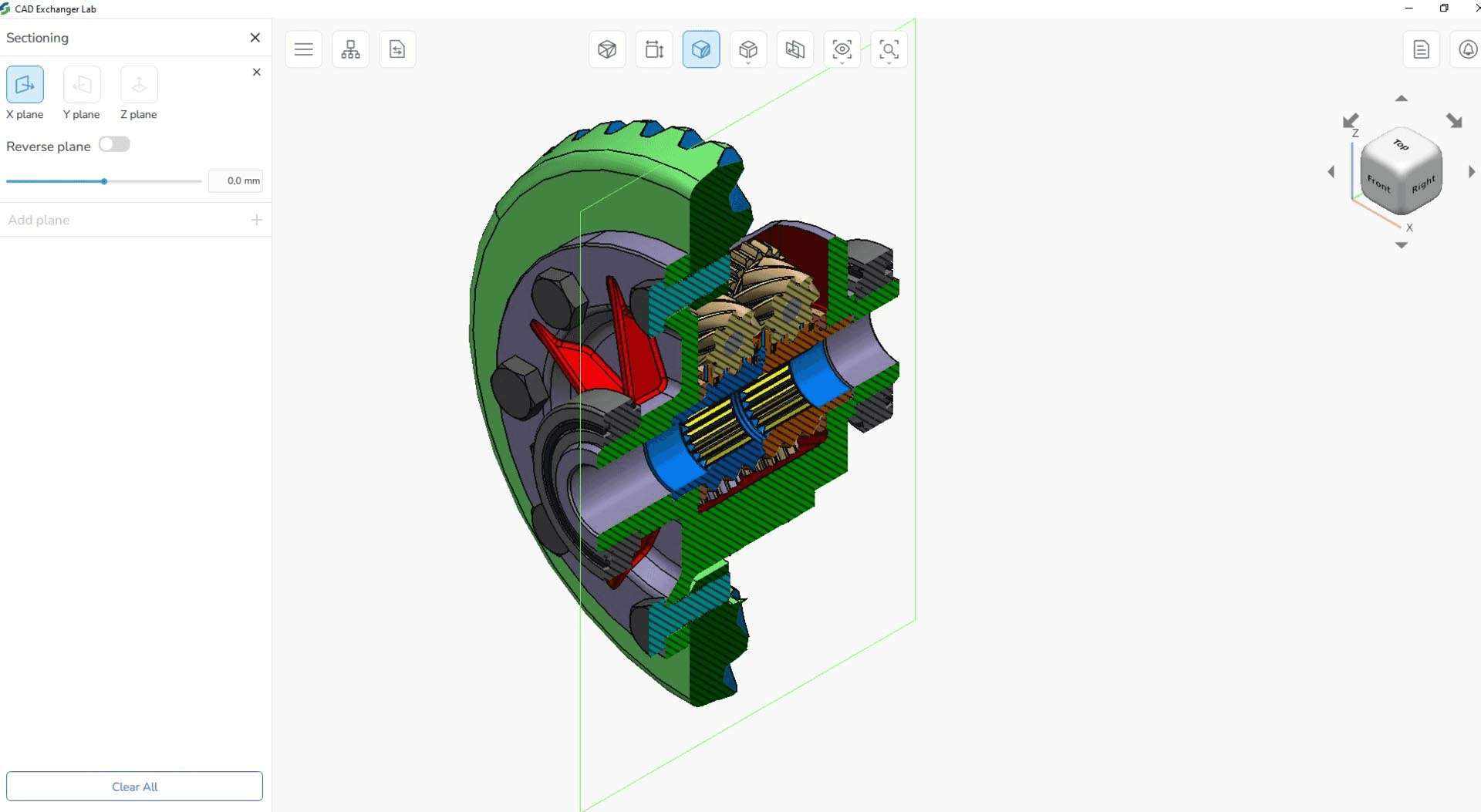
- Sectioning capabilities to analyze internal model structures.
- Side-by-side model comparison to identify design changes.
- Creation of 3D PDF documents for universal sharing and collaboration.
- Exporting high-quality snapshots for documentation.
Robust SDK and Automation Capabilities for Developers
For software developers and engineering organizations looking to integrate CAD data processing into their own applications or automated workflows, the CAD Exchanger SDK provides a powerful and flexible solution.
API Support for Multiple Programming Languages
The SDK offers comprehensive APIs that allow developers to embed CAD reading, writing, and visualization functionalities directly into their software. Supported programming languages include:
- C++
- .NET (C#, VB.NET)
- Java
- Python
Batch Processing and Integration
Leveraging the Command-Line Interface (CLI) alongside the SDK, users can automate large-scale CAD file conversions and data processing tasks. This is particularly useful for integrating CAD Exchanger into existing enterprise systems such as Product Lifecycle Management (PLM) and Enterprise Resource Planning (ERP) platforms, streamlining digital manufacturing processes and maintaining a single source of truth for design data.
Latest Improvements in Version 3.24.16
Version 3.24.16 of CAD Exchanger introduces several key enhancements aimed at improving compatibility with the latest CAD software, optimizing performance, and expanding support for modern data formats and workflows.
- Enhanced support for the latest versions of Autodesk Inventor 2025 and PTC Creo 10.
- Improved handling and accuracy for Product Manufacturing Information (PMI).
- Optimized processing for very large assemblies, reducing load times and improving responsiveness.
- Updates to Universal Scene Description (USD) format support, beneficial for visualization and digital twin applications.
- Refinements to the 3MF format for additive manufacturing data exchange.
- General user interface improvements and stability enhancements for a smoother user experience.
Real-World Use Cases in Digital Manufacturing and Multi-CAD Collaboration
CAD Exchanger is instrumental in various industry-standard workflows, enabling effective collaboration and data utilization across the product lifecycle.
- Cross-Platform CAD Collaboration: Facilitating seamless data sharing between engineers using different CAD systems (e.g., CATIA users sending data to SOLIDWORKS users) while preserving design integrity.
- Additive Manufacturing Data Preparation: Converting native CAD models into formats like 3MF or STL, ensuring accurate geometry and build parameters for 3D printing.
- PLM/ERP System Integration: Embedding CAD Exchanger’s translation capabilities into enterprise systems to automate data import, validation, and archival processes.
- Digital Twin and Visualization: Utilizing the updated USD support and broad format compatibility to create and maintain accurate digital representations of physical products for simulation and monitoring.
- Downstream Manufacturing Analysis: Providing engineers with precise models, including PMI, for use in Computer-Aided Manufacturing (CAM), Computer-Aided Engineering (CAE), and quality inspection processes.
Frequently Asked Questions
How does CAD Exchanger preserve product manufacturing information during CAD file conversion?
CAD Exchanger is engineered to preserve PMI such as GD&T annotations, tolerance data, assembly structures, colors, and metadata during conversion. This rigorous approach ensures that manufacturing-critical information maintains its integrity, preventing data loss that could negatively impact downstream processes like quality control and production planning.
Which CAD file formats are supported by CAD Exchanger for import and export?
CAD Exchanger boasts support for over 30 major 3D formats. This extensive list includes native CAD files from leading platforms like CATIA V5/V6, SOLIDWORKS, Siemens NX, Creo, and Autodesk Inventor, alongside widely-used neutral formats such as STEP, IGES, JT, 3D PDF, OBJ, STL, FBX, USD, and the 3MF format specifically for additive manufacturing.
Can developers integrate CAD Exchanger capabilities into their own applications?
Yes, CAD Exchanger offers a comprehensive Software Development Kit (SDK) featuring APIs accessible through C++, .NET, Java, and Python. This allows developers to seamlessly embed advanced CAD reading, writing, and visualization functions directly into their custom software solutions. Furthermore, automation of batch processing is supported via a command-line interface.






Reviews
There are no reviews yet.