

Download DATAKIT CrossManager – CAD File Conversion Software
DATAKIT CrossManager is a specialized software application developed by Datakit, designed to address critical CAD interoperability challenges within the engineering and manufacturing sectors. This mechanical CAD software is essential for professionals working with diverse CAD systems, enabling seamless data exchange and effective CAD data management.
Introduction to DATAKIT CrossManager
DATAKIT CrossManager serves as a pivotal solution for bridging the gap between disparate CAD software. In environments where multiple design and manufacturing platforms are in use, the ability to convert files accurately and efficiently is paramount. This software streamlines workflows by ensuring that geometric data and associated metadata can be reliably transferred between systems, preventing data loss and reducing rework.
Core Capabilities in CAD Conversion
Supported CAD Formats
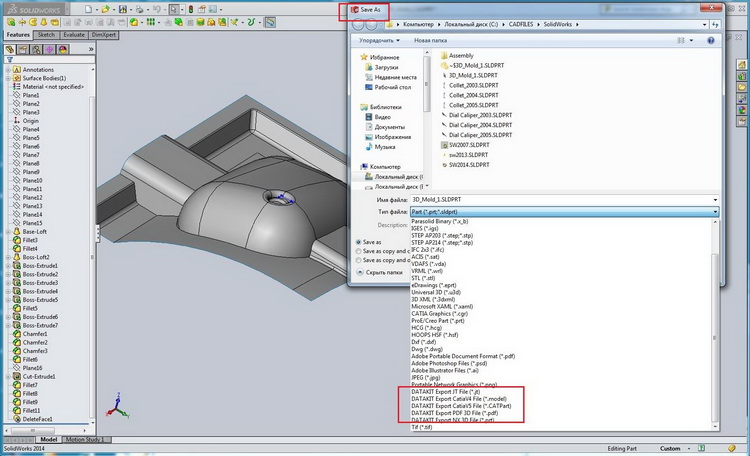
DATAKIT CrossManager distinguishes itself with its extensive support for a wide array of CAD file formats. This comprehensive compatibility is crucial for maintaining efficient collaboration and data integration across different departments and external partners.
- Supports over 30 readable 3D and 2D CAD formats, including widely used industry standards.
- Enables writing to more than 20 native CAD file formats, facilitating compatibility with various downstream applications.
- Handles complex geometry types, ensuring that intricate designs are accurately represented after conversion.
- Preserves essential metadata during the CAD file conversion process, maintaining design intent and project information.
User Experience and Interface
Designed with practitioner feedback in mind, DATAKIT CrossManager offers a user-friendly experience. Installation is straightforward, and the interface is intuitive, minimizing the learning curve for new users and allowing them to perform complex CAD conversions with ease.
- Simple and intuitive graphical user interface (GUI).
- Easy navigation for quick access to conversion tools and settings.
- Helps even users less familiar with CAD systems to perform conversions efficiently.
Automation and Command-Line Features
For demanding production environments, DATAKIT CrossManager provides robust automation capabilities. These features are designed to enhance productivity by allowing users to automate repetitive conversion tasks, thereby optimizing the CAD data management workflow.
- Advanced command-line interface for scripting and batch processing.
- Enables the conversion of multiple files simultaneously without manual intervention.
- Ideal for engineers and manufacturers who need to process large volumes of CAD data regularly.
- Facilitates integration into existing PLM or PDM systems for automated data exchange.
Applications Across Industries
Manufacturing sectors extensively leverage DATAKIT CrossManager to overcome interoperability issues inherent in multi-CAD environments. Its reliable CAD file conversion capabilities are vital for integrating design data from various sources into unified workflows.
- Automotive industry: Integrating designs from different supplier CAD systems.
- Aerospace: Managing complex parametric models and assemblies across different engineering tools.
- Industrial equipment manufacturing: Streamlining data transfer between design, simulation, and production departments.
- Consumer goods: Ensuring compatibility of product designs for rapid prototyping and manufacturing.
How DATAKIT CrossManager Stands Out
DATAKIT CrossManager offers a compelling solution in the CAD interoperability market, differentiating itself through a combination of extensive format support, user-centric design, and powerful automation features.
- Comprehensive Format Support: Its ability to read and write a vast number of CAD formats surpasses many alternatives, ensuring wider compatibility.
- User-Centric Design: The software’s intuitive interface makes advanced CAD file conversion accessible even for less experienced users, reducing training time and costs.
- Automation Capabilities: The robust command-line options provide efficient batch processing, a key differentiator for users needing to handle large-scale conversions and integrate with automated systems.
Frequently Asked Questions
What types of CAD formats can be converted using DATAKIT CrossManager?
DATAKIT CrossManager supports over 30 readable formats and 20 writable formats, facilitating seamless conversion between various 2D and 3D CAD systems. This broad compatibility ensures that users can exchange data reliably, regardless of the specific software used by their collaborators.
Is DATAKIT CrossManager easy to use for beginners?
Yes, DATAKIT CrossManager is designed to be user-friendly, providing a straightforward interface that is easy to navigate, even for those unfamiliar with complex CAD systems. This focus on usability ensures that professionals can quickly adopt the software and begin realizing the benefits of enhanced CAD interoperability.
Does CrossManager offer any automation features for bulk conversions?
Yes, CrossManager includes advanced automation options that allow users to create command line batch files, enabling the conversion of multiple files simultaneously. This feature significantly boosts efficiency for users dealing with large datasets or requiring repetitive conversion workflows.






Reviews
There are no reviews yet.