

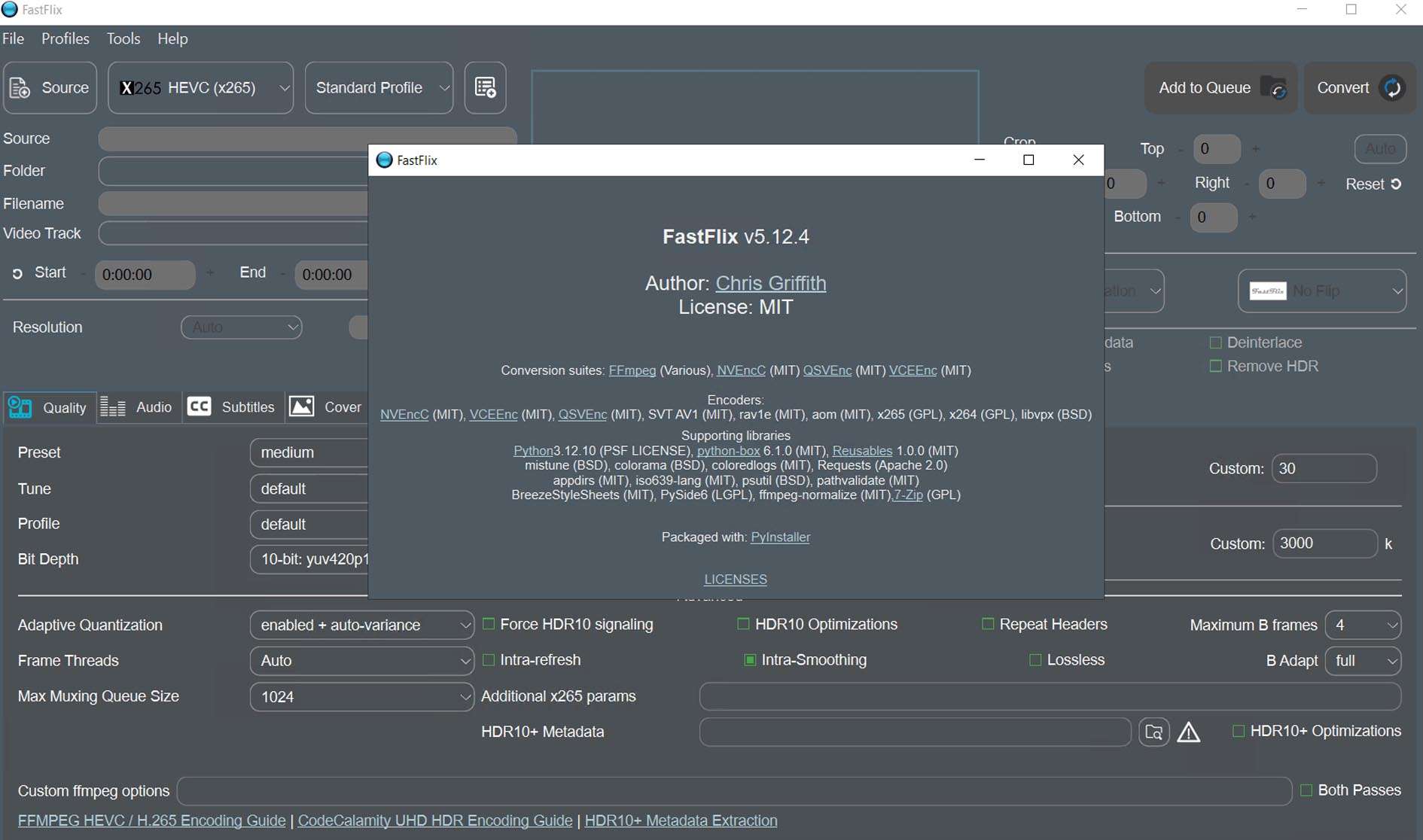
Download FastFlix 5.12.4 – GPU-Accelerated Video Transcoding Software
FastFlix 5.12.4 is an open-source GUI wrapper designed to simplify the use of the powerful FFmpeg multimedia framework, with a specific focus on leveraging hardware-accelerated video encoders. Developed by the FFmpeg community for the underlying framework and enhanced by FastFlix for ease of use, this software provides video editors, content creators, media archivists, and IT professionals with an accessible interface for complex transcoding, compression, and format conversion tasks. It is particularly valuable for users needing to manage large media libraries or high-resolution content efficiently using GPU acceleration.
Overview of FastFlix and Video Transcoding Applications
FastFlix serves as a user-friendly Graphical User Interface that bridges the advanced capabilities of the FFmpeg command line with simplified workflows, particularly for hardware-accelerated video encoding. Its primary application lies in video transcoding, the process of converting video files from one format to another. This is essential for various professional needs, including optimizing video for different platforms, reducing file sizes for storage or distribution, and maintaining compatibility across a wide range of devices and software. Professionals in fields such as video editing, media archiving, and IT departments dealing with video compression often require precise control over codec settings, batch processing, and efficient hardware utilization, which FastFlix aims to provide.
Advanced Hardware-Accelerated Video Encoding Technologies
Supported Hardware Encoders
FastFlix harnesses the power of dedicated hardware encoders found on modern graphics cards and processors to accelerate video encoding tasks. This offloads the intensive computational work from the CPU to specialized hardware units. The software supports key acceleration technologies:
- NVIDIA NVENC: Utilizes the NVIDIA Video Encoder found on GeForce and Quadro GPUs, known for its efficiency and high-quality output, especially with H.264 and HEVC codecs.
- AMD AMF: Leverages AMD’s Advanced Media Framework for hardware-accelerated video encoding on AMD Radeon GPUs.
- Intel Quick Sync Video (QSV): Takes advantage of the integrated graphics processor on many Intel CPUs to provide fast video encoding and decoding capabilities.
By utilizing these hardware encoders, users can achieve significantly faster encoding times and reduce CPU usage, which is critical for handling large video files or complex projects without performance bottlenecks.
Modern Codec Compatibility
The software supports a range of modern and efficient video codecs, enabling users to achieve optimal balance between video quality and file size. FastFlix provides robust support for:
- HEVC (H.265): A highly efficient successor to H.264, offering better compression at similar quality levels.
- AV1: An open, royalty-free video coding format known for superior compression efficiency compared to HEVC. FastFlix integrates the SVT-AV1 encoder, an advanced open-source implementation optimized for performance and quality.
- VP9: A versatile open-source video codec, often used for web streaming.
- H.264: The widely adopted and compatible AVC standard, suitable for broad platform support.
FastFlix allows users to fine-tune encoding parameters such as Constant Rate Factor (CRF) for quality-based encoding, target bitrate, and quality presets, providing granular control over the transcoding process for each supported codec.
Streamlined Workflow with Batch Processing and Queue Management
Batch Encoding Queue Features
Managing multiple video files can be time-consuming without efficient tools. FastFlix addresses this with its comprehensive batch processing queue. Users can import numerous video files into the queue, configure individual encoding settings for each, and then process them sequentially. The queue management system allows for:
- Adding multiple media files to a single batch job.
- Reordering jobs within the queue to prioritize specific tasks.
- Saving and loading queue configurations for recurring projects or workflows.
- Unattended batch encoding that runs in the background, freeing up the user for other tasks.
This feature is particularly beneficial for content creators and IT professionals who frequently need to transcode large numbers of video assets simultaneously.
Chunked Encoding for Stability
To enhance stability and manage memory usage, especially during the encoding of very large or high-resolution video files, FastFlix incorporates a chunked encoding capability. This method breaks down the video into smaller segments or chunks that are encoded independently. This approach offers several advantages:
- Reduces the risk of encoding errors caused by memory exhaustion during long processes.
- Enhances the reliability of batch operations, as an error in one chunk is less likely to halt the entire encoding job.
- Allows for more efficient use of system resources, making it suitable for systems with limited RAM.
Comprehensive Audio and Subtitle Track Handling
FastFlix offers advanced capabilities for managing audio and subtitle tracks within video files, going beyond simple video conversion. Users can selectively choose audio and subtitle streams from the source file to be included in the transcoded output. The software can also copy these tracks directly or re-encode them as needed. Furthermore, FastFlix includes an Optical Character Recognition (OCR) based conversion feature for extracting embedded subtitle formats like PGS (Presentation Graphic Stream) and VobSub into standard text-based formats such as SRT or ASS. This is invaluable for repurposing content, accessibility, and international distribution.
Quality Control and Preview Tools for Optimal Results
Ensuring the desired balance between video quality and file size is crucial. FastFlix provides a built-in quality preview tool that allows users to test their encoding settings on short segments of their video files. This feature enables side-by-side comparisons of the original video against the output generated with specific encoder settings. By previewing short clips, users can fine-tune parameters like bitrate, CRF, and presets to achieve optimal results and confirm satisfactory quality before committing to a full, lengthy encoding process for entire videos or large batches. This iterative refinement process helps in efficient resource management and guarantees output quality meets user expectations.
Recent Enhancements in FastFlix 5.12.4
The latest release, FastFlix 5.12.4, brings several notable improvements and feature updates designed to enhance performance and user experience:
- Enhanced SVT-AV1 Encoder: The integration of the SVT-AV1 encoder has been updated, offering improved efficiency and expanded tuning options for AV1 encoding.
- NVIDIA AV1 Support: Further refinements have been made to NVIDIA AV1 encoding support, including optimizations for the latest RTX 40-series GPUs.
- Queue Management Improvements: Enhancements to the batch processing queue system offer a more robust and user-friendly experience for managing multiple encoding jobs.
- Workflow and Stability Updates: General workflow enhancements and bug fixes have been implemented to improve overall stability and reliability.
- Updated Libraries: Incorporates the latest versions of underlying libraries, including an updated FFmpeg framework, ensuring compatibility and access to the newest FFmpeg features.
Use Cases and Industry Applications
FastFlix 5.12.4 is a versatile tool with a wide range of applications in professional video workflows:
- Large Media Library Compression: For archivists and organizations with extensive video collections, FastFlix enables significant file size reduction using efficient codecs like AV1 and HEVC, while maintaining archival quality and saving storage space.
- Content Preparation for Streaming: Content creators and distributors can utilize FastFlix to transcode videos into various formats and resolutions optimized for online platforms and adaptive bitrate streaming.
- Video Archival and Preservation: Converting older video formats into modern, well-supported codecs like H.264 or HEVC ensures long-term accessibility and preservation of valuable media assets.
- Post-Production Workflows: Video editors can leverage FastFlix for efficient media transcoding, preparing footage for editing or final delivery, benefiting from GPU acceleration to speed up rendering times.
- IT Professionals: In IT departments, FastFlix can be used to standardize video formats for internal use, training materials, or distribution across company networks.
Frequently Asked Questions
How does FastFlix improve video encoding speed compared to traditional software encoding?
FastFlix leverages hardware acceleration technologies like NVIDIA NVENC, AMD AMF, and Intel Quick Sync Video to offload encoding tasks to the GPU, significantly speeding up the process and reducing CPU load compared to purely software-based encoding. This offloading allows for much faster transcoding times, especially for high-resolution videos and modern codecs.
What modern video codecs does FastFlix support for encoding?
FastFlix supports advanced video codecs including HEVC (H.265), VP9, H.264, and AV1 via the SVT-AV1 software encoder, allowing users to choose efficient, high-quality compression formats for their videos. This broad codec support ensures compatibility and optimized file sizes for various applications.
Can FastFlix handle multiple video files at once for batch processing?
Yes, FastFlix features a batch processing queue that allows users to add multiple video encoding jobs, reorder them, and save or load queue lists for unattended, streamlined workflows. This capability is essential for efficiently processing large volumes of video content without manual intervention for each file.



Reviews
There are no reviews yet.