

Download Formware 3D Slicer 1.2.7.3 – Advanced Slicing Software for Multi-Material FDM 3D Printing
Formware 3D Slicer is a sophisticated slicing application designed to enhance workflows for FDM/FFF 3D printers. Developed for engineers, designers, and makers, this software provides advanced control and real-time feedback essential for precise 3D printing. It serves critical roles in industries leveraging additive manufacturing, including rapid prototyping, product development, and specialized educational applications where high-fidelity print output is paramount.
Comprehensive Overview and Industry Applications
Formware 3D Slicer functions as a crucial intermediary, converting 3D model files into machine-readable G-code instructions that 3D printers execute. For professionals in fields like mechanical engineering, product design, and advanced manufacturing, this software is indispensable for achieving optimal print results from their FDM/FFF machines. Its application extends to creating functional prototypes, intricate models, and end-use parts where dimensional accuracy and surface finish are critical requirements.
Real-Time Slicing Visualization and Print Customization
A standout feature of Formware 3D Slicer is its powerful real-time slicing engine. This capability allows users to visualize toolpath generation instantaneously as print parameters are altered. This immediate feedback loop is invaluable for fine-tuning settings such as infill density, wall thickness, and print speed, directly impacting the quality and structural integrity of the final print. The software provides granular control over specific print features, enabling users to independently adjust settings for walls, infill patterns, support structures, and the crucial first layer, ensuring a robust and well-formed base for complex prints.
Advanced Support Structures and Multi-Material Printing Features
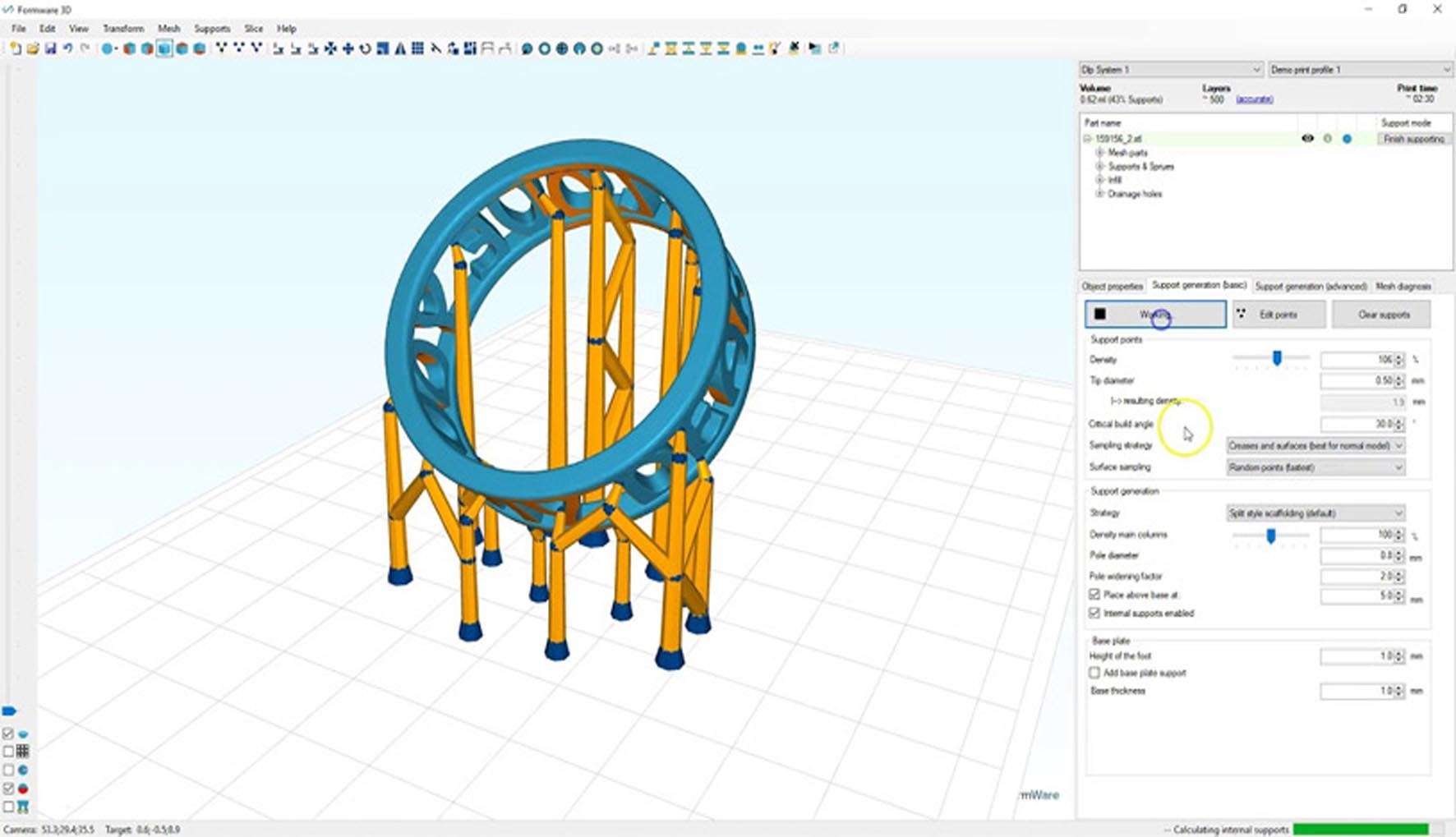
Formware 3D Slicer excels in supporting complex printing requirements, notably through its advanced support structure generation. Users can generate sophisticated tree or block supports, which can be customized in density, contact points, and patterns to provide effective under-support while minimizing material usage and post-processing effort. Furthermore, the software fully supports multi-extruder setups for multi-color or multi-material printing, accommodating the use of soluble support materials like PVA or HIPS. Model modifiers offer further flexibility by enabling selective assignment of extruders and print parameters to distinct regions within a single 3D model.
Optimization Tools for Print Quality and Efficiency
To streamline the printing process and ensure predictable outcomes, Formware 3D Slicer incorporates several optimization tools. It provides accurate estimations for print time and material consumption, aiding in project planning and cost management. The integrated G-code viewer and analyzer functions allow users to inspect and debug the generated toolpaths layer by layer, identifying potential issues before printing commences. For advanced users, the Pro version offers custom scripting capabilities, enabling automation of pre- and post-print machine commands and further customization of printer behavior.
Compatibility and File Format Support
Formware 3D Slicer is designed to be highly compatible with standard FDM/FFF 3D printers. It accepts common 3D model file formats such as STL, OBJ, and AMF, facilitating seamless integration into existing design workflows. The software is built to leverage multi-extruder hardware, supporting a wide range of configurations for multi-material printing. While specific system requirements vary, the sophisticated real-time visualization demands a capable graphics processor for a smooth and responsive user experience.
Comparing Formware to Other Slicing Software
When compared to other popular slicing solutions like Cura or PrusaSlicer, Formware 3D Slicer distinguishes itself through its advanced real-time visualization capabilities and its deep control over multi-material and multi-extruder printing. While other slicers offer robust functionality, Formware’s emphasis on immediate graphical feedback on parameter changes provides a unique workflow advantage for users prioritizing iterative design refinement. This makes it particularly appealing for professionals and advanced hobbyists who demand fine-grained control and predictive print outcomes.
Real-World Use Cases Demonstrating Formware’s Capabilities
Formware 3D Slicer empowers users across various demanding applications. Engineers utilize it for complex prototyping that requires intricate geometries and dual-material properties, such as creating functional parts with integrated flexible or rigid components. Designers leverage its multi-color capabilities to produce visually rich artistic prints and intricate models with detailed aesthetics. Furthermore, users can optimize structural parts by precisely controlling infill densities and support structures, leading to stronger parts with reduced material usage and print times, showcasing the software’s versatility in producing high-quality, application-specific 3D prints.
Frequently Asked Questions
How does Formware 3D Slicer improve print quality compared to other slicing software?
Formware 3D Slicer enhances print quality by offering real-time visualization of toolpaths, which helps users instantly see the effects of parameter changes. Its granular control over per-feature print settings, advanced support generation, and multi-material/extruder capabilities allow tailored optimization for detailed and complex prints.
Can Formware 3D Slicer handle multi-material and multi-extruder 3D printers?
Yes, Formware 3D Slicer fully supports multi-extruder workflows, enabling multi-color and multi-material prints, including the use of dissolvable support materials like PVA and HIPS. Its model modifiers allow selective assignment of extruders and print settings to different parts of the model.
What kind of support structures can be generated with Formware 3D Slicer?
Formware offers advanced support generation including tree-like and block supports with customizable density, contact points, and patterns. Tree supports are especially designed to be easier to remove while providing effective overhang support.






Reviews
There are no reviews yet.