

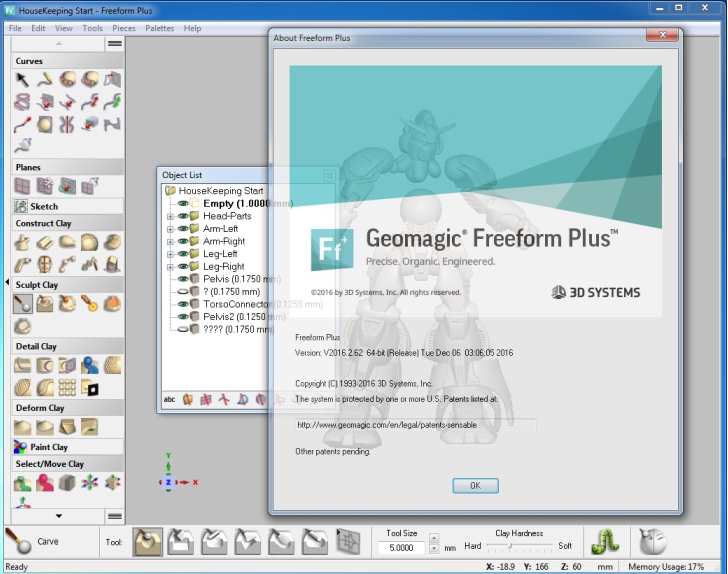
Download Geomagic Freeform Plus 2021.1 – Advanced Voxel-Based 3D Modeling Software
Geomagic Freeform Plus 2021.1 is an advanced 3D design software developed for professionals in industrial design, CAD, arts, and sculpting. It distinguishes itself through its voxel-based modeling approach, enabling users to manipulate digital models with a tactile feel, bridging artistic creativity with engineering precision.
Overview of Geomagic Freeform Plus
Understanding the Software’s Evolution
Geomagic Freeform represents a significant advancement in digital design and modeling, stemming from the innovative solutions originally developed by Geomagic, now part of Hexagon AB. The software’s lineage is tied to the development of integrated 3D scanning and CAD functionalities, providing designers with powerful tools to bring complex ideas to life. Its importance in the design sector is underscored by its ability to cater to users seeking to combine artistic expression with technical requirements.
The Unique Features of Geomagic Freeform Plus
Voxels: The Core of Flexible 3D Modeling
Geomagic Freeform Plus utilizes a voxel-based modeling technique, fundamentally different from traditional polygonal or mesh-based methods. Voxels, or volumetric pixels, represent 3D space, allowing for the creation of models with a continuous density and the ability to perform boolean operations more robustly. This approach offers unparalleled flexibility for organic shapes and complex internal structures, making digital sculpting feel as intuitive as working with physical materials.
Key characteristics of voxel-based modeling in Geomagic Freeform Plus include:
- Intuitive manipulation of digital clay-like forms.
- The ability to seamlessly blend complex geometric shapes with organic aesthetics.
- Robust support for intricate details without the limitations of mesh topology.
Enhanced User Interactivity through Haptic Feedback
A standout feature of Geomagic Freeform Plus is its deep integration with haptic feedback devices. These devices allow users to “feel” the digital model, providing a tactile sensation that significantly enhances the user experience and design process. By simulating touch, designers can interact with the software in a way that feels more natural and direct, leading to more precise control and faster iteration cycles.
The impact of haptic feedback includes:
- A more intuitive and engaging design workflow, mimicking physical sculpting.
- Improved accuracy and control when shaping complex surfaces.
- Reduced learning curve due to the natural interaction method.
Key Applications in Various Industries
Geomagic Freeform Plus serves a diverse range of industries by providing advanced tools for complex 3D modeling tasks. Its versatility makes it suitable for applications requiring both creative freedom and engineering accuracy. Industries such as product design benefit from its ability to create intricate and ergonomic forms, while artists and sculptors leverage its capabilities for digital art and character design.
Specific applications include:
- Product Design: Creating ergonomic consumer goods, intricate machine components, and visually appealing product housings.
- Industrial Design: Developing prototypes and concept models that require organic shapes and precise form factors.
- Arts and Sculpting: Crafting detailed digital sculptures, characters for animation or games, and intricate artistic pieces.
- Medical Modeling: Designing patient-specific implants and prosthetics that require complex, custom shapes.
Output and Compatibility with CAD Systems
Integrating with Traditional CAD Software
Geomagic Freeform Plus is designed to coexist within professional engineering and design workflows. It can export models in formats compatible with traditional CAD systems, allowing designs initiated in a freeform environment to be further refined, analyzed, or prepared for manufacturing using established CAD tools. This integration ensures that creative explorations can directly feed into the engineering product development cycle.
Supported File Formats and Import Capabilities
To facilitate collaboration and extend its usability, Geomagic Freeform Plus supports a variety of industry-standard file formats for both importing and exporting. This ensures that users can bring existing designs into the software and easily share their work with team members or production facilities.
Commonly supported formats include:
- Import: STL, OBJ, PLY, WRL, XYZ, ASC, and more.
- Export: STEP, IGES, STL, OBJ, WRL, and CAD-specific formats depending on license.
Real-World Use Cases of Geomagic Freeform Plus
The capabilities of Geomagic Freeform Plus are demonstrated through various real-world projects where its unique approach to 3D modeling proves invaluable. Designers and engineers utilize its voxel-based and haptic-enhanced environment to tackle challenges that are difficult to address with conventional software.
Examples include:
- Developing a new line of ergonomic power tools where smooth, comfortable grips were essential, achieved through tactile sculpting.
- Creating custom prosthetics and orthotics for patients that precisely match unique anatomical shapes, facilitated by precise voxel control.
- Designing intricate sculptures for art installations or collectibles, where organic form and fine detail were paramount.
- Rapid prototyping of consumer electronics casings that required fluid lines and a premium feel.
Comparative Overview with Other Design Tools
Geomagic Freeform Plus distinguishes itself in the 3D design software market through its distinct approach to modeling and user interaction. While traditional CAD software excels in precise, parametric solid modeling, Geomagic Freeform Plus excels in organic, freeform sculpting with a tactile interface.
Compared to many conventional mesh-based modeling tools, Geomagic Freeform Plus offers:
- A more robust and forgiving modeling kernel due to its voxel foundation.
- An unparalleled intuitive workflow for complex organic shapes via haptic feedback.
- A direct integration of artistic sculpting freedom with the output requirements of CAD and manufacturing processes.
Frequently Asked Questions
What is Geomagic Freeform Plus primarily used for?
Geomagic Freeform Plus is primarily used for advanced 3D design and modeling, particularly suited for industries like industrial design and digital sculpting, where creative and engineering solutions intersect and require organic, complex forms.
How does Geomagic Freeform Plus differ from traditional CAD software?
Unlike traditional CAD software, Geomagic Freeform Plus utilizes voxel-based modeling, allowing for more organic and intuitive design processes, akin to sculpting with clay, which provides greater creative freedom and flexibility for intricate shapes.
Can Geomagic Freeform Plus integrate with other engineering software?
Yes, Geomagic Freeform Plus enables seamless integration with various CAD systems, facilitating the conversion of designs into compatible CAD formats for further refinement, analysis, or production, thereby fitting into broader engineering workflows.







Reviews
There are no reviews yet.