

Intergraph Smart Interop Publisher V17 Update 14 – The Unified 3D Model Interoperability Hub for Hexagon’s SmartPlant Ecosystem
Smart Interop Publisher (INTP) is the foundational interoperability solution for Hexagon’s SmartPlant ecosystem. It provides a single solution capable of handling various 3D model and data formats—including graphics and object properties—for display and use in Smart Review, Smart 3D, SmartPlant Foundation, and Smart Construction .
The software simplifies project configuration by offering rapid integration of multiple 3D models from sources such as PDS, PDMS, PlantSpace, MicroStation, AutoCAD, CADWorx, CAESAR II, IFC, XMpLant, and i-model . This capability enables engineering teams to work with a wide range of datasets from both Hexagon and third-party formats without compromising data integrity or consuming excessive system resources .
Version 17 Update 14 (build 17.00.14.0007) is the latest iteration of this mature platform, offering enhanced compatibility with modern enterprise infrastructure and Hexagon’s Smart Licensing (ISL) system.
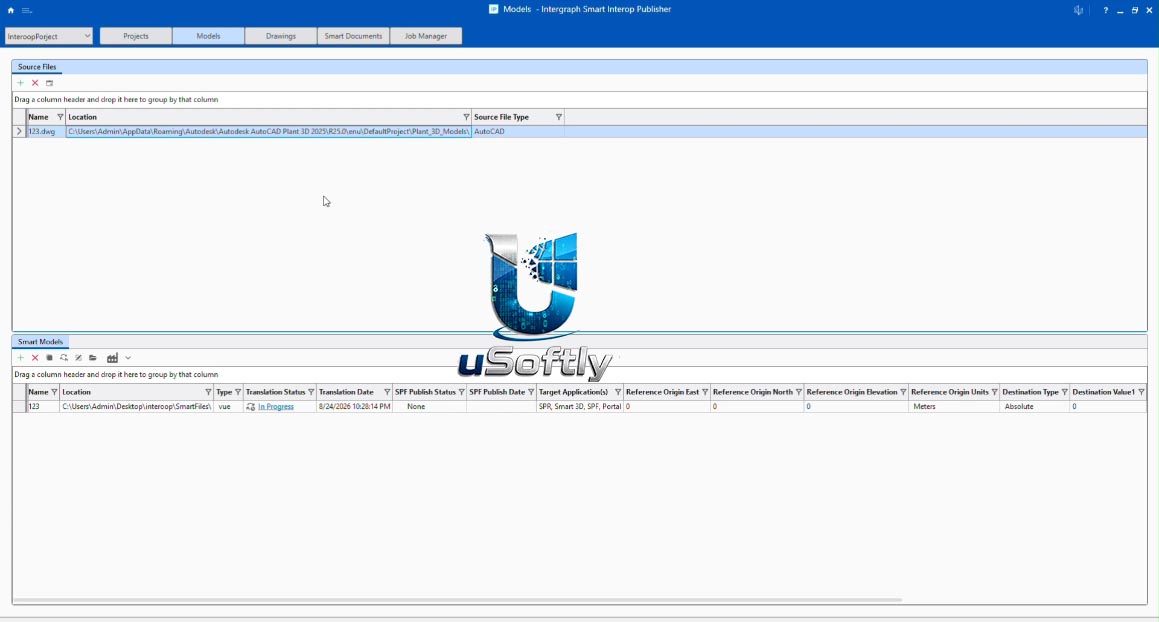
Transfer AutoCAD Model to Navisworks Using Intergraph Smart Interop Publisher V17 Update 14
Primary Users
Smart Interop Publisher V17 Update 14 is designed for BIM coordinators, VDC managers, IT administrators, and engineering project leads in the process, power, and marine industries. It serves professionals who:
-
Consolidate 3D models from multiple design tools—including Smart 3D, PDS, PDMS, Tekla, and AutoCAD—into a single, unified environment for project review and construction planning
-
Simplify project configuration by providing quick and effective integration of multi-format 3D models, eliminating the need for complex, manual data conversions
-
Enable collaboration across disciplines and organizations by ensuring a consistent object label display between different Hexagon applications
-
Streamline workflows by automating data transformation and minimizing manual data handling
Key Features & Capabilities
Multi-Format Data Consolidation
-
Source Flexibility: Seamlessly integrates models from PDS, PDMS, PlantSpace, MicroStation, AutoCAD, CADWorx, CAESAR II, SAT, IFC, XMpLant, i-model, and Smart 3D
-
Object Property Preservation: Translates both graphics and object properties—not just visual geometry—ensuring that downstream applications retain critical engineering intelligence
-
MCAD Add-On Module: New optional module that reads native mechanical CAD formats and provides automated simplification options, optimizing performance in Smart 3D, Smart Construction, and Smart Review
Integration and Workflow Automation
-
Batch Services Integration: Supports scheduling translation, update, and publish jobs via Batch Services (version 06.01.13.00 or later)
-
Smart Licensing (ISL): Uses Hexagon’s modern ISL system (version 14.2 update 6 or later) for streamlined license management
-
Property Mapping: Allows users to map object properties between source and target applications, ensuring data consistency
Enterprise and Cloud Deployment
-
Scalable Architecture: Supports large datasets and enterprise-level projects, accommodating both small-scale and complex joint ventures
-
Cloud-Ready: Compatible with Microsoft Azure for virtualized deployment
-
Remote Client Technology: Certified with Windows Server 2022/2025 and Citrix Virtual App 7 2402
What’s New in Update 14
Updated Compatibility and Prerequisites
-
Enterprise Database: Adds support for Microsoft SQL Server 2019 and 2022
-
Operating Systems: Officially supports Windows 11 v23 H2 or later and Windows Server 2022/2025
-
Licensing: Now uses Intergraph Smart Licensing (ISL) v14.2 update 6 or later, replacing older SPLM systems
Enhanced MCAD Capabilities
-
MCAD Add-on Module: New performance-optimized module for reading native mechanical CAD formats with automated simplification and de-featuring options
Core Dependencies
-
Requires MicroStation SELECT Series SS10 for translating i-model (.i.dgn) and .DWG files containing proxy objects (AutoPLANT, CADWorx)
-
Requires MicroStation J for converting Smart Solids to Surfaces in v7 .dgn files
n.






Reviews
There are no reviews yet.