
Download Krita Studio 5.2.16 – Professional Digital Painting and 2D Animation Software
Krita Studio 5.2.16 is a professional-grade open-source digital painting and 2D animation application developed by the Krita Foundation. It is designed for a wide range of creative professionals, including digital artists, illustrators, concept artists, comic book creators, and 2D animators. This specialized version enhances the core Krita experience with additional resources and tools tailored for studio environments, making it a powerful choice for complex artistic workflows.
Innovative Digital Painting Tools for Creative Professionals
Originating from the Krita Foundation, a nonprofit dedicated to open-source art software, Krita Studio 5.2.15 represents a significant advancement in digital art tools. It offers a professional environment for artists, illustrators, concept designers, and comic creators who require sophisticated digital painting capabilities. The software is recognized for its robustness and extensive toolset, catering to both individual professionals and collaborative studio settings.
Advanced Brush Engine and Color Management for Realistic Artwork
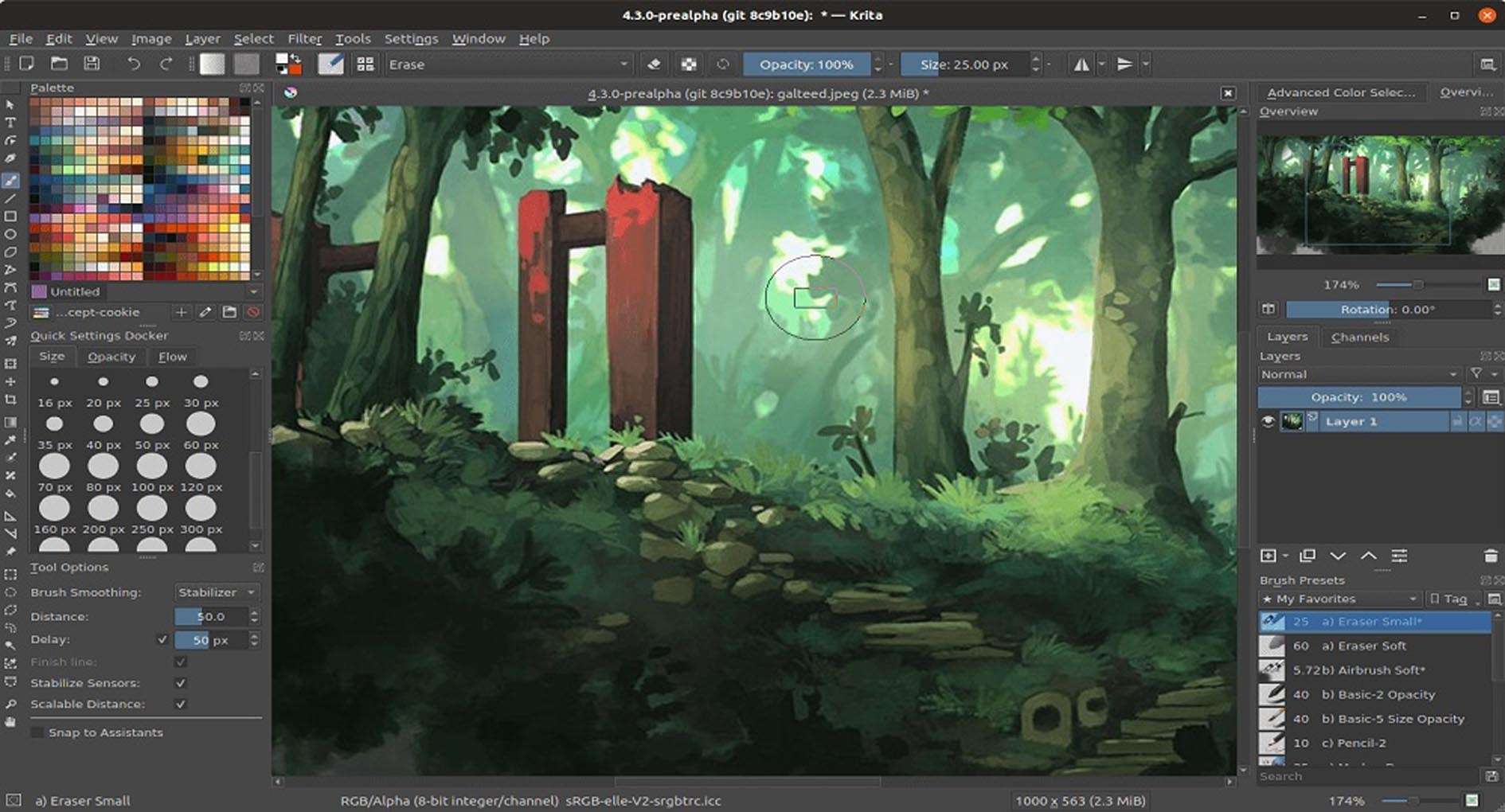
Krita Studio 5.2.16 features a highly advanced and customizable brush engine, allowing artists to emulate traditional media like oils, watercolors, and pencils with remarkable accuracy. Users can fine-tune brush parameters such as stabilization, flow, and opacity, and create custom brush tips and textures. The software also supports professional color management, including ICC profiles, high dynamic range (HDR) painting, and various color models such as RGB, CMYK, and LAB, ensuring accurate color representation across different devices and print outputs.
Seamless Integration of Raster Painting and Vector Graphics
This application seamlessly integrates vector and raster graphics tools, providing a flexible workflow for diverse artistic projects. Users can utilize vector layers for scalable line art, text layers for titles and captions, and easily combine them with pixel-based painting. This capability is particularly beneficial for digital illustration, comic book creation, and graphic design, where precise lines and text elements are often required alongside detailed painted artwork.
Comprehensive 2D Animation Workspace and Workflow Enhancements
Krita Studio 5.2.16 includes robust features for frame-by-frame 2D animation, making it a comprehensive tool for animators. Key functionalities include onion skinning to visualize sequential frames, an improved timeline docker for precise control over animation sequences, and the ability to import audio for lip-syncing and sound design. These enhancements within the 5.2.x series optimize the animation pipeline for professionals, allowing for smoother production and iteration.
Flexible Non-Destructive Editing and Resource Management
The software prioritizes non-destructive editing through various layer types, including filter layers, masks, and transform masks. This approach allows artists to make significant alterations to their artwork without permanently modifying the original pixel data, facilitating experimentation and revisions. Krita Studio also offers effective resource management, supporting the import and export of brush packs, custom patterns, and other assets, along with customizable workspace layouts to suit individual work preferences.
Real-World Applications Across Industries
Krita Studio 5.2.16 finds extensive use across multiple creative industries. It is a popular choice for artists creating detailed comic books and graphic novels, designing textures and concept art for video games, and developing traditional 2D animation projects for film and web. Its versatility and professional feature set make it equally suitable for graphic designers and illustrators working on a wide array of digital media projects.
Frequently Asked Questions
What are the key differences between Krita Studio and the regular Krita version?
Krita Studio typically includes additional professional brushes, resource bundles, and workflow optimizations tailored for creative studios. While based on the same open-source core, the Studio version aims to provide extra assets and features that enhance productivity for professional artists and animators.
Can Krita Studio handle both digital painting and 2D animation projects?
Yes, Krita Studio offers a full suite of digital painting tools alongside integrated frame-by-frame 2D animation features, including onion skinning, timeline control, and audio support, making it versatile for illustrators and animators.
What file formats does Krita Studio support for export and import?
Krita Studio supports a wide range of file formats including common raster formats like PNG, JPEG, BMP, TIFF, layered PSD files compatible with Adobe Photoshop, and video export options for animation projects such as MP4 and GIF.






Reviews
There are no reviews yet.