

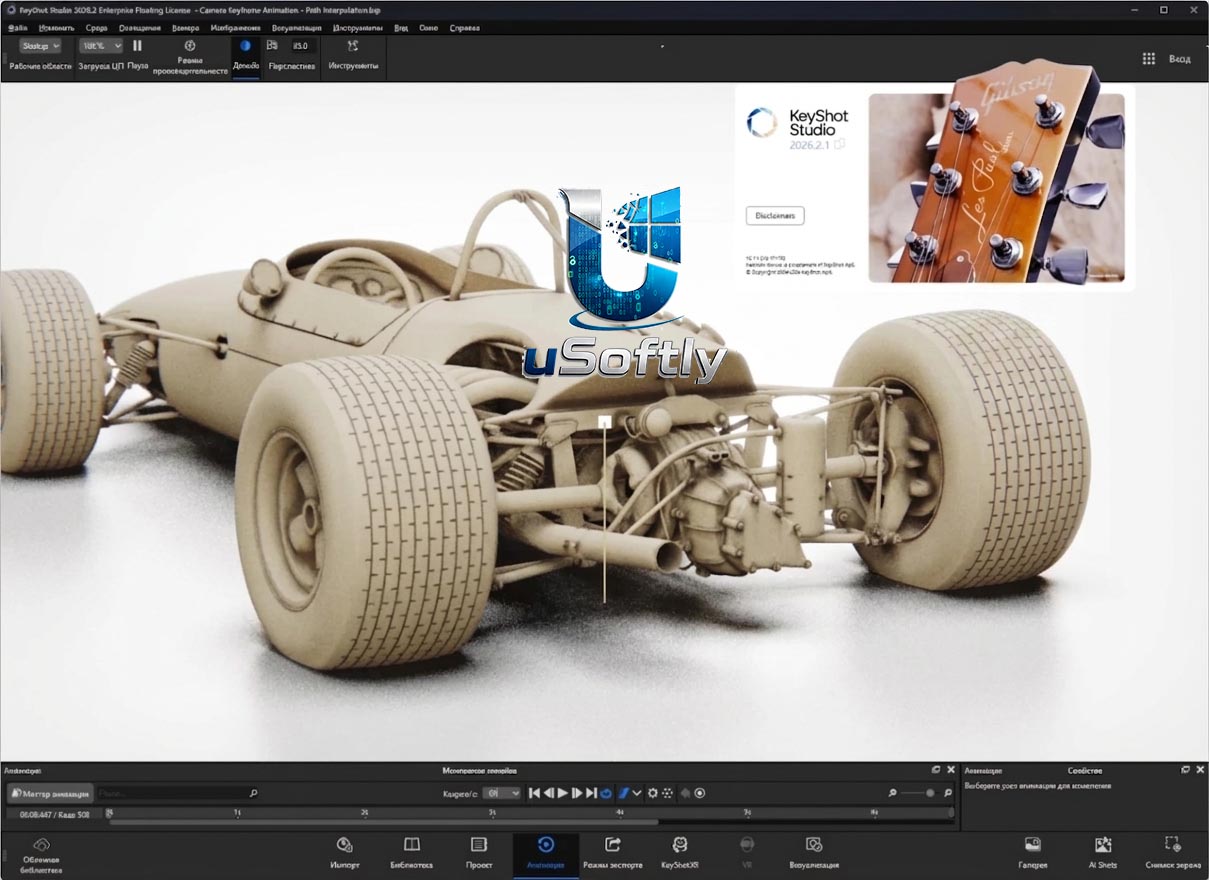
Download Luxion KeyShot Studio Enterprise – Advanced 3D Rendering Solutions
Luxion KeyShot Studio Enterprise is a powerful 3D rendering application developed by Luxion, designed to rapidly generate high-quality, photorealistic images and animations from 3D data. It is widely utilized across product design, engineering, architecture, and marketing fields for its efficient visualization capabilities. This software stands out for its intuitive interface and real-time rendering technology, enabling professionals to create compelling visual content with ease.
Introduction to Luxion KeyShot
Overview of KeyShot
Luxion KeyShot is a leading 3D rendering and animation software renowned for its user-friendly interface and robust performance. It empowers users across various industries to transform 3D models into photorealistic visuals quickly. The software is built to streamline the visualization process, making it accessible for both experienced designers and those new to 3D rendering.
Real-Time Rendering Capabilities
How Real-Time Ray Tracing Works
KeyShot leverages advanced real-time ray tracing to provide instant visual feedback as scenes are created and edited. This technology simulates the physical behavior of light, including sophisticated effects like global illumination and photon mapping, resulting in highly accurate and lifelike renderings. The real-time aspect allows for rapid iteration on lighting, materials, and camera settings without lengthy render times.
Supported File Formats and Compatibility
Ensuring seamless integration into existing workflows, Luxion KeyShot supports a comprehensive array of file formats from leading CAD and 3D modeling applications. This broad compatibility allows users to import models directly from software such as SolidWorks, CATIA, Autodesk Inventor, Fusion 360, Rhino, SketchUp, and many others. This flexibility minimizes data conversion issues and accelerates the process of bringing design data into the rendering environment.
Application in Different Industries
Luxion KeyShot is an indispensable tool for professionals seeking to communicate design intent and product aesthetics effectively. In product design and engineering, it is used for conceptualization, design review, and creating marketing collateral. Architects employ KeyShot to generate realistic architectural visualizations and walkthroughs. The marketing and advertising sectors rely on its ability to produce stunning product shots and animated advertisements.
Key Features and Benefits
KeyShot offers a suite of powerful features designed to enhance the creation of photorealistic 3D renderings and animations:
- Real-Time Ray Tracing: Visualize scenes dynamically as changes are made, optimizing the design process.
- Extensive Material Library: Access a diverse collection of scientifically accurate materials that mimic real-world properties for enhanced realism.
- HDRI Lighting: Utilize High Dynamic Range Image (HDRI) lighting environments to set realistic illumination and reflections within scenes.
- Advanced Texturing and Decals: Apply detailed textures and decals to surfaces for sophisticated surface detail and branding.
- Animation Tools: Create dynamic animations of parts, cameras, and materials to showcase product functionality and transitions.
- One-Click Presets: Quickly apply common material and lighting setups using a variety of presets for accelerated workflows.
Comparative Insight with Other 3D Rendering Software
Compared to many other 3D rendering solutions, Luxion KeyShot distinguishes itself through its remarkable ease of use and speed. While some software may offer deeper technical control, KeyShot excels in providing immediate, high-quality results with minimal setup. Its real-time rendering approach and extensive direct import capabilities for CAD data are key differentiators, making it a preferred choice for efficient visualization workflows where speed and photorealism are paramount.
User Community and Learning Resources
Users of Luxion KeyShot have access to a wealth of resources to support their learning and work. The active KeyShot community forums provide a platform for users to share knowledge, ask questions, and showcase their work. Luxion also offers comprehensive tutorials, documentation, and training materials through its official website, catering to various skill levels and enabling users to maximize the software’s capabilities.
Frequently Asked Questions
What types of projects can I create with Luxion KeyShot?
Luxion KeyShot is ideal for creating photorealistic visualizations for product design, architectural renderings, and marketing materials. Its versatile capabilities allow users to produce high-quality images and animations, suitable for everything from initial design concepts to final advertising assets.
Does KeyShot require extensive technical skills to use?
No, KeyShot is designed to be user-friendly and does not require special technical skills. Its intuitive interface allows beginners to produce professional results with ease, focusing your efforts on design and visualization rather than complex software manipulation.
Can I use KeyShot with other CAD software?
Yes, KeyShot supports a wide range of file formats from various CAD programs, including SolidWorks, Rhino, and Autodesk products. This interoperability makes it a flexible choice for 3D visualization, allowing smooth import of models from your preferred design tools.





Reviews
There are no reviews yet.