

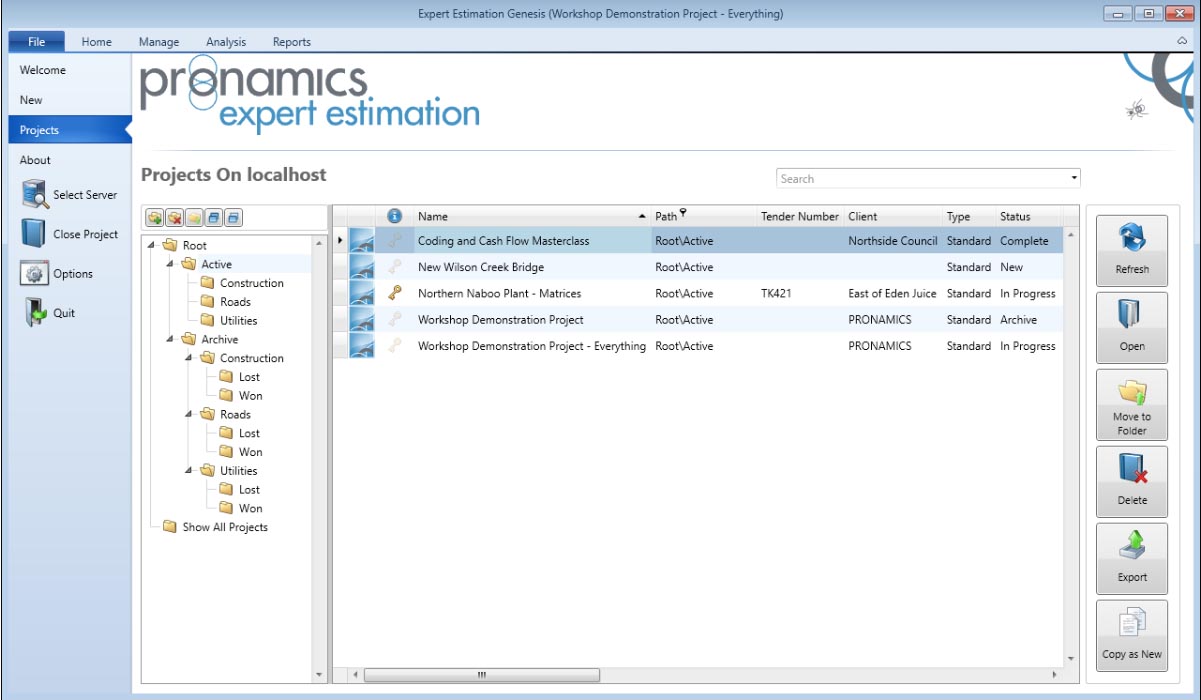
Pronamics Expert Estimation 2026: Professional Construction Cost Estimating & Tendering Software
Version: 2026 (Product Selector v3.0.690.0, Shell v2.458.0.0, Server v1.26.1.20823)
Pronamics Expert Estimation 2026 is a professional, Windows-based cost estimating, budgeting, and tendering solution used by contractors, engineers, and estimators across construction and engineering sectors . Built on a “first-principles” estimating approach, the software allows users to break down project costs from the ground up—calculating materials, labor, and plant resources rather than relying solely on square-meter rates or historical averages
The software is available in three license packages (Excelerate, Express, and Genesis) to suit different levels of estimation control and project complexity . It operates with two core components: the Server (responsible for storing projects, running calculations, and managing multi-user communication) and the Shell (which manages the connection to the server and launches the client application)
Over the past 30 years, Expert Estimation has established itself as a benchmark in estimation software, trusted by estimators for its accuracy, flexibility, and powerful automation tools
📊 Primary Users
This professional cost estimating software is designed for:
-
Estimators & Quantity Surveyors creating detailed, first-principles cost estimates for construction and engineering projects
-
Contractors & Subcontractors generating accurate bids and tenders to win more work
-
Project Managers & Engineers controlling costs, managing margins, and tracking project budgets
-
Government & Infrastructure Departments developing reliable project budgets and cost forecasts
-
Manufacturing & Trade Professionals building up detailed project costs from materials, labor, and plant resources
⚡ Key Features & Capabilities
💰 First-Principles Estimating & Cost Automation
-
Detailed Cost Build-Up: Calculate materials, labor, and plant resources with precision .
-
Reusable Templates & Formulas: Create custom templates to automate repetitive calculations and reduce errors .
-
Cost Code Assignment: Track costs against structured codes for better project control and reporting .
-
Overhead & Margin Control: Confidently manage overheads and recover margins with transparent reporting .
👥 Multi-User Collaboration
-
Simultaneous Project Access: Multiple estimators can work on the same project simultaneously, whether in the office, on-site, or offline .
-
Server-Based Architecture: The Server component manages communication and data consistency, supporting teamwork at scale .
📊 Comprehensive Analysis & Reporting
-
Cashflow Predictions & Cost Analysis: Advanced project analytics to forecast cashflows and analyze cost performance .
-
Takeoff Sets: Create and manage takeoff sets to streamline quantity extraction .
-
Real-Time Reporting: Gain real-time insights into project costs, margins, and variances to make informed decisions .
📋 Tendering & Bid Management
-
Accurate Bids & Tenders: Generate detailed, reliable, and transparent bids to win more work .
-
Subcontractor Management: Manage subcontractor costs and integrate them into the main estimate .
-
Customizable Templates: Use custom templates to ensure consistency across bids and reduce estimating time .
🔧 System Architecture & Support
-
Server & Shell Components: The Server stores projects and runs calculations; the Shell launches the client application .
-
Product Selector: Manages installations and upgrades of both Server and Shell components .
-
API & Integration: API functionality allows users to query project data and integrate with external systems .
-
24/7 Support: Pronamics offers round-the-clock phone, email, and chat support, along with extensive online training resources and a knowledge base .
🆕 What’s New in Version 2026
Based on the component versions :
-
Shell v2.458.0.0 & Server v1.26.1.20823: Updated components for improved performance and stability.
-
Product Selector v3.0.690.0: Enhanced installation and upgrade management.
-
Release Notes: Detailed “What’s New” information available directly within the application’s About window








Reviews
There are no reviews yet.