

Softgroup .Net Forms Resize 13.0 for .NET – Automatic Resizing Component for Windows Forms Applications
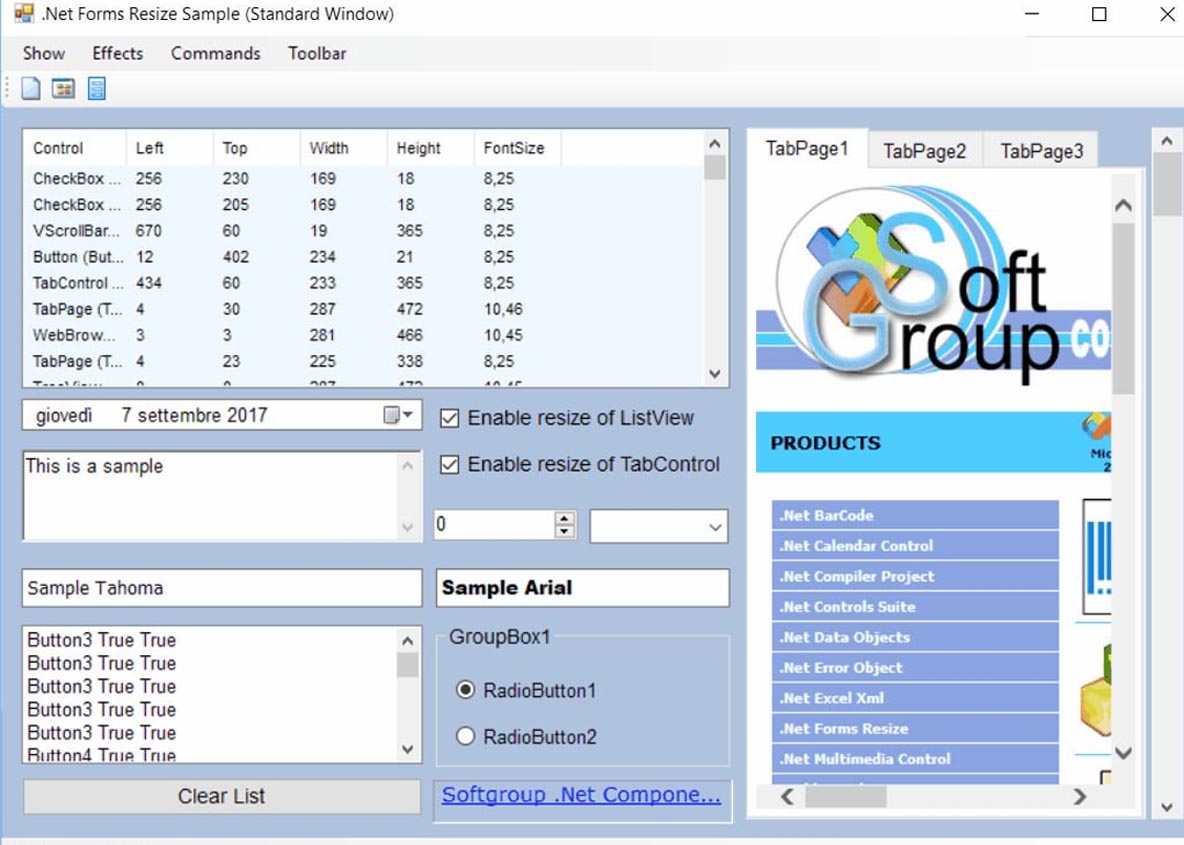
Softgroup .Net Forms Resize 13.0 is a lightweight and easy-to-use component that automatically handles the resizing of all controls and fonts within .NET Windows Forms applications. The component is designed specifically for developers and programmers who want to eliminate the tedious, time-consuming task of manually adjusting UI elements for different screen sizes.
By simply dragging the component from the Toolbox in Microsoft Visual Studio and dropping it onto a form, developers gain complete control over how the form and its child controls scale. The component intelligently manages control positions, sizes, and font sizes based on form resizing events, ensuring a consistent and professional user experience across different display configurations.
This tool significantly accelerates development by eliminating the need for lengthy, complex code to handle resizing logic. Developers can focus on application functionality rather than UI scaling challenges.
Primary Users
Softgroup .Net Forms Resize 13.0 is designed for .NET developers, software engineers, and Windows application programmers who need to create responsive, resolution-independent user interfaces. It serves professionals who:
-
Develop Windows Forms applications that must adapt to different screen resolutions and DPI settings
-
Want to save development time by automating the resizing of controls and fonts
-
Need to support multiple display configurations without writing extensive manual code
-
Seek a lightweight, easy-to-integrate solution for form scaling
Key Features & Capabilities
Automatic Resizing
-
Control Scaling: Automatically resizes all controls (buttons, textboxes, panels, etc.) when the parent form is resized
-
Font Scaling: Proportionally adjusts font sizes to maintain readability and visual consistency
-
Position Management: Maintains proper control positioning relative to the form boundaries
Easy Integration
-
Toolbox Deployment: Simply drag and drop from the Visual Studio Toolbox onto any form
-
No Code Required: Eliminates the need to write lengthy, time-consuming resizing code
-
Immediate Results: Scaling behavior works instantly after component placement
Full .NET Compatibility
-
.NET Framework Support: Works with Windows Forms applications built on the .NET Framework
-
Visual Studio Integration: Seamless integration with Microsoft Visual Studio development environment
Flexible Configuration
-
Container Support: Works with standard containers including Panels, GroupBoxes, TabPages, and SplitContainers
-
Nested Control Handling: Properly manages resizing of controls within nested containers
-
Smooth Resizing: Handles form resizing events efficiently for smooth visual updates
What’s New in Softgroup .Net Forms Resize 13.0
As a mature and widely-used component, version 13.0 continues the tradition of providing reliable, lightweight form resizing capabilities. While specific changelog details for this version are not available in the provided documentation, the software’s ongoing development focuses on:
Enhanced Compatibility
-
Visual Studio 2022 Support: Full compatibility with the latest Visual Studio IDE
-
Latest .NET Versions: Updated to support modern .NET development environments
Performance Improvements
-
Optimized Resizing: Improved efficiency for forms with many controls
-
Reduced Overhead: Streamlined component footprint for minimal performance impact






Reviews
There are no reviews yet.