

Download Solid Angle Maya to Arnold 5.5.5.0 – Advanced Monte Carlo Ray-Tracing Renderer Plugin for Maya
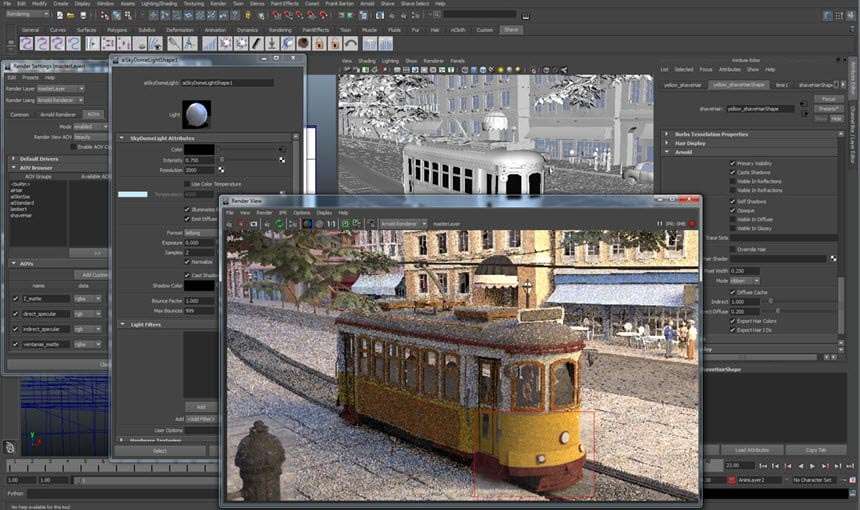
The Solid Angle Maya to Arnold 5.5.5.0 plugin provides a high-quality Monte Carlo ray-tracing rendering engine for Autodesk Maya, developed by Solid Angle, an Autodesk company. This plugin is integral to professional visual effects (VFX), animation, and motion graphics pipelines, enabling artists and technical directors to achieve photorealistic results. Arnold’s advanced rendering technology has become a standard in the industry, widely adopted for its efficiency and quality in replacing traditional scanline rendering methods.
Maya to Arnold: Revolutionizing Rendering in 3D Animation and VFX
The Maya to Arnold (MtoA) plugin is a critical bridge that brings Arnold, a leader in physically-based rendering, directly into the Autodesk Maya environment. It facilitates a seamless workflow for complex 3D scenes, allowing users to leverage Arnold’s powerful rendering capabilities without leaving Maya’s familiar interface. Solid Angle, the original developer of Arnold, has been instrumental in pushing the boundaries of rendering quality, and its integration under Autodesk ensures continued development and industry support. Arnold’s adoption has significantly influenced the industry by offering a path to photorealism that outperforms legacy rendering techniques in demanding visual production and architectural visualization fields.
Advanced Rendering Technology Powering Photorealistic Results
Monte Carlo Ray Tracing Engine
At its core, Arnold is a highly efficient Monte Carlo path tracer. This methodology simulates the behavior of light in a physically accurate manner, tracing rays through a scene to calculate how light bounces and interacts with surfaces. This approach is fundamental to achieving true photorealism, accurately rendering complex phenomena like soft shadows, global illumination, caustics, and intricate reflections and refractions that are difficult to simulate with simpler rendering algorithms. Its design is optimized to effectively utilize modern hardware, including multi-core CPUs.
Open Shading Language (OSL) Support
Arnold’s robust support for the Open Shading Language (OSL) extends its flexibility considerably. OSL is a high-level, open-source shading language that allows artists and technical directors to write custom shaders, textures, and complex material definitions. This programmability is essential for developing unique visual styles, intricate material properties, and specialized effects that are not covered by built-in shaders, empowering users to achieve highly specific aesthetic goals and integrate custom assets into their rendering pipeline.
Node-Based Architecture and Extensibility
The renderer’s inherent node-based architecture provides a highly modular and extensible framework. This design principle allows for deep integration and customization within a production pipeline. Users can develop and implement custom shaders, unique camera types, procedural geometry generators, custom render filters, and specialized output drivers. This capability is vital for large-scale productions that often require tailored tools and workflows to optimize efficiency and achieve specific artistic or technical outcomes.
Performance and Hardware Optimization in Version 5.5.5.0
Version 5.5.5.0 of the Maya to Arnold plugin introduces significant advancements in rendering speed and resource utilization, building upon Arnold’s established performance characteristics.
GPU Rendering Enhancements
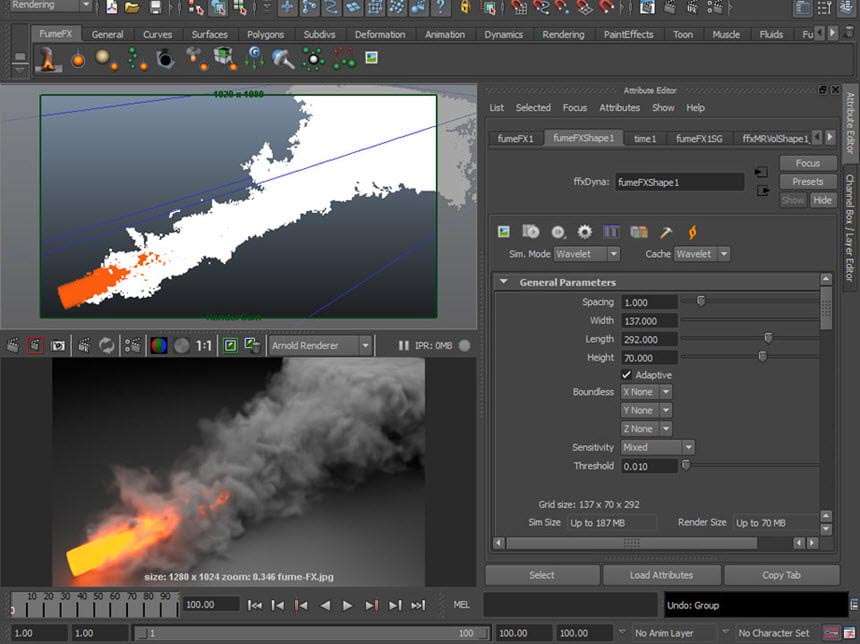
This release features notably improved GPU rendering capabilities, leveraging the power of NVIDIA hardware accelerators. These enhancements aim to provide faster render times for specific scene types and materials, offering a viable option for artists who need to balance visual quality with the demand for quicker feedback loops or faster final rendering.
Optimized Memory and Multi-Core CPU Usage
Arnold continues to excel in its efficient use of system resources. Version 5.5.5.0 includes further optimizations for memory management, allowing for the rendering of more complex scenes with higher asset demands without out-of-memory errors. Performance on multi-core CPUs is also refined, ensuring that users can maximize their hardware potential for computationally intensive rendering tasks, including support for modern CPU instruction sets like SSE4.1.
Maya Integration Improvements
Direct integration within Autodesk Maya is a key focus. Version 5.5.5.0 offers enhanced compatibility and workflow improvements, particularly for users of newer Maya versions such as Maya 2020, 2022, and 2023. These updates ensure a smoother user experience, with better handling of scene data and more responsive interaction between Maya’s modeling and animation tools and Arnold’s rendering engine.
Use Cases Across Industries: From Feature Films to Architectural Visualization
The Maya to Arnold plugin is a versatile tool employed across numerous high-demand visual creation industries. Its capacity for photorealistic rendering makes it indispensable for creating visually stunning content.
- Feature Film VFX and Animation: Widely used by major studios like Sony Pictures Imageworks for complex visual effects and character animation in animated features, requiring immense detail and realism in lighting, textures, and environmental rendering.
- Motion Graphics: Enables the creation of sophisticated animated graphics for film titles, broadcast design, and advertising, where detailed textures and lighting are crucial for a polished look.
- Architectural Visualization: Professionals use Arnold to generate high-fidelity renders of architectural designs, providing clients with realistic previews of buildings and interiors.
- Product Visualization: The renderer’s ability to accurately depict materials, reflections, and lighting is ideal for showcasing product designs in marketing and development.
- Look Development: Artists utilize the plugin to experiment with materials, lighting, and camera settings, crucial for defining the final visual style of characters, assets, and environments.
File Formats and Pipeline Compatibility
The Maya to Arnold plugin functions seamlessly within standard Maya workflows, supporting various native file formats and integrating efficiently into larger production pipelines. It reads scene information directly from Maya, including geometry, materials, lighting, and animation, rendering them through Arnold’s engine. Compositing workflows are often enhanced by Arnold’s ability to output render passes (AOVs – Arbitrary Output Variables), which provide discrete layers of rendering data. This detailed output is essential for flexibility in post-production compositing, allowing artists to fine-tune elements like diffuse color, specular highlights, reflections, and shadows independently. The node-based extensibility also aids in integrating Arnold with custom studio tools and asset management systems, making it adaptable to diverse production environments.
Frequently Asked Questions
What is the advantage of using Arnold renderer over traditional scanline renderers in Maya?
Arnold uses physically-based Monte Carlo ray tracing, which produces more realistic lighting, shadows, and materials compared to scanline renderers that approximate these effects. This approach is essential for achieving photorealism in complex animation and VFX projects, as it fundamentally simulates light’s physical behavior more accurately.
Does Arnold support GPU rendering in Maya, and what improvements are in version 5.5.5.0?
Yes, Arnold supports GPU rendering, which offloads certain computations to NVIDIA GPUs, accelerating rendering times. Version 5.5.5.0 enhances this support with optimizations for better performance and increased efficiency, making GPU rendering a more practical option for accelerated workflows.
How customizable is the shading system in Arnold for Maya?
Arnold supports Open Shading Language (OSL), which allows artists to create complex, custom shaders and materials programmatically, enabling unique visual effects and tailored pipeline integration. This capability provides extensive control over material definition beyond standard shader libraries.




Reviews
There are no reviews yet.